How Does Shopify Work in 2026? A Practical Guide to Using Shopify

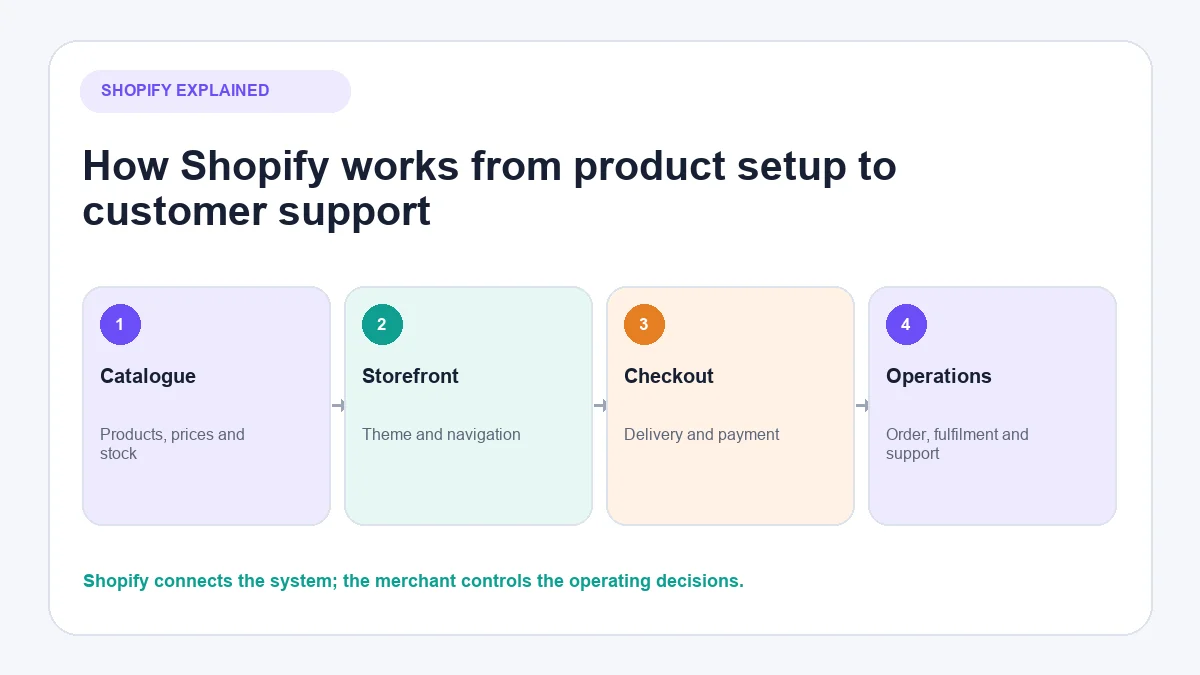
Shopify gives a business the software needed to create a shop, list products, take orders and manage the work that follows a sale. The merchant supplies the products, prices, policies, content and operating decisions; Shopify supplies the commerce platform that connects the storefront, checkout, order records and supported sales channels.
Using Shopify is therefore not just a website-building exercise. A working store needs products, payment arrangements, shipping rules, tax settings, customer policies and a tested order process. This guide follows that complete route so you can see both how Shopify works and how to use it.
Shopify changes plan names, features and interface labels over time. Use the current Shopify platform overview and the documentation linked throughout this article to confirm what is available for your plan and country.
What is Shopify?
Shopify is a hosted commerce platform. A merchant signs into an online administration area to manage products, the store design, orders, customers, payments, shipping settings, apps and reports. Customers normally interact with the storefront and checkout rather than the administration area.
“Hosted” means Shopify operates the underlying commerce software and hosting. You do not need to install an ecommerce system on a server before adding a product. However, Shopify does not create the business for you. The merchant remains responsible for matters such as product accuracy, stock, pricing, fulfilment, customer service, legal compliance and tax registration.
Shopify can support several ways of selling, including an online store and in-person selling through Shopify POS. Available features depend on the selected plan, location and connected services. It is better to check the current Shopify plans than rely on a price or trial period quoted in an old tutorial.
How does Shopify work from product to completed order?
The basic process has six connected stages:
- Catalogue: You create products with titles, prices, descriptions, media, variants and inventory information.
- Storefront: A theme turns that catalogue into product and collection pages customers can browse.
- Checkout: The customer supplies contact, delivery and payment information and confirms the order.
- Payment and order record: A payment provider processes the payment, while Shopify creates and updates the order record.
- Fulfilment: The merchant or a fulfilment partner prepares and sends the goods or delivers the service.
- Post-purchase work: The business handles tracking questions, changes, returns, refunds and other customer enquiries.
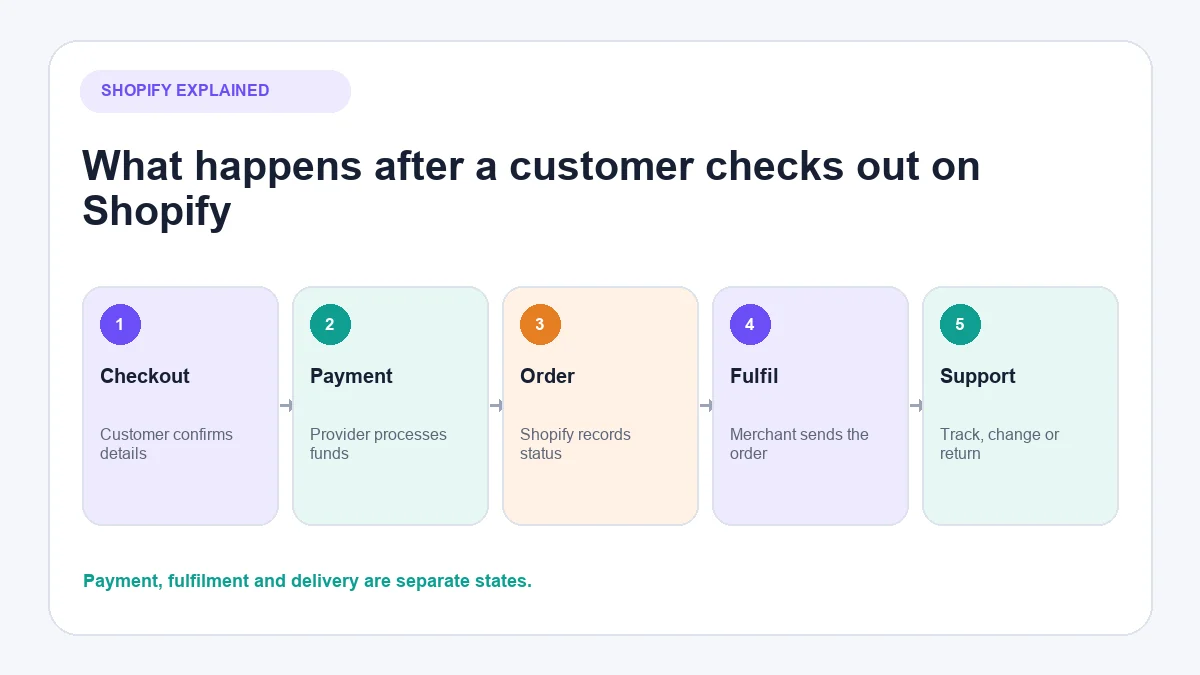
The platform connects these stages, but the merchant decides how they operate. For example, Shopify can display the shipping rates you configure; it cannot decide which delivery promise is commercially sensible for your business.
What does Shopify handle, and what does the merchant handle?
Understanding this division prevents a common beginner mistake: assuming that opening a Shopify account creates a ready-to-run retail operation.
| Shopify provides | The merchant remains responsible for |
|---|---|
| Hosted storefront and theme system | Brand, product selection and accurate content |
| Product and inventory records | Stock availability and supplier coordination |
| Checkout software | Prices, discounts and commercial terms |
| Connections to supported payment providers | Payment eligibility, verification and disputes |
| Configurable shipping and fulfilment tools | Packaging, carriers and delivery performance |
| Order, return and refund controls | Policies and fair handling of customer cases |
| App and sales-channel ecosystem | Selecting, paying for and governing third-party apps |
| Tax calculation tools where available | Registration, filing, remittance and professional advice |
| Customer and order information | Privacy, access control and lawful data use |
| Store analytics | Interpreting results and making business decisions |
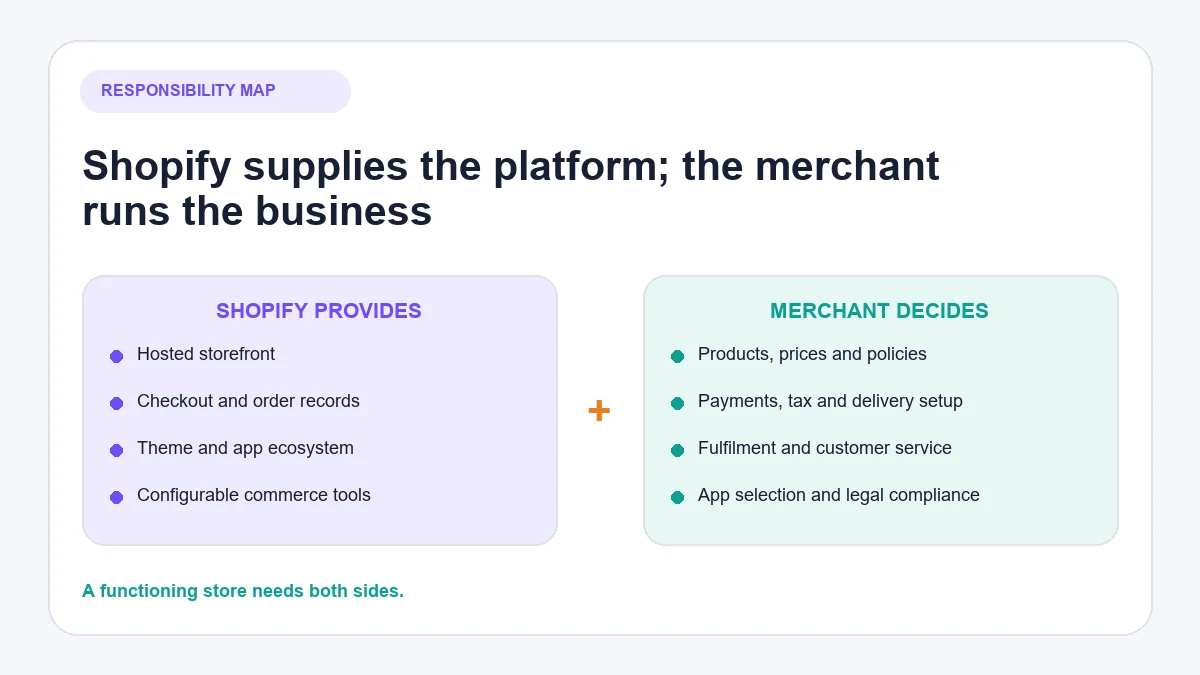
Shopify can make many tasks easier, but it does not remove business, legal or operational responsibility.
How to use Shopify step by step
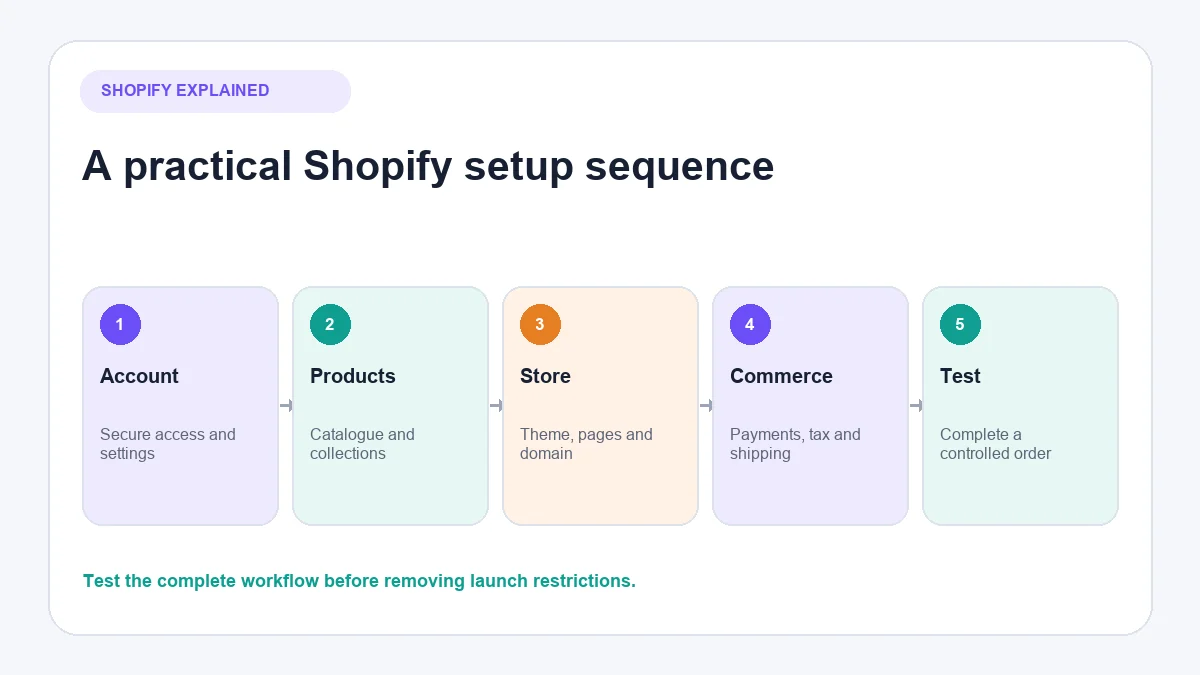
The exact setup route varies by business model. A digital-product seller will make different fulfilment decisions from a furniture retailer. The following order works for most new stores because each step provides information required by the next.
1. Create the store and secure the account
Start the account through Shopify and use business details that can be verified. Set up two-step authentication, restrict staff permissions and avoid sharing the owner’s password with contractors.
Choose the store name carefully, but do not delay every other decision while waiting for a perfect public domain. Shopify assigns a store address during setup, and a custom domain can be connected before launch.
2. Confirm the business settings
Review the legal business name, store address, time zone, units, default currency and customer-contact information. These settings influence reports, payments, shipping and how the store operates.
Choose the store currency deliberately. Shopify notes that changing it after the first sale can require support and may affect other settings. The requirements for Shopify Payments also depend on the country where the store operates. See Shopify’s payment account setup requirements before entering provisional information.
3. Add accurate products
In the Products section, create each item and add the information a customer needs to decide whether it is suitable. Shopify requires only a title and price at the most basic level, but a usable product page normally needs considerably more.
Check:
- A specific product title.
- An independently written description.
- Clear images or other relevant media.
- Price and any compare-at price used honestly.
- Variants such as size, colour or material.
- Inventory tracking and stock location.
- Weight and customs information where relevant to shipping.
- Product category, tags and metafields where useful.
- Availability on the intended sales channels.
- Search title and description where they improve clarity.
Shopify’s product documentation explains the current catalogue fields and management tools. Do not publish placeholder specifications that could mislead customers.
4. Organise products into collections
Collections group related products for navigation and merchandising. A collection might contain a product type, seasonal range, customer category or items meeting automatic conditions.
Shopify supports manual and smart collections on eligible plans. Manual collections are controlled item by item. Smart collections use conditions to include matching products. The collection documentation records current plan requirements and behaviour.
Keep the structure understandable. A small shop does not need dozens of near-empty collections merely because the feature exists.
5. Choose and customise a theme
The theme controls the store’s presentation and many page-layout options. Shopify provides a default theme when an account is opened, and merchants can add free or paid themes.
Start with the customer journey rather than decorative effects. On mobile and desktop, verify that a visitor can:
- Understand what the store sells.
- Reach important collections.
- Read product information.
- Select a variant.
- See delivery and returns information.
- Add an item to the basket.
- Reach checkout without obstruction.
Make a backup before substantial theme changes. Shopify’s theme management documentation explains how to manage, duplicate and update themes.
6. Build the navigation, pages and domain
Create the pages customers need, then connect them through sensible menus. Common requirements include contact information, delivery information, returns, privacy, terms and an explanation of the business. The correct legal pages vary by market and business, so generic policy text should be reviewed rather than published blindly.
Connect a custom domain and make the intended version primary. Test both the visible domain and any redirects before launch.
7. Configure shipping and fulfilment
Shipping settings determine which delivery choices appear at checkout. Shopify can support flat rates, conditions, free-shipping thresholds and carrier-calculated options depending on the setup. Shipping profiles can apply different rules to different products or locations.
Before configuring rates, decide:
- Where stock is stored.
- Which countries or regions you can actually serve.
- Which carrier or fulfilment partner will be used.
- Package dimensions and weights.
- Handling time.
- Whether the customer, merchant or product margin absorbs the cost.
- What happens when an order contains products from different profiles or locations.
The current Shopify shipping and fulfilment setup explains how rates, packages, profiles and locations interact. Test representative addresses, including remote or excluded areas, rather than assuming the checkout will interpret the rules as intended.
8. Configure taxes and duties carefully
Shopify provides tax settings and services that vary by country. It can assist with calculations, but the merchant must determine where registration, collection, filing and remittance are required.
Shopify explicitly states that tax responsibility remains with the seller unless a supported filing service has been configured. Review the Shopify tax documentation and obtain local professional advice for the business’s circumstances.
International stores must also consider duties, import taxes and delivery terms. A setting that works for domestic orders might produce an unexpected landed cost for an overseas customer.
9. Set up a payment provider
Customers can pay only through methods activated for the store. Shopify Payments is available in supported countries and can be managed through Shopify admin. Other locations or business types may need a third-party provider, and alternative or manual payment methods may also be available.
Compare:
- Country and business eligibility.
- Verification requirements.
- Supported currencies and payment methods.
- Processing and currency-conversion fees.
- Shopify third-party transaction fees where applicable.
- Payout timing and reserves.
- Chargeback procedures.
- Subscription or recurring-payment compatibility.
Use the current Shopify payments documentation rather than assuming that every store can use the same provider. The separate AeroChat article on setting up Shopify payments provides a more focused checklist.
10. Test the storefront and checkout
Do not treat the first customer as the test user. Preview the store on a real phone and computer, then place controlled test orders using a method supported by the payment setup.
Test at least:
- Search and collection navigation.
- Product variants and stock behaviour.
- Discount conditions.
- Shipping rates for several destinations.
- Tax display.
- Payment success and failure.
- Order confirmation messages.
- Inventory changes.
- Fulfilment and tracking updates.
- Cancellation, return and refund procedures.
A completed checkout is not enough. Follow the order into the administration area and confirm that the team knows what to do next.
11. Remove launch restrictions and monitor the first orders
When the store, policies and order process are ready, connect the final domain, remove any storefront password or launch restriction as appropriate, and complete a final link check.
Watch the first orders closely. Early orders reveal operational problems that a page preview cannot, such as ambiguous addresses, unexpected shipping combinations or questions customers ask before fulfilment.
How do Shopify orders work after checkout?
When a customer submits a successful order, Shopify records its payment and fulfilment states. These states are related but not identical. An order can be paid but unfulfilled, partially fulfilled, refunded or cancelled depending on what happens next.
From the Orders area, authorised staff can review details, capture eligible payments, edit certain orders, prepare fulfilment, add tracking and handle returns or refunds. Shopify’s order management documentation lists the current controls.
The merchant or fulfilment partner must still pick, pack and dispatch physical goods unless a connected service handles that work. Marking an order fulfilled without actually transferring it into a reliable delivery process creates inaccurate customer communication.
How do returns, exchanges and refunds work?
Shopify can record returns, exchanges and refunds, but the merchant defines the policy and decides how individual cases should be handled within applicable law.
Return rules can control matters such as the return window, fees and final-sale items. Eligible stores can also use self-service return and cancellation requests. These controls do not replace a clear written policy or legal review. See Shopify’s return and cancellation rules for current functionality.
If returns become operationally difficult, compare dedicated ecommerce returns management software before adding an app merely because it appears popular.
How do Shopify apps and sales channels work?
Apps extend the store or connect it to another service. They can add merchandising, marketing, fulfilment, accounting, customer-service or reporting functions. Sales channels make products available through additional Shopify-supported surfaces.
An app is not automatically beneficial. Before installing one, check:
- The problem it solves.
- Permissions and data access.
- Monthly and usage-based charges.
- Theme or checkout changes.
- Support ownership.
- Export and removal procedures.
- Whether Shopify already provides the required function.
Review installed apps regularly. Several small subscriptions can become a material part of the store’s operating cost.
Shopify can also connect with social commerce channels. Merchants planning that route can follow the separate instructions to connect Instagram to Shopify.
What does Shopify cost beyond the advertised plan?
The plan subscription is only one component. Depending on the business, total cost may include:
- The Shopify subscription.
- Domain registration.
- A paid theme.
- App subscriptions and usage charges.
- Payment processing.
- Third-party transaction fees where applicable.
- Currency conversion.
- Shipping labels, packaging and fulfilment.
- Returns and exchanges.
- Tax or accounting services.
- Design, development or operational support.
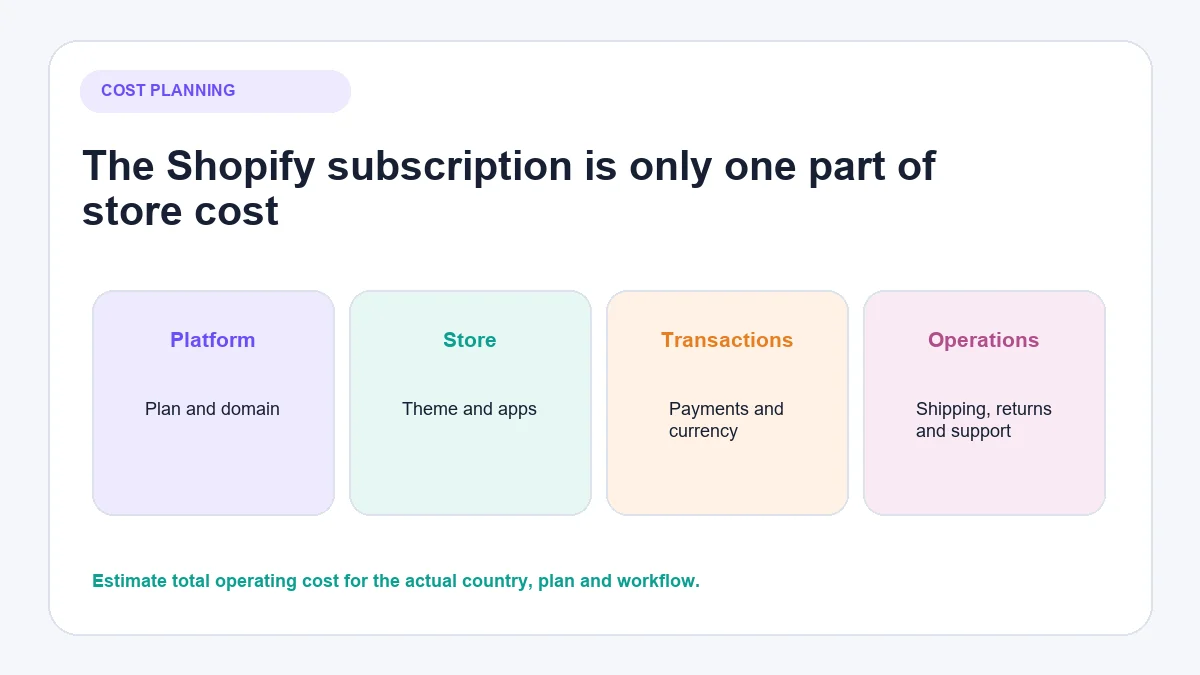
Shopify’s fee documentation explains that payment fees depend on factors such as location and card type, while third-party transaction fees depend on the plan and payment arrangement. Confirm the live figures for the actual store rather than applying a US example globally. See Shopify’s fees and costs documentation.
Is Shopify suitable for every business?
Shopify is often a practical choice when a business wants a hosted commerce system, standard checkout, a large app ecosystem and the option to add sales channels without maintaining its own ecommerce server.
It may be less suitable when the project requires unusually specialised checkout behaviour, a highly customised data architecture, or a cost structure that does not fit the required apps and transaction arrangement. Platform suitability also depends on staff skills, country support and the merchant’s existing systems.
Businesses comparing hosted and self-managed approaches can review Shopify versus WooCommerce. Those choosing between hosted platforms may find the Shopify versus BigCommerce comparison more relevant.
Customer service becomes part of using Shopify
The work does not stop when the store launches. Customers ask about product fit, availability, delivery dates, order status, changes and returns. These questions reveal whether the information and operating process are clear.
How AeroChat handles post-launch support
AeroChat is an AI agent platform that helps Shopify merchants run customer service on autopilot. It can use approved business knowledge and connected store information to answer relevant product and order questions across channels including:
When a request needs personal judgement, the conversation can move through human handover.
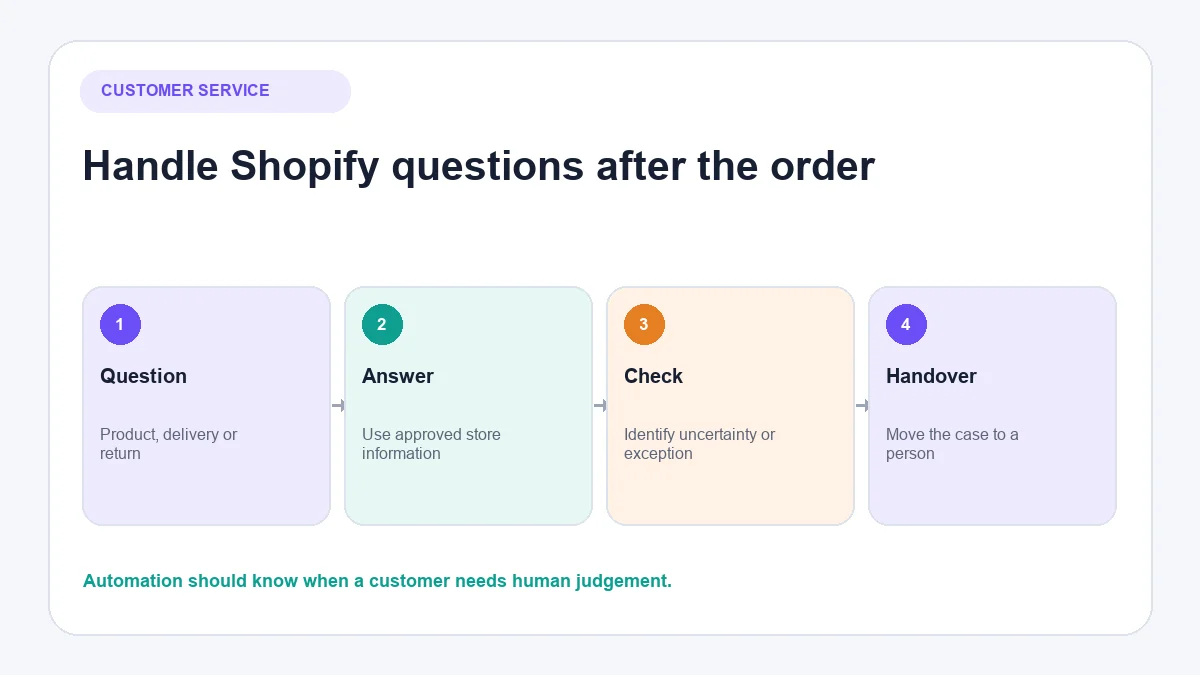
AeroChat is generally a growth-stage support investment rather than a required launch cost. It becomes more relevant when repetitive enquiries increase or the business manages conversations across several channels. Merchants evaluating that stage can compare the best Shopify AI chatbot options and check the current AeroChat Shopify integration.
Shopify pre-launch checklist
Before accepting a real order, confirm that:
- Business and contact details are accurate.
- Staff access is limited appropriately.
- Products, variants and inventory are correct.
- Collections and menus work.
- Mobile product pages are usable.
- Delivery areas and rates have been tested.
- Payment methods are active and verified.
- Tax settings have been reviewed for the business’s obligations.
- Policies match the actual operating process.
- The domain and essential redirects work.
- A complete test order has been processed.
- The team knows how to fulfil, cancel, return and refund an order.
- Customer questions have a clear owner.
Frequently asked questions
Does Shopify hold and ship your products?
Not by default. The merchant, supplier or connected fulfilment provider normally stores and ships the goods. Shopify supplies tools for configuring shipping and managing fulfilment, and some fulfilment services can be connected to the store.
Does Shopify pay you immediately after a customer orders?
Not necessarily. Payout timing depends on the payment provider, country, account status and selected schedule. Payment processing and payout are separate from the customer completing checkout.
Can you use Shopify without Shopify Payments?
Stores can use supported third-party or manual payment methods depending on their country and business. The available providers, fees and capabilities vary, so check Shopify’s payment-gateway list for the store’s location.
Do you need to understand coding to use Shopify?
Basic store setup normally does not require programming. Coding or specialist help may be needed for substantial theme changes, custom integrations or unusual commerce requirements.
Does Shopify calculate and pay your taxes?
Shopify can assist with tax calculations and offers certain tax services in supported regions. The merchant remains responsible for determining registration, collection, filing and remittance obligations unless a specific supported filing service has been configured.
Can Shopify sell internationally?
Shopify provides international selling capabilities, but the merchant must confirm payment availability, currencies, tax, duties, shipping, product restrictions and customer policies for every market served.