10 Best Shopify AI Chatbots for Easy Customer Support (2026)

The best Shopify AI chatbot depends on the job you need it to do. AeroChat is best suited to growing Shopify stores that want to automate customer service across web chat, WhatsApp, Instagram and email while using current Shopify product and order data. Shopify Inbox is the strongest free native starting point, Gorgias fits established support teams with structured helpdesk workflows, and Zipchat focuses more heavily on conversational sales and cart recovery.
A useful shortlist should match the store’s main support job, customer channels and operating model. That means comparing more than feature counts: check what Shopify data the AI can use, how it handles order questions, when it hands a conversation to a person, which channels it supports and what the full monthly cost looks like at normal volume. This guide compares ten Shopify chatbot options by their clearest specialty, best-fit store type, limitations and public pricing.
Research note: Product information and public prices were checked against official sources on 11 September 2026 and re-verified, including Shopify App Store ratings and review counts, order-action capability and AI billing models. This is desk research, not a claim that every platform was tested hands-on. All prices are in USD and exclude taxes, usage charges and optional add-ons unless stated.
The 10 Shopify AI chatbots, side by side
Order lookup and order actions are not the same thing, and the difference matters more than most feature lists suggest. Every tool below can answer “where is my order?” A shorter list can actually cancel that order, change its shipping address, or issue a refund on its own — and an even shorter list does that with a merchant-configurable approval step rather than acting unilaterally. Check the Order capability column before assuming a tool can do more than look things up.
| Tool | Best for | Shopify data depth | Order capability | Channels | AI pricing model | Shopify rating (reviews) |
|---|---|---|---|---|---|---|
| AeroChat | Customer service across web and messaging channels using live Shopify data | Products, collections, inventory, discounts and order status auto-sync | Lookup only — answers order questions, does not process refunds or cancellations | Web chat, WhatsApp, Instagram, Messenger, Telegram, email | Flat fee per tier, with an included AI-response allowance | 5.0 (5) |
| Shopify Inbox | Free native Shopify storefront chat | Catalogue and store policies | Lookup only — refunds and cancellations are done manually in Shopify Admin | Web storefront chat, Shop app | N/A — free, no AI usage fee | 4.6 (5,508) |
| Gorgias | High-volume support and structured helpdesk workflows | Order history, catalogue, inventory levels and customer tags in real time | Can cancel orders, edit shipping addresses, remove or replace items, and reship for free, with a confidence threshold that hands uncertain cases to a person | Email, live chat, Facebook, Instagram, TikTok; WhatsApp, voice and SMS as add-ons | Per-ticket helpdesk plan plus $0.90–$1.00 per AI-resolved conversation | 4.3 (634) |
| Tidio | AI plus accessible live chat | Product recommendations and live stock checks | Can cancel orders, issue refunds and change shipping addresses on unfulfilled orders (cancellation is gated to the Growth plan and above) | Live chat, WhatsApp, Instagram, Messenger, email, phone | Lyro AI billed separately from the base plan, scaled by conversation volume | 4.8 (1,256) |
| Zipchat | Proactive conversational sales and cart recovery | Full catalogue crawl at setup, live stock checks | Guides refund eligibility and can generate discount codes, but escalates rather than executing cancellations itself | Web chat, WhatsApp, Instagram, Messenger, email | Credit-based on AI replies sent, with overage packs | 5.0 (164) |
| Chatty | Lightweight Shopify sales assistance | Full catalogue sync, capped by plan tier | Lookup and tracking only — no refund or cancellation action published | Web chat, WhatsApp, Facebook Messenger, Instagram, email | Per AI conversation, free allowance then $0.40 per extra conversation | 4.9 (1,807) |
| Richpanel | Post-purchase self-service | Order and customer records; catalogue access not published | Can execute address edits, exchanges, cancellations, refunds and subscription changes as configurable actions, gated by merchant-set approval rules | Email, live chat, Facebook, Instagram; WhatsApp and phone via integration on higher plans | Per-seat helpdesk fee plus $0.20 per AI-handled conversation | 4.7 (123) |
| Re:amaze | Multi-store support from a shared inbox | Product details and order information | Human agents can modify Shopify orders directly; the AI agent’s own order-action capability is not confirmed | Email, live chat, SMS, WhatsApp, Messenger, Instagram, voice (AI agent itself covers chat, email and SMS) | Per-seat plan with a bundled AI-resolution allowance, $0.85 per resolution beyond it | 4.3 (143) |
| Chatbase | Configurable AI agents and actions | Catalogue search and order lookup via named Shopify Actions | Can look up orders and create new orders or exchange requests for human approval; no refund or cancellation action is published | Web chat, WhatsApp, Instagram, Messenger; voice and helpdesk on higher plans | Credit-based (message credits); free plan available | 4.7 (18) |
| Juphy | Product discovery and recommendations | Products, variants, inventory, policies and FAQs auto-sync | Lookup and tracking only — order actions not published | Web chat, Instagram DM | Flat fee, tiered by catalogue size and visitor volume, not usage-metered | 4.8 (31) |
Order-capability and AI-pricing-model details were checked against each vendor’s official documentation and current Shopify App Store listing on 2 September 2026 — not third-party summaries. Where an official source did not confirm a capability, it is described as “not published” rather than assumed. Starting prices and billing units are not directly comparable across tools; model the full bill with a Shopify chatbot pricing comparison at your expected volume.
How this Shopify chatbot comparison was researched
Each platform was reviewed against the same seven questions: Does it connect directly to Shopify? Which store data can it use? Can it support product discovery? Can it retrieve order information securely? When does it hand a conversation to a person? Which channels does it support? How is the customer billed?
Public product pages, pricing documentation and Shopify App Store listings were used. Features that could not be confirmed were not treated as available. App Store ratings are included as a current reference point, not as proof that one tool will suit every store.
The list includes different product types on purpose. Shopify Inbox is a native chat tool, Gorgias and Re:amaze are helpdesk-led platforms, while Zipchat and Juphy lean towards shopping assistance. Comparing these categories helps a merchant choose the right operating model before comparing feature counts.
The 10 Shopify AI chatbots, reviewed
1. AeroChat: Best for Shopify Customer Service Across Web, WhatsApp, Instagram and Email
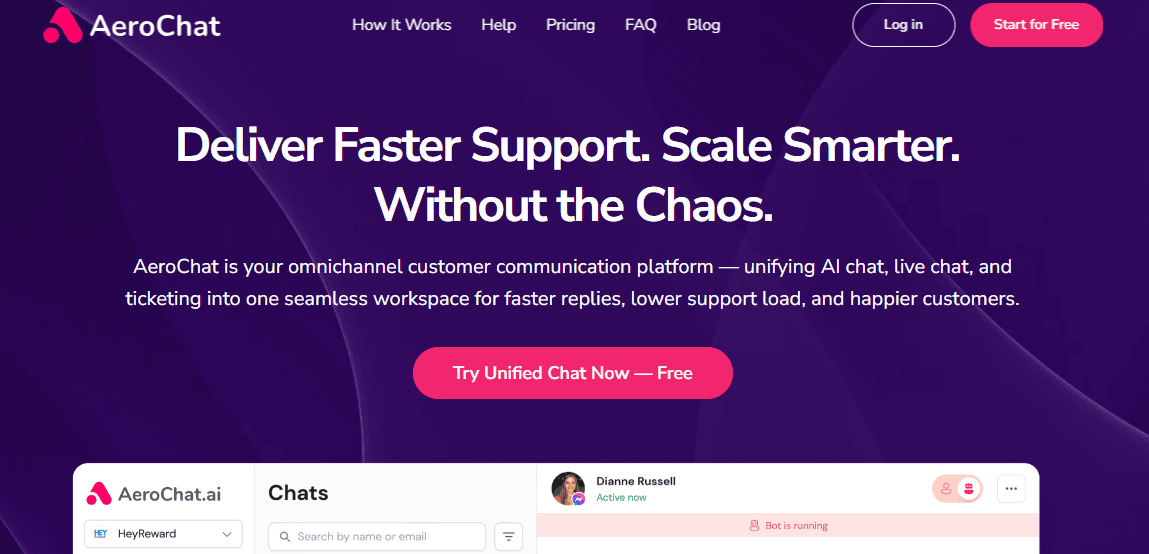
AeroChat is an AI customer-service platform for ecommerce brands. For Shopify stores, its main strength is combining live Shopify product and order context with customer conversations across web chat, WhatsApp, Instagram, Facebook Messenger, Telegram and email.
Through the Shopify integration, products, collections, inventory, discounts, store pages and relevant order information can stay synchronised with the assistant. This allows AeroChat to handle common product questions, order-status requests, delivery and policy questions, product recommendations and other repetitive conversations using current store context instead of relying only on a static FAQ.
The multi-channel setup is most useful for stores that have outgrown a single storefront chat widget. A shopper might ask a product question on Instagram, contact the brand through WhatsApp after ordering, or use web chat to check delivery information. AeroChat brings supported conversations into one system while allowing a human handoff when a request needs judgement or manual action.
Best fit: Growing Shopify stores with repetitive customer-service enquiries across more than one channel, especially stores using web chat together with channels such as WhatsApp, Instagram or email.
Strongest capability: Using Shopify product and order context to automate customer service across multiple customer channels.
Main limitation: AeroChat is not intended to replace a deeply customised enterprise helpdesk with complex case governance, highly specialised approval paths or extensive enterprise service-management processes.
Price: 7-day free trial; paid plans start at $49/month.
Choose AeroChat when…
- Shopify is the main source of product, catalogue and order information for your store.
- Repetitive product, delivery, policy or order questions are taking time away from the support team.
- Customers contact the business through more than just the website, such as WhatsApp or Instagram.
- You want AI to handle suitable routine conversations but still need a clear path to a human for exceptions.
2. Shopify Inbox: Best Free Native Shopify Chat Option
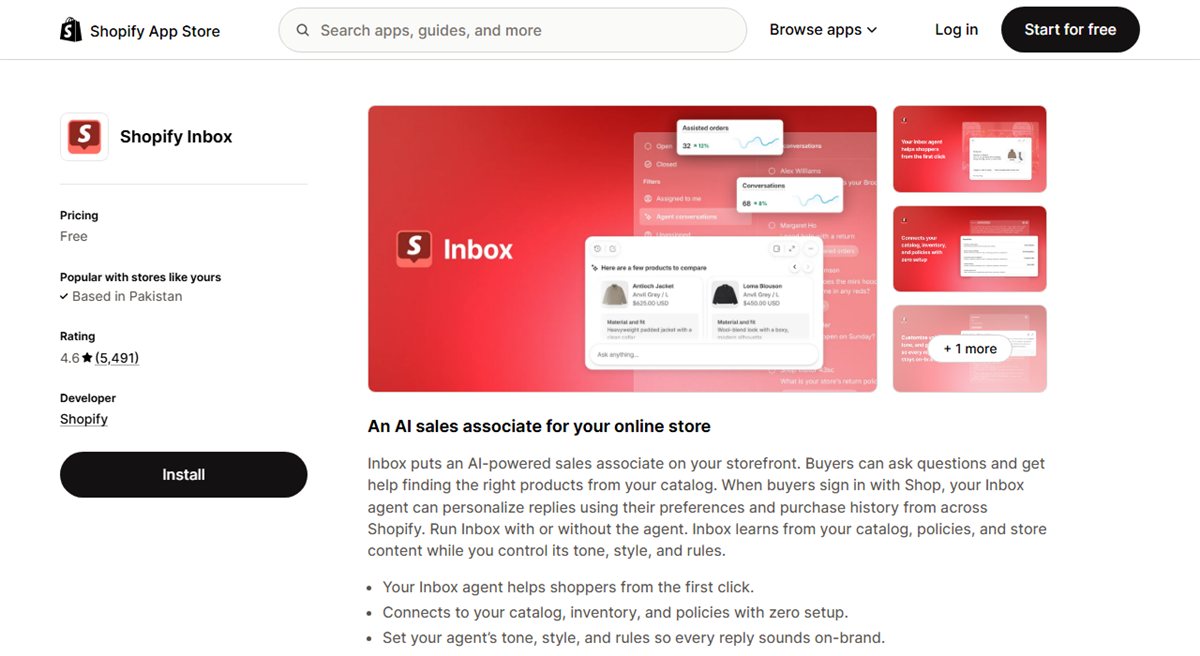
Shopify Inbox is Shopify’s own chat application. It places chat on the storefront and gives merchants product and cart context while they respond. Native installation and a free price make it a sensible way to learn what shoppers ask before buying another platform.
Its strength is simplicity rather than broad service management. Stores that need extensive routing, several external messaging channels or advanced post-purchase workflows may outgrow it.
Best fit: Newer merchants needing storefront chat without another subscription. Main limitation: The workflow remains centred on Shopify’s environment. Price: Free.
3. Gorgias: Best for High-Volume Shopify Support Teams

Gorgias is an ecommerce helpdesk with Shopify customer and order context inside the support workspace. It suits teams that need ticket ownership, routing, reporting and order-related actions alongside AI automation. Its AI Agent can execute named Shopify actions on its own — cancelling an order, editing a shipping address, removing or replacing an order item, or reshipping for free — with a configurable confidence threshold that hands lower-confidence cases to a person instead.
The advertised entry plan does not show the complete cost of higher ticket volume, added channels or AI outcomes. A small store with occasional questions may also find the operational setup heavier than necessary.
Best fit: Shopify brands with a dedicated support team and formal workflows. Main limitation: Cost and complexity increase with volume and automation. Price: From $10 per month for the entry ticket allowance; AI costs are separate.
4. Tidio: Best for Combining AI With Live Chat
Tidio combines the Lyro AI agent, website live chat and an agent inbox. Its Shopify connection can support common product and order conversations while leaving a familiar route to live human help. Lyro can also act on an order directly — cancelling it, issuing a refund or changing the shipping address on an unfulfilled order — though order cancellation is gated to the Growth plan and above. It can also see what a shopper currently has in their cart, which supports more relevant recommendations mid-conversation.
The main buying task is to understand the separate limits for live-chat conversations, Lyro usage and agent features. The free or starter experience may not represent the cost of a busier store.
Best fit: Small and midsized stores introducing AI without abandoning live chat. Main limitation: Several allowances affect the eventual bill. Price: Free plan available; the first 50 Lyro conversations are free, with paid usage from $0.50 per conversation.
5. Zipchat: Best for Proactive Sales and Cart Recovery
Zipchat positions its AI as a shopping assistant that can begin conversations on product and checkout pages. Its use cases include product recommendations, shopping questions, cart recovery and common post-purchase requests.
Proactive chat needs controlled testing. An intervention that helps an uncertain shopper may distract someone who already knows what to buy, and usage costs can rise with traffic.
Best fit: Stores where product guidance and conversion are the main objectives. Main limitation: Timing and cost need testing at normal traffic levels. Price: Free plan available.
6. Chatty: Best for Lightweight Shopify Sales Assistance
Chatty combines an AI sales agent, product guidance, order tracking, live chat and a shared inbox in a Shopify-focused setup. It is easier to assess when the requirement is everyday shopping help rather than complex service operations.
Teams needing advanced approval paths, detailed reporting or large-scale ticket routing may need a more operationally mature helpdesk.
Best fit: Smaller merchants wanting sales assistance and common order support. Main limitation: Lighter service-management depth. Price: Free plan available.
7. Richpanel: Best for Post-Purchase Self-Service
Richpanel focuses on ecommerce support after the sale. Its self-service and automation features are designed for repetitive order-status, return, cancellation and refund requests, with agents available for cases that need judgement. Address edits, exchanges, cancellations, refunds and subscription changes run as configurable AI actions rather than manual agent work, with merchant-set approval rules controlling which of them the AI can complete without a person reviewing first.
That support-first design is less relevant when the main objective is product discovery. It also starts at a higher price than several storefront-chat tools and requires more workflow planning.
Best fit: Stores already experiencing substantial post-purchase support volume. Main limitation: Higher entry cost and a more involved setup. Price: From $89 per month.
8. Re:amaze: Best for Multi-Store Support Inboxes
Re:amaze combines email, live chat and other customer channels in a shared workspace. Its Shopify connection brings customer and order context into conversations, which can reduce switching between the helpdesk and Shopify admin.
It is primarily a support inbox. Merchants looking for a highly proactive shopping assistant may prefer a tool built around product discovery or conversational selling.
Best fit: Teams supporting several stores or channels from one inbox. Main limitation: Helpdesk operations take priority over sales assistance. Price: From $29 per team member per month.
9. Chatbase: Best for Configurable Shopify AI Agents
Chatbase lets a business configure an AI agent around its content, instructions and integrations. Its Shopify app supports product search, recommendations and order tracking, while additional channel and helpdesk connections extend the workflow.
Production requirements need plan-level checking. A free or lower plan may not include the messages, actions, channels or handoff integration needed for a complete customer-service process.
Best fit: Teams wanting detailed control over an agent’s knowledge and instructions. Main limitation: Important production features may sit on higher tiers. Price: Free plan; Hobby starts at $32 per month when billed annually.
10. Juphy: Best for Product Discovery and Recommendations
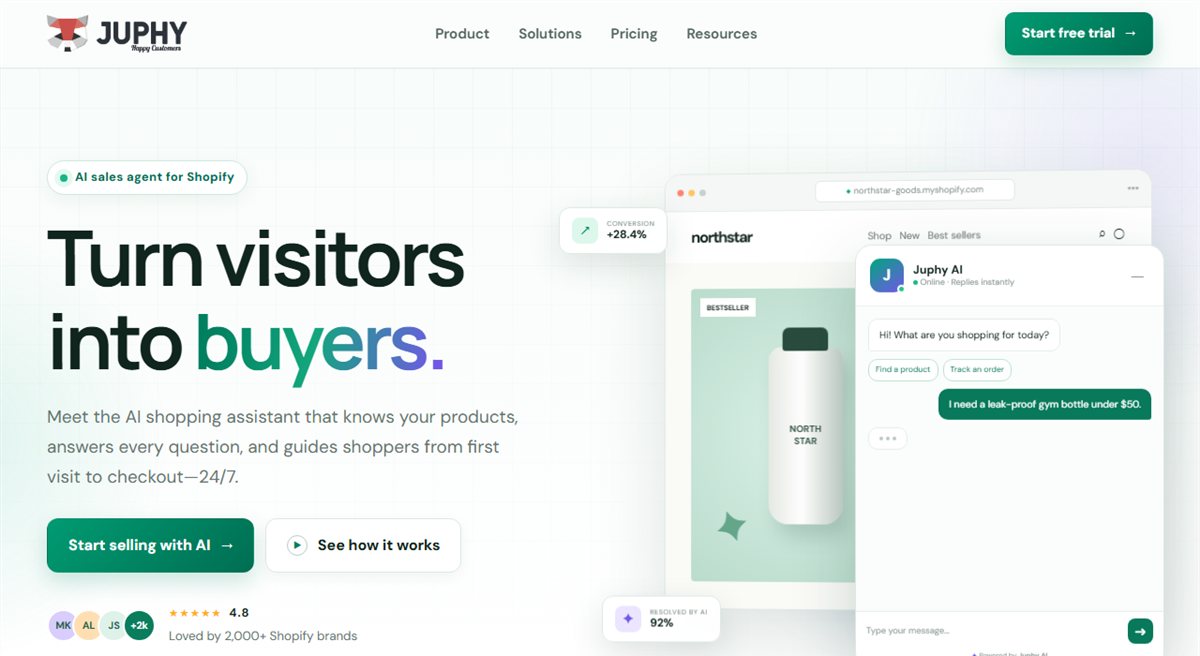
Juphy uses Shopify catalogue and store information to answer product questions, compare options and make recommendations. It is most relevant when shoppers need help navigating a broad catalogue or understanding which product fits their requirements.
Complex order exceptions, refund approval and service-team reporting fall outside its clearest strength. Treat it primarily as a shopping assistant unless the wider support workflow has been verified.
Best fit: Stores prioritising catalogue guidance and product recommendations. Main limitation: Less suited to complex service operations. Price: From $19 per month.
When AeroChat Makes More Sense Than the Alternatives
AeroChat is not the right choice for every Shopify store. The clearest difference is the operating model the merchant needs.
AeroChat vs Shopify Inbox
Choose Shopify Inbox if the main requirement is free, native storefront chat and the store does not need broader customer-service automation. Choose AeroChat when conversations need to use Shopify product or order context across web chat and additional channels such as WhatsApp, Instagram or email. For a closer look at exactly where Shopify’s native AI stops and a dedicated platform picks up, see does Shopify have a built-in AI chatbot?
AeroChat vs Gorgias
Choose Gorgias when a dedicated support organisation needs deeper ticket management, routing, reporting and established helpdesk workflows. Choose AeroChat when the priority is automating repetitive Shopify customer-service conversations across several customer channels without building the workflow around a heavier helpdesk operation. Stores weighing a move away from a helpdesk-first setup can see the full breakdown in our Gorgias alternatives comparison.
AeroChat vs Tidio
Choose Tidio when a smaller team wants an accessible combination of AI and traditional website live chat. Choose AeroChat when Shopify data and multi-channel customer-service automation are more central to the requirement. Read the full Tidio vs AeroChat comparison for a deeper look at both platforms.
AeroChat vs Zipchat
Choose Zipchat when proactive shopping conversations, conversion assistance and cart recovery are the primary objectives. Choose AeroChat when the broader requirement includes both pre-purchase questions and post-purchase customer service across several channels.
What should a Shopify AI chatbot handle?
Current product and store data
The chatbot should use current titles, variants, prices, availability, collections, discounts and policies. Ask how quickly a product or policy change in Shopify appears in the assistant. A direct connection is useful only if the synchronisation is reliable.
Product intent and follow-up questions
A shopper may ask for a waterproof commuter bag that fits a 15-inch laptop but is not the largest option. A useful assistant identifies each condition, narrows the catalogue and remembers the context when the shopper asks, “Which of those is lightest?”
Secure order support
Order support should use an appropriate verification step before displaying private information. Test what the bot can reveal, how it handles a delayed parcel and whether it distinguishes a normal tracking update from an exception requiring investigation.
Uncertainty and human handoff
A trustworthy chatbot does not invent delivery dates, discounts or policies. It should ask a clarifying question when that can resolve the uncertainty, state when it cannot confirm an answer, and transfer the conversation when judgement is required. A good human handoff process preserves the customer’s question, relevant order context, previous answers and reason for escalation.
Predictable operating cost
Calculate the platform fee, AI usage, support seats, channel fees and implementation time at your expected peak volume. Also ask what counts as an AI resolution. A low entry price can become expensive if every follow-up message or transferred conversation is billed separately.
Seven conversations to test before choosing
A polished demo cannot show how an assistant will behave with your catalogue and policies. Run the same conversations through every shortlisted tool and record the result.
| Test conversation | What a useful result should show |
|---|---|
| Multi-condition product request | Relevant products, reasons for each choice and no unavailable recommendation |
| Follow-up comparison | Memory of the products already discussed |
| “Where is my order?” | Appropriate verification and current fulfilment information |
| “Tracking says delivered, but it is missing” | Your approved exception process, not a repeated carrier status |
| Ambiguous return request | Correct distinction between eligible, ineligible and unclear cases |
| Unknown policy question | An honest limitation or clarification request, not a fabricated answer |
| “I want to speak to a person” | Prompt transfer with context and a clear alternative outside staffed hours |
Test during a representative trial, not only with easy questions. This guide to why Shopify chatbot trials fail explains how to avoid judging a platform from one successful exchange.
How much should a Shopify AI chatbot cost?
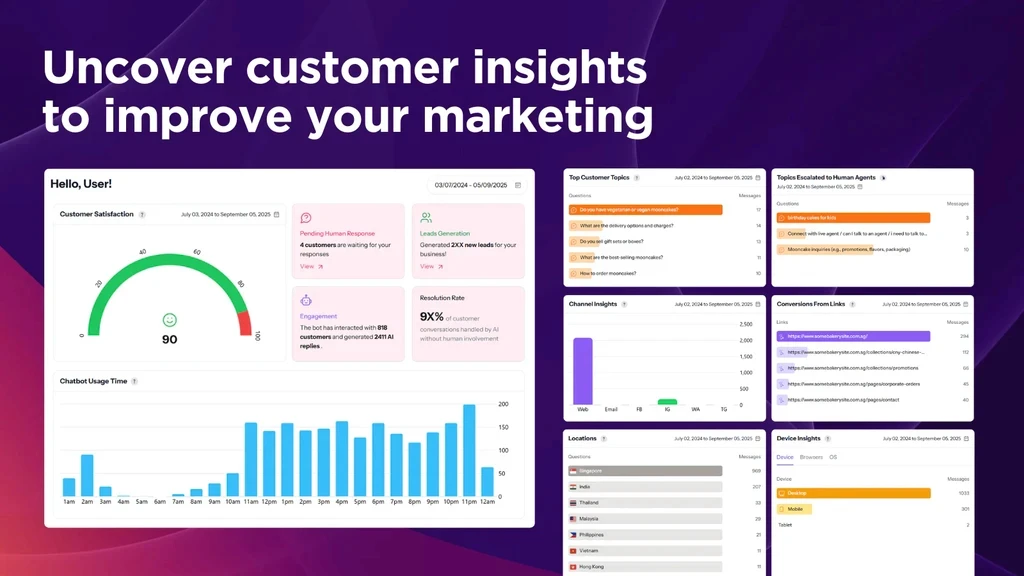
Shopify chatbot costs range from free native chat to support platforms costing hundreds or thousands of dollars per month. The useful comparison is total monthly cost at expected usage, not the smallest figure on a pricing page.
Calculate platform fee + AI usage + support seats + channel costs + implementation and maintenance time. Then compare that amount with genuinely resolved conversations, agent time saved and any sales assistance you can attribute responsibly. A Shopify chatbot ROI calculation can show whether automation is economically sensible at your current volume.
Which Shopify AI chatbot should you choose?
Start with the job the chatbot needs to do. AeroChat is a strong fit for growing Shopify stores that want to automate customer service across web chat, WhatsApp, Instagram and email while using Shopify product and order context. Shopify Inbox is the better free native starting point, Gorgias fits teams that need structured helpdesk operations, Tidio combines AI with accessible live chat, while Zipchat and Juphy are more specialised around conversational selling and product discovery.
Shortlist two or three tools that match that operating model, then test them with the same real product questions, order exceptions and requests for a person. Calculate the complete cost at expected volume and confirm what happens when the AI cannot answer confidently. The best Shopify chatbot is the one that performs reliably within your store’s actual catalogue, customer channels and support boundaries — not simply the platform with the longest feature list.
Shopify AI Chatbot FAQs
What is the best Shopify AI chatbot for customer service?
For growing Shopify stores that want to automate customer service across web chat and messaging channels, AeroChat is a strong option because it can use synchronised Shopify product and order context across channels such as WhatsApp, Instagram and email. Gorgias is better suited to support teams that need deeper helpdesk workflows, while Shopify Inbox is a simpler native option for basic storefront chat.
What is the best free chatbot for Shopify?
Shopify Inbox is the clearest free native option for Shopify storefront chat. It is a sensible starting point for merchants that primarily need website conversations and do not yet require broader multi-channel customer-service automation.
Which Shopify chatbot works with WhatsApp and Instagram?
AeroChat supports Shopify-powered customer conversations across web chat, WhatsApp, Instagram and other supported channels. This is useful for merchants whose customers contact the brand in several places rather than through the storefront alone.
Which Shopify AI chatbot is best for order tracking and repetitive support questions?
The best choice depends on how the store operates. AeroChat is suited to stores that want Shopify product and order context available across several customer channels. Richpanel is especially focused on post-purchase self-service, while Gorgias is stronger when order-related conversations sit inside a broader helpdesk and ticket-management process.
Is AeroChat better than Gorgias for Shopify?
Neither platform is automatically better for every store. AeroChat is the stronger fit when a growing Shopify merchant primarily wants AI customer-service automation across web and messaging channels using Shopify store context. Gorgias is the stronger fit when a larger or more structured support team needs mature ticketing, routing, reporting and helpdesk workflows.
US-based Shopify merchants specifically weighing this decision against real reviews can also see our analysis of Shopify AI chatbots for US stores, which looks at Shopify App Store merchant feedback in more detail.