



Shopify Pricing Plans Explained 2026

Shopify pricing plans differ in more than their subscription charge. The right plan depends on whether you need a full online store, staff access, advanced reporting, lower payment-related fees, international tools or enterprise controls. Your location and payment provider also affect the total.
Use Shopify’s live regional pricing page for the current amount, then compare the features and fees against your actual operation. A low subscription can become expensive if it requires missing capabilities or adds avoidable transaction charges; a higher plan is wasteful if its extra features sit unused.
Which Shopify Pricing Plan Should You Choose in 2026?
Shopify currently documents Starter, Basic, Grow, Advanced and Shopify Plus among its plan options. It also documents specialist options such as Retail and Agentic plans, but these serve different use cases and should not be treated as ordinary steps in the online-store ladder.
| Plan | Best starting point for | Important decision trigger |
|---|---|---|
| Starter | Selling through social or messaging without maintaining a complete online store | You need a proper online storefront and checkout experience |
| Basic | A new business ready to operate a complete online store | You need staff accounts, stronger reporting or better transaction economics |
| Grow | A trading store with a small team and more demanding reporting needs | Advanced fees, capacity or operational features justify the difference |
| Advanced | Higher-volume or more complex operations | Enterprise checkout, organisation or contractual requirements emerge |
| Shopify Plus | Enterprise and complex multi-store commerce | Needs should be scoped with Shopify rather than inferred from revenue alone |
Shopify prices and promotions vary by market and can change. The official Shopify pricing page should be treated as the source for the current subscription, card rates and third-party transaction fees in your country. Record the country, currency, billing cycle and verification date when comparing plans.
What do Shopify plans include?
All plans are not interchangeable. The most useful comparison asks what the store needs to do, who needs access and how money moves through checkout.
Starter: selling without a complete online store
Shopify describes Starter as suitable for selling through social media or messaging apps without maintaining a full online store. It can fit someone validating a small catalogue through direct links.
It is not simply a cheaper Basic plan. A merchant planning a structured catalogue, navigation, content, merchandising and a long-term store should compare Basic rather than assuming Starter will provide the same operating model.
Basic: launching a complete online store
Basic is the normal starting point for a new business ready to run an online store. It provides the essential commerce environment, but current Shopify documentation says Basic has no additional Shopify admin user accounts. The owner can still use eligible collaborator and POS-only access where applicable, but a growing internal team may require Grow.
Basic is a sensible choice when one owner controls the store and more advanced reports or lower plan-specific fees do not yet justify an upgrade.
Grow: staff access and deeper reporting
The plan formerly called “Shopify” is now named Grow. Shopify says Grow supports five user accounts and provides stronger reporting, including the ability to create custom reports with data explorations.
Grow is not automatically correct because a business is “growing”. It becomes relevant when named people genuinely need admin access, its reports affect decisions or its lower applicable payment rates save enough to offset the subscription difference.
Advanced: complex and higher-volume operations
Advanced is intended for higher-volume businesses and operations that need the lowest rates among Shopify’s standard plans or more advanced capabilities. Current Shopify documentation lists up to fifteen Shopify admin users.
The decision should use both capability and economics. If a store needs an Advanced-only capability, transaction maths is secondary. If the case rests only on lower fees, use real processed volume and eligible transactions rather than total revenue.
Shopify Plus: enterprise requirements
Shopify Plus is a commercial and technical decision rather than an automatic reward for reaching a particular sales figure. It may be considered for enterprise checkout, organisational, B2B, automation, governance or scale requirements, subject to Shopify’s current offer and contract.
Contact Shopify for current Plus pricing and terms. Comparisons that quote a single entry price without the contract length, variable platform fee possibilities and implementation cost are incomplete.
The subscription is not the total Shopify cost
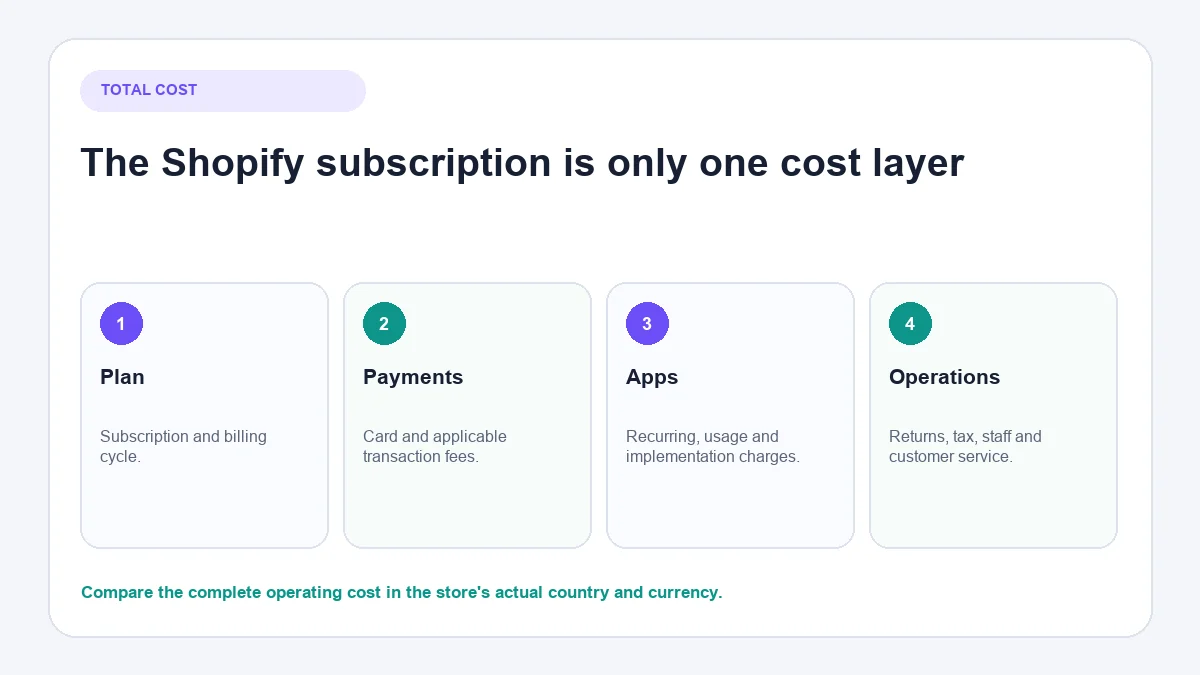
Build a monthly cost model with these layers:
- Subscription: the chosen plan and billing cycle.
- Payment processing: the applicable online and in-person card rates.
- Third-party transaction fees: where a third-party provider or another specified payment method triggers them.
- Apps and services: recurring, usage-based and one-off charges.
- Store operation: domain, design, development, photography, tax, returns and customer service.
The plan determines only part of this total.
Payment-processing charges
When eligible merchants use Shopify Payments, Shopify applies the relevant card rate. Rates differ by plan, country, transaction type and sometimes card origin. Shopify’s billing guidance also notes that credit-card fees are not returned when a merchant issues a refund.
That detail matters for categories with substantial returns. Compare the cost against completed and refunded orders, not just successful authorisations.
Third-party payment-provider fees
If Shopify Payments is unavailable in your country or you select another provider, that provider normally charges its own processing fee. Shopify may also charge a plan-dependent third-party transaction fee.
Shopify documents exceptions and special treatment for certain methods. It also states that stores created on or after 12 May 2025 can incur third-party transaction fees on amounts paid using store credit or gift cards. Check the current Shopify billing overview for the conditions that apply to your store.
Merchants preparing payments can follow the separate Shopify payment setup process rather than treating plan selection as a payment-configuration tutorial.
Apps, themes and domains
An inexpensive plan with an uncontrolled app stack can cost more than expected. Audit every app for:
- its billing cycle and usage charges;
- the business process it owns;
- feature overlap with Shopify or another app;
- data it reads and stores;
- what happens to data and storefront code when it is removed.
Premium themes, custom sections and development may be worthwhile, but they are project costs, not plan features. Separate setup spending from recurring operating costs.
POS, tax and international costs
Physical retail may require Shopify POS hardware and an additional POS subscription depending on the features used. Cross-border selling introduces currency, duties, tax and payment considerations.
Shopify Tax is another example of why a pricing article must be dated. Shopify’s documentation distinguishes stores created before and after 13 May 2026 and applies thresholds and region-dependent fees. Consult the current Shopify Tax pricing rather than copying an old threshold into a permanent budget.
Monthly or annual Shopify billing?
Annual billing usually lowers the effective monthly subscription but requires the full annual amount upfront. Monthly billing costs more over the same period but preserves flexibility.
Annual billing is easier to justify when:
- the store model and platform choice have been validated;
- required features are confirmed;
- the cash commitment will not restrict stock or operations;
- likely migration or closure costs are low.
Monthly billing can be sensible during validation, a major rebuild or a period when requirements are still changing. Shopify states that subscription charges are generally non-refundable, so an annual discount should not be viewed as risk-free savings.
Promotional pricing is temporary. Record the normal renewal price and the date on which the promotion ends. Budgeting only for the introductory amount creates a predictable surprise.
Calculate whether an upgrade saves money
An upgrade can be justified in two ways:
- Capability trigger: the current plan cannot support a requirement.
- Economic trigger: lower eligible fees save more than the added subscription cost.
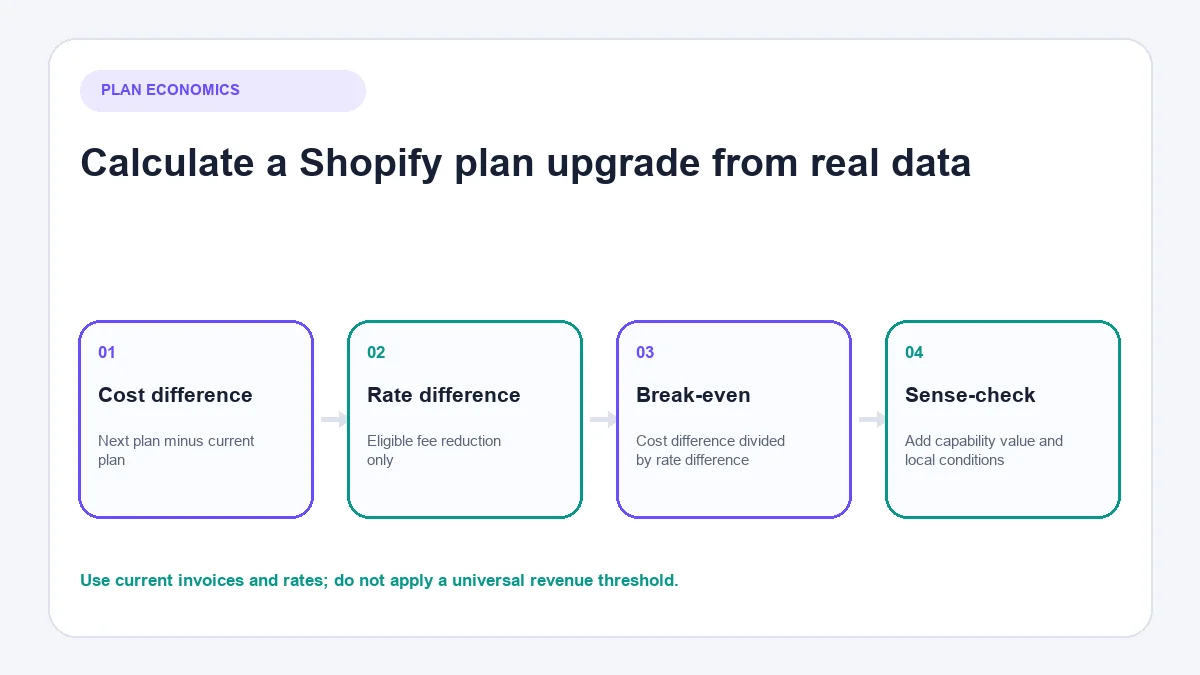
For an economic comparison, use:
Additional monthly plan cost ÷ eligible fee-rate reduction = approximate monthly volume needed to break even
Suppose an upgrade costs an illustrative £50 more each month and reduces an applicable fee by 0.5 percentage points. The simplified break-even volume would be £50 ÷ 0.005 = £10,000 of transactions to which that reduction actually applies.
This example is not a Shopify quote. Real calculations must use current local prices, taxes, card mix, payment provider, refund behaviour and eligible transaction volume. A capability benefit such as staff access may justify the upgrade before fee savings reach break-even.
Shopify publishes regional break-even estimates in its plan-selection guidance, but it also warns that actual results vary. Use those estimates as a sense-check, not a substitute for your bills.
Which Shopify pricing plan should you choose?
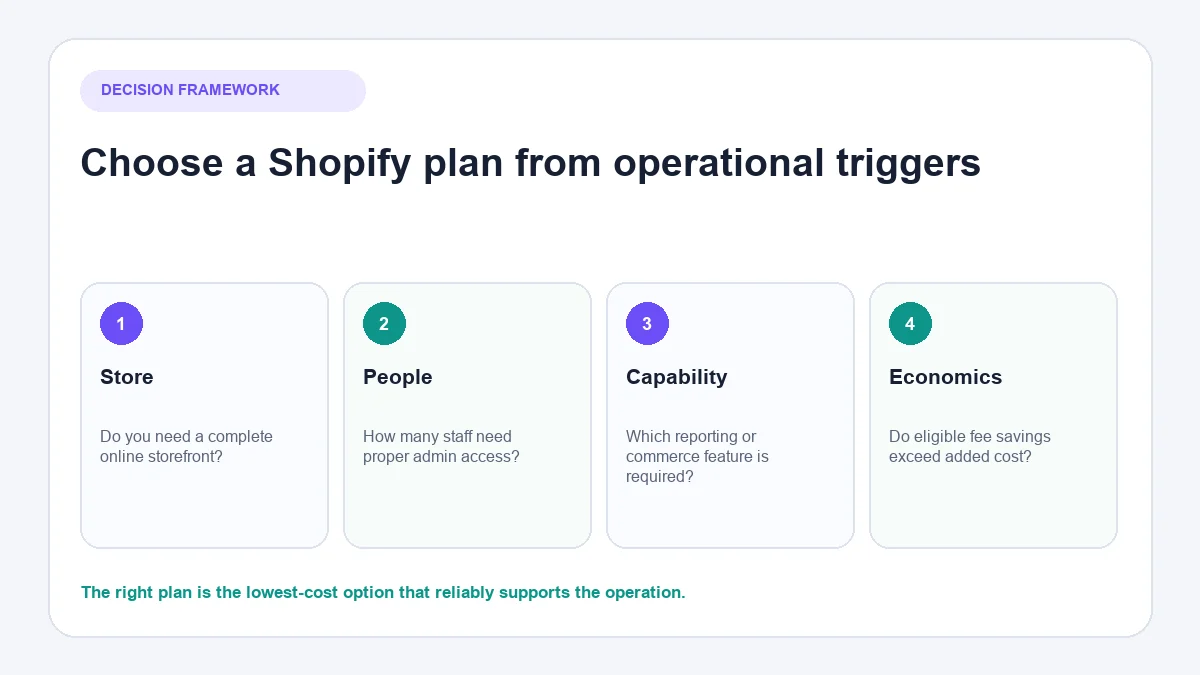
Choose Starter when
You need a lightweight way to sell through links, social media or messages and do not need a complete online storefront.
Choose Basic when
You are ready to operate a full store, one owner controls the admin and the extra capabilities or rate savings of Grow do not yet justify its cost.
Choose Grow when
Several employees need proper admin access, stronger reports change decisions or current eligible fees make the upgrade economically sensible.
Choose Advanced when
Higher-volume operations, user access, reporting, international or rate requirements go beyond Grow. Confirm the specific capability before upgrading.
Discuss Plus when
The organisation has enterprise checkout, B2B, multi-store, governance, integration, automation or contractual requirements that need formal scoping.
Do not choose a plan solely from a revenue label. Two stores with identical revenue can have different margins, card mixes, team structures, markets and technical needs.
Costs merchants commonly overlook
App overlap
Three modest subscriptions solving similar tasks can be more expensive and less coherent than one well-integrated process.
Returns and payment costs
Refunding the customer does not necessarily reverse every payment-processing cost. Use actual return patterns in forecasts.
Staff time
Manual catalogue fixes, order corrections and repetitive questions have a cost even when no software invoice shows it.
Migration and implementation
Themes, product data, redirects, tracking, tax settings and integrations need testing. A platform migration is not simply a subscription switch. Merchants who have not yet decided whether Shopify itself is the right platform can review whether Shopify is still worth it in 2026, and those comparing platforms directly can review Shopify versus BigCommerce or Shopify versus WooCommerce.
When customer-service automation belongs in a Shopify budget
AeroChat is an AI agent platform that helps Shopify merchants run customer service on autopilot. It is separate from Shopify’s subscription and should be evaluated as an operating tool, not included in claims about what a Shopify plan provides.
The investment becomes more relevant when product, delivery, return and order questions create repetitive work across supported channels. Connecting AeroChat with Shopify can make relevant store information available during supported customer conversations and allow a person to take over when judgement is required.
For a new store with few enquiries, clear policies and disciplined response windows may be enough. Stores receiving consistent support volume can compare the best Shopify AI chatbots before adding a separate automation cost to the budget.
Review the plan every quarter
- Export subscription, app and payment-related charges.
- Separate fixed charges from volume-dependent charges.
- List capabilities that the team uses and capabilities it lacks.
- Check staff access and suspended or shared-account workarounds.
- Recalculate fee break-even using eligible transactions.
- Review the live regional pricing page.
- Downgrade, remain or upgrade based on evidence.
The best Shopify plan is the least expensive plan that reliably supports the operation after all relevant costs are counted. Choose from current requirements, then review as those requirements change.
Frequently asked questions about Shopify pricing plans
Which Shopify plan supports a complete online store?
Basic is normally the entry point for a complete Shopify online store. Starter is designed for a narrower selling model without the same complete storefront. Confirm current availability and features for the store’s country before choosing.
Does the Shopify subscription include every ecommerce cost?
No. Payment processing, possible third-party provider fees, apps, themes, domains, tax services, POS requirements and implementation work can add to the subscription. Build the budget from the store’s actual configuration rather than the advertised plan price alone.
Can a merchant change Shopify plans later?
Shopify allows merchants to change plans, but billing timing, feature access and the economics of an upgrade still need review. Export current costs and identify the operational reason for changing before selecting another tier.
When is a more expensive Shopify plan worth considering?
Consider an upgrade when a required capability is unavailable on the current plan or when eligible fee savings and operational value exceed the added subscription cost. Use current invoices and local rates rather than a universal revenue threshold.



