
Best Medical AI Chatbot for Clinic Appointment Booking & FAQs in 2026
A patient calls your clinic at 9:47 PM. No one answers. They book with the clinic down the street instead. Multiply that by 30 missed calls a week, and you have a real revenue problem.
This is what a medical AI chatbot is supposed to fix, not by playing doctor, but by handling the front desk work that drains your staff: appointment booking, FAQs, after-hours inquiries, and routing.
The problem is that “medical AI chatbot” covers two very different products. Some are built for clinical advice, symptom checking, and patient health records. Others are built for customer service and admin tasks. Mixing them up costs clinics money, time, and sometimes compliance trouble.
This guide covers the second category: AI chatbots for clinic customer service, appointment booking, and FAQs. No symptom checking. No clinical advice. No patient health data. Just the front desk work, automated.
We compared 5 options for 2026 based on pricing, channels supported, setup time, and what each tool actually does well.
What This Guide Covers (And What It Doesn’t)
To save you time, here’s the scope upfront.
This guide is for clinics that want to automate:
-
Appointment booking and rescheduling
-
Answering questions about clinic hours, services, location, and pricing
-
New patient inquiries and lead capture
-
After-hours auto-replies
-
Routing complex questions to the right staff member
-
WhatsApp, Instagram, Messenger, and website chat support
This guide is NOT about:
-
Clinical AI that gives medical advice or symptom assessments
-
Chatbots that handle protected health information (PHI) or medical records
-
HIPAA-compliant tools for clinical workflows (those are a different category, much more expensive, and require a Business Associate Agreement)
If you need a chatbot to handle patient health records or give clinical advice, stop reading this article. You need an enterprise platform like Hyro or Ada Health, and you need to budget for enterprise pricing.
If you need to stop losing patients to missed calls and unanswered messages, keep reading.
Why Clinics Need a Customer Service Chatbot in 2026
Three points explain the shift.
-
People prefer to message. In a Meta-commissioned Kantar survey of 11,056 adults in 22 markets (fieldwork April to September 2025), 73.3% said they prefer messaging when contacting a business.
-
Many enquiries arrive outside clinic hours, when no one is at the front desk.
-
Slow replies lose new patients. A patient who gets no answer often books with the next clinic that replies.
A chatbot does not replace your front desk. It handles the repetitive questions so your staff can focus on the ones that need a person. The real benefits of chatbots for small businesses show up in reduced no-shows, faster response times, and more time for your team to focus on patient care.
A good clinic chatbot can:
-
Book and confirm appointments 24/7
-
Answer common questions instantly (hours, location, insurance accepted, services)
-
Send appointment reminders and reduce no-shows
-
Capture new patient leads while your front desk is closed
-
Escalate complex or urgent questions to staff
-
Speak in multiple languages
-
Work on WhatsApp, Instagram, your website, and other channels at once
7 Things to Check Before You Buy
Before comparing tools, know what to look for. These are the criteria that matter for clinic customer service.
1. Channel coverage. Your patients are not all on your website. Some message on WhatsApp. Some DM your Instagram. Some still email. A chatbot that only works on your website misses most of the traffic, so look for a tool that lets you manage WhatsApp, Instagram, and website chat from one inbox.
2. Ease of setup. If a tool needs a developer, it is not built for a clinic. You should be able to automate support in five minutes by uploading your FAQ, your services list, and your booking link.
3. Transparent pricing. “Contact sales” pricing is a red flag for small and mid-size clinics. You want a clear monthly cost, and it helps to first understand how much a chatbot actually costs so you can spot overpriced enterprise options dressed up as small business tools.
4. Smart human handoff. When a patient asks something the bot cannot answer, it must hand off cleanly to a staff member. A bot that keeps a confused patient stuck in a loop is worse than no bot, which is why the AI versus human support balance matters more than raw automation rate.
5. Multilingual support. If your patients speak more than one language, your bot needs to as well.
6. Booking integration. The bot should connect to your calendar tool (Google Calendar, Calendly, your practice management software). Otherwise, it just collects requests that someone has to enter manually. Service businesses get the most lift from chatbots that handle appointment booking directly inside the conversation.
7. Honesty about what it is. A tool that claims to be a “medical AI” without naming HIPAA, BAA, or clinical certification is selling you marketing words. Pick a tool that is honest about its scope. For customer service tasks like appointment booking, you do not need a HIPAA-certified tool. But you do need a vendor that tells you the truth.
Top 5 Medical AI Chatbots for Clinic Customer Service in 2026
Each tool below suits a specific category. Pick the one that matches your clinic’s situation.
1. AeroChat: For Small and Mid-Size Clinics Using Several Channels
Starting price: US$49/month Best for: Clinics that want WhatsApp, Instagram, and website chat in one place, with fast setup and a low monthly cost.
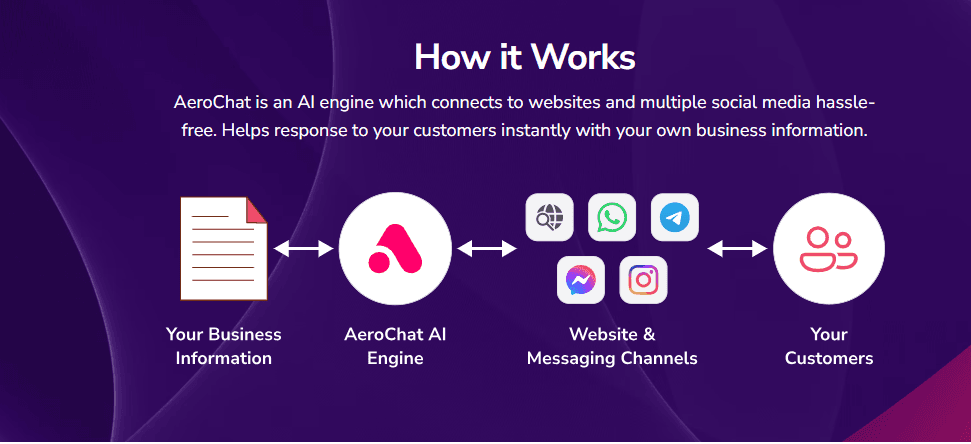
AeroChat is chat infrastructure that runs your customer service and sales workflows. You describe a workflow in your own words, such as “When a patient asks to book, check the diary, offer three slots, take a US$20 deposit by payment link and send a reminder the day before”, and AeroChat runs it. For clinics, every patient message, whether it comes through WhatsApp, Instagram DMs, Messenger, email, or your website, lands in the same inbox. This kind of one-inbox customer support is what most clinic teams are actually missing, not more AI sophistication.
What it offers for clinic customer service:
-
Every channel in one inbox. Many chatbot tools only handle website chat. AeroChat handles WhatsApp, Messenger, Instagram, Telegram, email, and web chat from one inbox. Patients message you wherever they want, and your team responds from one place.
-
No setup work. Upload your clinic’s FAQ document, services list, and any patient-facing content. The AI trains itself on your data in minutes. Then describe your booking and enquiry workflows in your own words. No flow building, no scripting, no developer needed.
-
Limits you set. You decide what the AI can promise, such as which slots it can offer or deposits it can take, and when it hands a patient to your team.
-
Low cost of entry. Paid plans start at US$49/month (Starter, 500 AI responses) with a 7-day free trial. For a small clinic, this is far cheaper than enterprise alternatives.
-
Self-learning AI (Advanced plan). The bot learns from past conversations, so it gets better at answering common patient questions over time without manual training.
-
Smart handoff. Switch between AI and human agent mode mid-conversation. Patients never feel stuck with the bot.
What it does not do:
-
AeroChat is not HIPAA-certified and does not sign a Business Associate Agreement. Do not use it to store or transmit patient health records, lab results, or any protected health information. Use it for appointment booking, FAQs, lead capture, and general customer service, which is what most clinics actually need.
-
No native EHR integration. If you need direct integration with Epic, Cerner, or athenahealth, look at enterprise options.
Best fit: Solo practitioners, dental clinics, dermatology and aesthetic clinics, physiotherapy practices, eye care centers, wellness clinics, and small clinic groups (1–20 locations) that want to stop losing patients to missed messages.
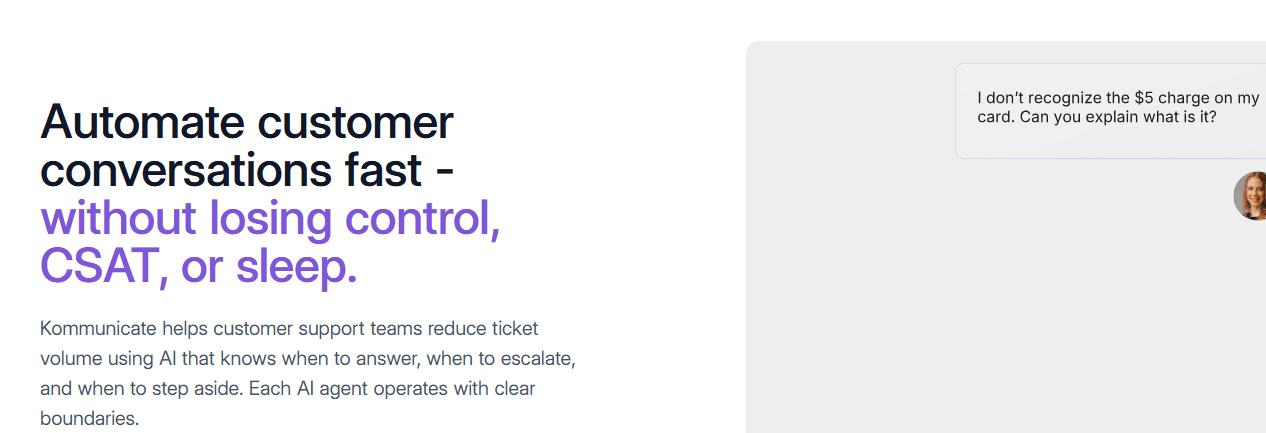
2. Kommunicate: For Mid-Market Clinics That Need More Workflow Control
Starting price: US$100/month (Lite plan), up to ~US$1,000/month (Business) Suitable for: Larger clinics or clinic groups that need more advanced workflow automation and have budget for it.
Kommunicate is a no-code AI chatbot platform used by mid-market healthcare and wellness brands. It signs a BAA on paid plans and supports SOC 2 Type II and ISO 27001 certifications, which makes it an option if you handle anything close to sensitive patient data.
Strengths:
-
More advanced workflow automation than entry-level tools.
-
BAA signing available on paid plans.
-
Hybrid bot-plus-human support model.
-
Multilingual.
Weaknesses:
-
Pricing starts well above entry-level tools.
-
More setup complexity. You will spend more time configuring it.
-
Some reports of mobile app bugs and overage charges on monthly conversation limits.
Suitable for: Mid-size clinic groups, multi-location dental chains, and wellness brands that have outgrown entry-level chatbots and want more enterprise features.
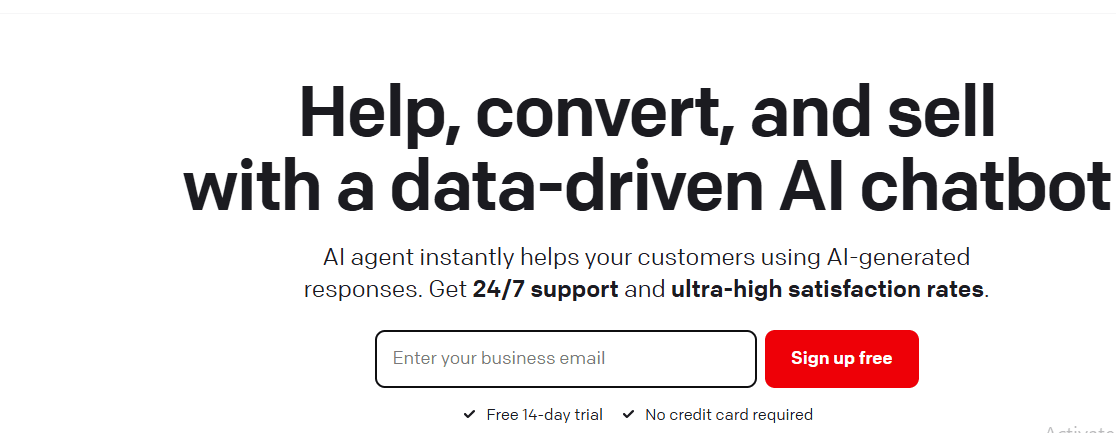
3. ChatBot: For Clinics That Want a Visual Flow Builder
Starting price: Free 14-day trial, paid plans from around US$52/month Suitable for: Clinics that want to design specific conversation flows visually and integrate with Facebook Messenger and LiveChat.
ChatBot.com offers a drag-and-drop interface for building patient conversation flows. Add the chatbot to your website, LiveChat, or Facebook Messenger with built-in integrations. It is a fit if you want more control over how each patient conversation goes, rather than relying purely on AI generation.
-
Visual flow builder lets you map out exact patient journeys.
-
Strong Facebook Messenger integration.
-
Connects with LiveChat for live agent handoff.
-
Flow-based bots take longer to set up than self-learning AI bots.
-
Less natural conversation flow compared to AI-first tools.
-
Limited to channels supported by built-in integrations.
Suitable for: Clinics that want predictable, scripted conversations and do not mind investing more setup time.
4. BotPenguin: For WhatsApp-First Clinics
Starting price: Free tier available, paid plans from around US$50/month Suitable for: Clinics where most patient communication happens on WhatsApp.
BotPenguin is a no-code chatbot platform with WhatsApp templates and a healthcare-friendly setup. If your patients mostly message you on WhatsApp, this is a focused option, though it is worth comparing it against other best WhatsApp AI chatbots before you commit.
-
Pre-built healthcare templates speed up setup.
-
Solid WhatsApp Business integration.
-
Free tier for testing.
-
Multi-channel (web, Facebook Messenger, WhatsApp).
-
Focused on WhatsApp rather than every channel.
-
Templates can feel rigid for clinics that need flexibility.
-
Limited advanced features on lower tiers.
Suitable for: Solo practitioners and small clinics in markets where WhatsApp is the primary patient communication channel (South Asia, Middle East, Latin America, parts of Europe).
5. ProProfs Chat: For Clinics That Want a Free Tier and Live Chat Hybrid
Starting price: Free forever plan, paid plans from around US$20/month Suitable for: Solo practitioners or small clinics that want to test live chat plus AI without paying upfront.
ProProfs Chat offers a free tier, which makes it a starter option for solo practitioners or small clinics dipping their toes into chatbot automation. It is more live-chat focused than AI-first, so before picking it, read up on the chatbot versus live chat trade-offs to make sure live chat is what your clinic actually needs.
-
Genuine free tier, not a crippled trial.
-
Easy to use, low learning curve.
-
Live chat plus basic AI hybrid.
-
Lighter AI features than AI-first tools.
-
Limited advanced features like symptom-aware routing or complex automation.
-
You will outgrow it as your clinic scales.
Suitable for: Solo dentists, single-doctor practices, and small wellness studios on a strict budget.
Quick Comparison Table
|
Tool |
Starting Price |
Suitable For |
Channels |
Setup Time |
|---|---|---|---|---|
|
AeroChat |
US$49/month |
Small and mid-size clinics using several channels |
WhatsApp, IG, Messenger, Telegram, Email, Web |
Under 1 hour |
|
Kommunicate |
US$100/month |
Mid-market clinics, BAA needs |
Web, WhatsApp, Mobile, App |
1–2 days |
|
ChatBot.com |
~US$52/month |
Visual flow builders |
Web, FB Messenger, LiveChat |
1–3 days |
|
BotPenguin |
Free / ~US$50/month |
WhatsApp-first clinics |
Web, WhatsApp, FB Messenger |
2–4 hours |
|
ProProfs Chat |
Free / ~US$20/month |
Solo practitioners on a budget |
Web, Mobile |
Under 1 hour |
Which Should You Pick? A Quick Decision Guide
-
Solo practitioner with under 50 patients a week: AeroChat’s 7-day free trial, or the ProProfs free tier, to start.
-
Small clinic, 1–5 staff, mostly local patients: AeroChat. One inbox for every channel is the main reason.
-
Small clinic where most patients use WhatsApp: AeroChat or BotPenguin.
-
Mid-size clinic group, 5–20 locations: AeroChat or Kommunicate.
-
Large clinic group with developer resources and custom workflow needs: Kommunicate or ChatBot.com.
-
You need clinical AI, symptom checking, or PHI handling: None of these. Look at Hyro or Ada Health, and budget for enterprise pricing.
Frequently Asked Questions
Is AeroChat HIPAA-compliant?
AeroChat is built for clinic customer service tasks, appointment booking, FAQs, lead capture, and general patient communication, not for handling protected health information (PHI). It does not sign a Business Associate Agreement (BAA) and is not HIPAA-certified. For customer service work that does not involve patient health records, this is the right fit. For clinical workflows or PHI handling, use an enterprise HIPAA-certified platform.
Can a chatbot really book appointments?
Yes. A good chatbot connects to your calendar tool (Google Calendar, Calendly, or your practice management software) and books, reschedules, or cancels appointments based on patient input. The patient gets a confirmation. Your staff sees the booking in the same calendar they already use.
Will a chatbot replace my front desk staff?
No. A chatbot handles the repetitive inquiries, such as hours, location, services, basic appointment booking, FAQs. Your staff handles the rest: complex questions, new patient intake, sensitive conversations, and anything urgent. The goal of using an AI chatbot for customer service is to free up staff time, not replace them.
What languages does AeroChat support?
AeroChat responds in the language the patient writes in. This is useful for clinics in multilingual regions where patients may message in Urdu, Arabic, Spanish, French, or any other language.
How long does it take to set up a chatbot for a clinic?
For AeroChat, under an hour. Upload your FAQ document, services list, and booking link. The AI trains itself and starts answering immediately. For flow-builder tools like ChatBot.com or Kommunicate, expect 1 to 3 days to map out conversation flows.
Is it safe to share patient information through a chatbot?
For customer service tasks like appointment booking and FAQs, yes. For sharing medical records, lab results, or any clinical information, no, and you should not use any tool in this category for that purpose. Use an HIPAA-certified platform with a signed BAA.
Can the chatbot handle emergencies?
No. A chatbot is not for medical emergencies. Any good chatbot should be configured to direct patients with urgent symptoms to call your clinic, go to an emergency room, or dial emergency services. This should be set up clearly when you configure the bot.
What if a patient asks something the bot cannot answer?
A good chatbot recognizes when it does not know an answer and hands off to a human staff member. With AeroChat, you can switch between AI and live agent mode mid-conversation, so patients never get stuck.
The Bottom Line
For most clinics, the right starting point is not the most expensive option. It is the tool that:
-
Covers the channels your patients actually use
-
Sets up in under an hour
-
Books appointments and answers FAQs without supervision
-
Hands off cleanly to your team when needed
-
Costs you less than one missed appointment per month
If you want all five on WhatsApp, Instagram and your website, start with AeroChat. Connect your channels, describe your booking workflow, and see how many patient questions it handles in the first week.
Start your 7-day free trial. No credit card needed. Start your AeroChat trial. On Shopify? Install AeroChat from the Shopify App Store.