



How to Find Shopify Apps That Automate Order Fulfilment

To find the right Shopify order fulfilment app, first decide which part of fulfilment you want to automate. Order routing, shipping labels, dropshipping supplier orders and outsourced 3PL fulfilment are different jobs. An app can be excellent at one and irrelevant to another.
Start with the workflow, not the App Store rating. Map what should happen from the moment an order is paid until tracking reaches the customer, then shortlist tools that automate the steps your team currently performs manually.
This guide shows how to do that and compares the main types of Shopify fulfilment automation available in 2026.
What does order fulfilment automation mean on Shopify?
Order fulfilment automation can include several separate processes:
- deciding which location or supplier should fulfil an order;
- sending order information to a supplier, warehouse or 3PL;
- choosing a carrier or shipping service;
- creating and printing labels;
- updating fulfilment status;
- synchronising tracking information;
- coordinating inventory across locations or channels;
- handling notifications and post-purchase workflows.
Shopify already provides native order and fulfilment capabilities, and Shopify Flow can automate workflows such as order routing and fulfilment-related tasks. Third-party apps become useful when you need deeper shipping, supplier, dropshipping, multi-vendor or warehouse functions.
The first mistake to avoid is searching for “the best fulfilment app” before deciding which of those jobs is actually broken.
Match the app type to the job
| What you need to automate | App type to evaluate first | Examples |
|---|---|---|
| Rules and workflow actions inside Shopify | Workflow automation | Shopify Flow |
| Send orders to different vendors, stores or fulfilment partners | Order routing / multi-vendor fulfilment | Order Fulfillment Guru |
| Rates, labels, carriers and shipping workflow | Shipping platform | ShipStation, Shippo, Easyship |
| Dropshipping supplier orders, tracking and product operations | Dropshipping automation | AutoDS |
| Multi-channel stock plus shipping operations | Inventory + shipping operations | Veeqo |
| Warehousing, pick/pack and physical dispatch | 3PL fulfilment | Shopify Fulfillment Network partners/3PLs |
A merchant can use more than one category. For example, Shopify Flow might decide which orders need a special workflow while ShipStation handles carrier selection and labels.
Seven options worth evaluating in 2026
The prices below are starting points checked on 13 August 2026 and may vary by billing cycle, geography, order/label volume or added services.
| Tool | Best for | Starting cost checked | What it does not replace |
|---|---|---|---|
| Shopify Flow | Native workflow automation | Included/free app for Shopify automation | A warehouse or full shipping platform |
| Order Fulfillment Guru | Multi-vendor and supplier routing | About $9.95/month | Carrier network/3PL warehousing |
| ShipStation | Shipping workflow at growing volume | About $14.99/month | Product sourcing or supplier ownership |
| Shippo | Labels and multi-carrier shipping | Paid plan from about $19/month; plan options vary | Multi-vendor order routing |
| Easyship | International shipping and shipping rules | About $29/month for an entry paid tier | Physical warehousing by itself |
| AutoDS | Dropshipping order automation | Paid plans; current entry offers vary | Your independent product validation/customer support |
| Veeqo | Multi-channel inventory + shipping | Free to install; external charges may apply | Outsourced warehouse labour |
A 3PL is deliberately not priced in this table. Physical fulfilment typically involves storage, receiving, pick/pack, postage and other usage charges, so a flat app subscription is not a meaningful comparison.
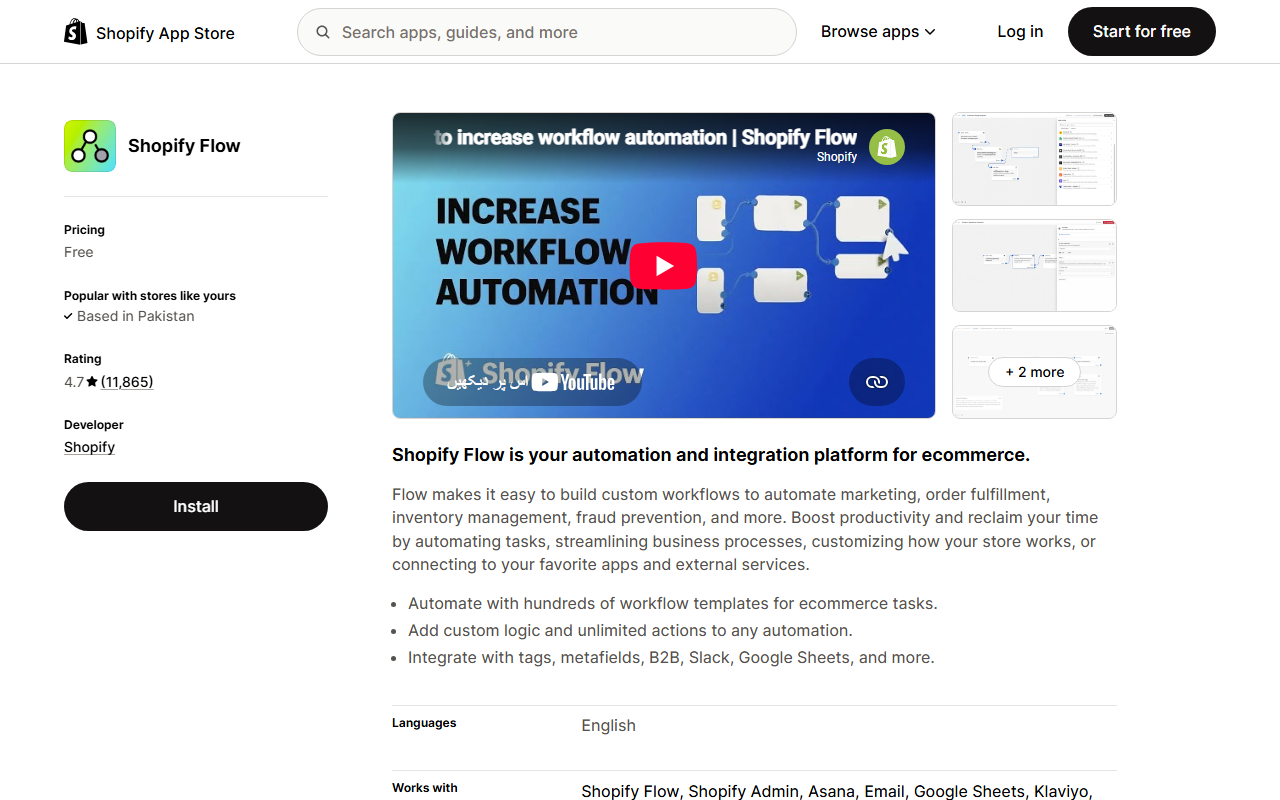
1. Shopify Flow: start here for rules, not physical fulfilment
Shopify Flow is Shopify's workflow automation tool. It can trigger actions based on store events and is useful for fulfilment-related logic alongside other Shopify operations.
Use Flow when the manual work sounds like:
- “If an order meets condition X, perform action Y.”
- “Tag or flag orders that need a different fulfilment path.”
- “Route or manage orders according to defined business rules.”
- “Trigger another supported app or workflow when an order changes.”
Where Flow is strong
Flow is useful for decision logic and orchestration. It can reduce repetitive admin without requiring you to replace the shipping or warehouse system already working.
Where it stops
Flow is not a carrier, supplier or warehouse. If your team still needs to compare shipping rates, print large batches of labels, transmit orders to external vendors or physically pick and pack goods, you may need another app or partner underneath the workflow.
2. Order Fulfillment Guru: best for multi-vendor and supplier routing
Order Fulfillment Guru is designed around splitting and routing Shopify orders to different vendors, suppliers, stores or fulfilment locations.
The current Shopify App Store listing shows low-cost entry plans, with more advanced routing and integration functionality on higher tiers.
Consider it when
- different suppliers fulfil different SKUs;
- one order may contain products from several vendors;
- fulfilment requests need to reach another Shopify store or supplier;
- vendors require a portal, email workflow or integration;
- order routing is consuming staff time.
The key test
Create an order containing items assigned to two different suppliers. Check whether each supplier receives only the lines it should fulfil and whether tracking/status returns correctly.
If the tool cannot handle a split order cleanly, the low monthly price will not matter.
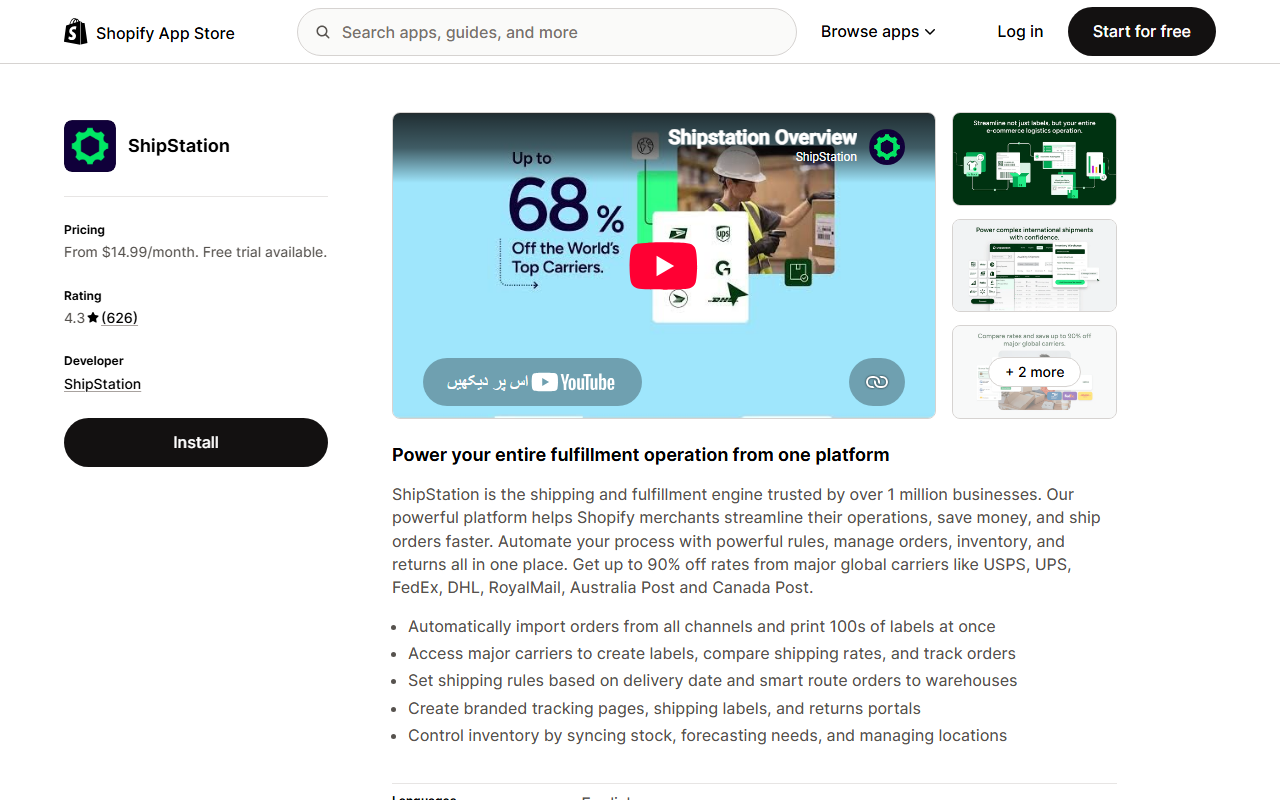
3. ShipStation: best for structured shipping operations
ShipStation focuses on shipping: bringing orders together, comparing or applying shipping services, creating labels and automating shipping rules.
It is a stronger fit when you own or control the inventory and the bottleneck begins after the order is ready to dispatch.
Consider it when
- labels are created manually one order at a time;
- you ship through several carriers;
- different orders need different shipping services;
- several stores or channels feed the same shipping operation;
- warehouse staff need a more organised dispatch workflow.
What to compare
Do not compare shipping apps only on monthly subscription. Check:
- supported carriers in your origin country;
- label limits;
- user limits;
- automation rules;
- returns functions;
- rate-shopping behaviour;
- international documentation if relevant;
- integrations with your warehouse or 3PL.
4. Shippo: best for straightforward multi-carrier shipping automation
Shippo is another shipping platform focused on rates, labels, tracking and carrier workflows.
It can be a good fit for merchants that want to move away from manual label purchasing while keeping a relatively straightforward shipping setup.
Consider it when
- you want one place to create labels across carriers;
- you need shipping automation but not complex supplier routing;
- branded tracking or return workflows matter;
- label volume is large enough that manual processing is wasting time.
Price it by labels, not just subscription
When comparing Shippo with another shipping platform, estimate your actual monthly label volume. Then include any carrier/postage cost, insurance, international services and additional platform charges relevant to your setup.
5. Easyship: best for international shipping complexity
Easyship combines multi-carrier shipping with automation rules, rate options and international shipping functions.
It becomes more relevant when international orders introduce questions such as:
- which courier is suitable for each destination;
- duties and taxes handling;
- delivery-time options;
- tracking consistency;
- shipping rules by destination, weight or service;
- return handling across borders.
Best fit
If most of your orders are domestic and use one simple carrier workflow, you may not need the extra international depth. If you ship globally, compare Easyship on the routes you actually use rather than on the total number of carriers advertised.
Run test shipments to your top three destination markets before migrating the full workflow.
6. AutoDS: best when fulfilment automation starts with a dropshipping supplier
AutoDS combines dropshipping product operations with order automation, product importing, stock/price monitoring and tracking-related workflows.
This is a different category from ShipStation or Shippo. A dropshipping merchant may not print the shipping label at all—the supplier does the physical fulfilment.
Consider it when
- your store uses supported dropshipping suppliers;
- staff currently place supplier orders manually;
- supplier price or stock changes need monitoring;
- tracking needs to return to the store automatically;
- you want product and fulfilment operations closer together.
Do not skip supplier testing
Automation can place a supplier order correctly and still produce a poor customer experience if the product quality, packaging or shipping time is unreliable.
Order samples to the countries you intend to sell in. Check what the customer actually receives, not just what the automation dashboard reports.
If you are still deciding what to sell, start with Shopify product research tools before optimising fulfilment for an unvalidated product.
7. Veeqo: best when shipping and multi-channel inventory overlap
Veeqo combines shipping with inventory synchronisation across channels and operational functions such as bulk shipping and pick/pack workflows.
It deserves consideration when the fulfilment problem starts earlier than label creation.
For example:
- the same SKU is sold on several channels;
- available stock must stay aligned;
- orders from several channels feed one dispatch team;
- warehouse picking and shipping need a shared workflow.
If stock synchronisation is the main issue and shipping is still simple, compare it with the narrower options in our guide to affordable Shopify inventory apps before choosing a broader platform.
When you need a 3PL instead of another app
Software cannot pick a product from a shelf or put it in a parcel.
If the bottleneck is physical warehouse capacity, you may need a third-party logistics provider (3PL). Shopify's current fulfilment guidance points merchants towards fulfilment-network partners that can store inventory and pick, pack and ship orders.
A 3PL is worth investigating when:
- you are storing stock in a home or small office that has become unmanageable;
- staffing the warehouse is becoming a distraction from the core business;
- you need inventory closer to customers in another region;
- order volume is large enough to negotiate a workable fulfilment model;
- your team needs predictable pick/pack operations without running a warehouse.
Compare 3PLs on total cost per order
Ask for all relevant charges:
- receiving;
- storage;
- pick and pack;
- additional item picks;
- packaging;
- shipping/postage;
- returns;
- kitting;
- account minimums;
- long-term storage;
- special handling.
A “free Shopify integration” does not mean the fulfilment service is free.
Six questions to answer before searching the Shopify App Store
Write these answers in a document first. They will reduce the shortlist much faster than browsing hundreds of app cards.
1. Who physically ships the order?
- your own team;
- a supplier;
- several vendors;
- a dropshipping supplier;
- a 3PL.
This single answer removes many irrelevant apps.
2. What exactly is manual today?
Be specific:
- sending order emails;
- deciding which location fulfils;
- buying labels;
- selecting carriers;
- placing supplier orders;
- copying tracking numbers;
- updating order status;
- sending shipping updates.
Do not automate a vague concept such as “fulfilment”. Automate a named step.
3. What exceptions must stop automation?
Examples include:
- high-risk/fraudulent orders;
- address problems;
- preorder items;
- out-of-stock items;
- personalised products;
- split shipments;
- high-value orders needing manual review.
A good system needs a safe path for exceptions, not just a fast path for normal orders.
4. Which systems need to exchange data?
List every system involved:
- Shopify;
- ERP;
- warehouse management system;
- supplier portal;
- 3PL;
- shipping carrier;
- marketplace;
- customer-service platform.
Then check whether the app has a native integration, API/webhook option or only a manual workaround.
5. What drives the price?
Fulfilment apps may charge by:
- orders;
- labels;
- shipments;
- products/SKUs;
- connected stores;
- users;
- automation volume;
- warehouse services.
Model today's volume and a realistic higher-volume month before choosing a plan.
6. What must happen when the app fails?
If an integration stops for two hours, will orders disappear, queue safely or require manual recovery?
Ask how you can identify:
- unsent fulfilment requests;
- failed label creation;
- tracking that did not sync;
- duplicate fulfilment attempts;
- orders stuck in an exception state.
Automation without visibility can turn one manual task into a harder reconciliation problem.
Use this shortlist process instead of installing five apps
Step 1: map one order from payment to delivery
Write every action currently performed by a person or system.
Example:
Order paid → fraud check → choose warehouse → create label → pick → pack → carrier scan → tracking added → customer notified
Step 2: circle the manual steps
Those are your automation candidates.
Step 3: classify each candidate
Is it:
- a Shopify workflow;
- supplier routing;
- shipping;
- dropshipping;
- inventory coordination;
- physical 3PL fulfilment?
Step 4: shortlist no more than three tools per category
Compare only tools that solve the same job. ShipStation versus Shippo is a meaningful comparison. ShipStation versus AutoDS may not be if one store ships its own inventory and the other uses dropshipping suppliers.
Step 5: calculate total cost at your volume
Use monthly orders, labels, stores, users and expected add-ons—not the smallest advertised price.
Step 6: run controlled orders before switching everything
This is where most generic “best app” lists stop. It is also where your real answer begins.
The 10-order fulfilment stress test
Before trusting a new automation with live volume, run controlled orders that represent normal and awkward cases.
| Test order | What you are checking |
|---|---|
| 1. Normal domestic order | Happy-path automation |
| 2. Two items from different locations/suppliers | Split routing |
| 3. One out-of-stock SKU | Exception handling |
| 4. Address change before dispatch | Update propagation |
| 5. Partial cancellation | Correct remaining fulfilment |
| 6. High-risk order | Automation can pause when required |
| 7. Tracking-number update | Tracking sync back to Shopify |
| 8. International order | Carrier/customs/routing logic |
| 9. Return or reshipment | Reverse/exception workflow |
| 10. Staff manual override | Human control remains possible |
Document what should happen before each test. Then compare the actual result.
If the app handles ordinary orders quickly but fails on three common exceptions, it is not ready to run the whole operation unattended.
Do not confuse fulfilment automation with customer communication
Fulfilment software moves the order through operational steps. Customers still want to know what is happening.
Once tracking is available in Shopify, repetitive “where is my order?” questions can be handled separately. AeroChat's guide to automating Shopify order tracking questions covers the customer-service side, while shipping notification automation focuses on proactive updates.
AeroChat's Shopify integration is for ecommerce customer conversations and order/product support; it is not a warehouse or shipping-label application. Keeping those roles clear makes the stack easier to maintain.
How do you know fulfilment automation is working?
Do not measure success only by “hours saved”. Track outcomes before and after implementation.
Useful measures include:
- average time from paid order to fulfilment start;
- percentage of orders requiring manual intervention;
- label/routing errors;
- oversells caused by stock sync problems;
- tracking sync failures;
- cancelled orders caused by fulfilment delay;
- support tickets about delivery status;
- fulfilment cost per order.
A good automation should reduce manual touch without increasing errors or making exceptions harder to recover.
When should a small Shopify store automate fulfilment?
There is no magic order count.
Automation makes sense when a repetitive fulfilment task is frequent enough that it creates one of these problems:
- orders wait because someone must manually process them;
- staff repeat the same routing or label steps every day;
- mistakes happen when order data is copied between systems;
- tracking is added late or inconsistently;
- growth requires another staff member mainly for repetitive admin;
- customers are affected by slow dispatch or missing updates.
A store with 100 complex multi-vendor orders may need automation more urgently than a store with 500 simple orders handled efficiently through one warehouse.
If you are evaluating the economics of scaling, our guide to making $10K a month on Shopify shows how operational capacity fits behind the revenue target.
Frequently asked questions
Can Shopify automate order fulfilment?
Shopify supports fulfilment and order-routing workflows, and Shopify Flow can automate rules and actions. Third-party apps are useful when you need more specialised shipping, multi-vendor routing, dropshipping or warehouse functions.
What is the best Shopify app for automatic fulfilment?
There is no single best app because “fulfilment” covers different jobs. Use Shopify Flow for workflow rules, a routing app for multiple suppliers, a shipping platform for labels/carriers, a dropshipping platform for supplier ordering, or a 3PL when you need physical warehousing and dispatch.
What is the difference between a shipping app and a fulfilment app?
A shipping app usually focuses on carriers, rates, labels, tracking and returns. Fulfilment is broader and can include inventory allocation, supplier routing, warehouse pick/pack and order status. Some platforms cover both areas.
Can dropshipping orders be fulfilled automatically on Shopify?
Yes, supported dropshipping apps can automate parts of supplier ordering, stock/price monitoring and tracking. The exact workflow depends on the supplier and app. You should still test product quality, shipping reliability and exception handling.
Should I use Shopify Flow or a fulfilment app?
They can complement each other. Flow is useful for rule-based workflow automation inside the Shopify ecosystem, while specialised apps handle tasks such as carrier labels, vendor routing, supplier orders or warehouse operations.
How should I test an order fulfilment app?
Do not test only one normal order. Include split fulfilment, out-of-stock items, address changes, cancellations, tracking updates, international orders and a manual override. The app's exception handling is as important as its happy path.
Where AeroChat Fits in a Shopify Fulfilment Stack
Fulfilment automation handles the operational side of an order — routing, labels, dispatch and tracking. AeroChat handles the customer conversation side. Once an order ships and tracking is available in Shopify, the most common customer question becomes “where is my order?” — a question that does not require a human to answer. AeroChat’s Shopify integration responds to order tracking questions automatically using live order data, reducing the support contact rate that typically spikes as shipping volumes grow. The two systems are complementary: better fulfilment reduces delivery problems; better customer communication reduces the ticket volume those problems would otherwise generate.
What matters most
The fastest way to choose the wrong Shopify fulfilment app is to compare app names before defining the workflow.
Start with one real order. Map every step from payment to tracking. Identify what is manual, classify the job, then compare tools within that category. Price them at your actual volume and run controlled exception tests before trusting automation with every order.
That gives you a fulfilment system designed around how your store operates—not a stack assembled from whichever apps happened to appear first in a “best Shopify apps” list.
Source notes
Shopify's 2026 fulfilment documentation and current Shopify App Store/vendor pages for Shopify Flow, Order Fulfillment Guru, ShipStation, Shippo, Easyship, AutoDS and Veeqo were reviewed on 13 August 2026. Starting prices can change and some services include usage, carrier, storage, label or fulfilment charges beyond the app subscription.



