



8 Affordable Shopify Inventory Apps for Small and Growing Stores

If you need affordable inventory management on Shopify, start by defining the problem before installing an app. A single-store merchant may be fine with Shopify's built-in inventory tools, while a store syncing supplier feeds, bundles or multiple sales channels may need a specialised app.
For this guide, we focused on tools with a low entry price—roughly $0 to $59 per month before usage-based or external charges—rather than mixing budget apps with enterprise inventory platforms costing hundreds per month.
Prices and plan details below were checked on 13 August 2026. Shopify App Store prices, usage limits and vendor plans can change, so confirm the current plan before installing.
Compare the 8 affordable inventory options
| Option | Starting cost checked | Best for | Main limitation to check |
|---|---|---|---|
| Shopify native inventory | No separate inventory app fee | One-store/basic inventory | May not cover complex cross-channel or supplier workflows |
| FlexSync | Free plan; paid from about $9/month | Spreadsheet/Google Sheets stock sync | SKU/formula limits vary by plan |
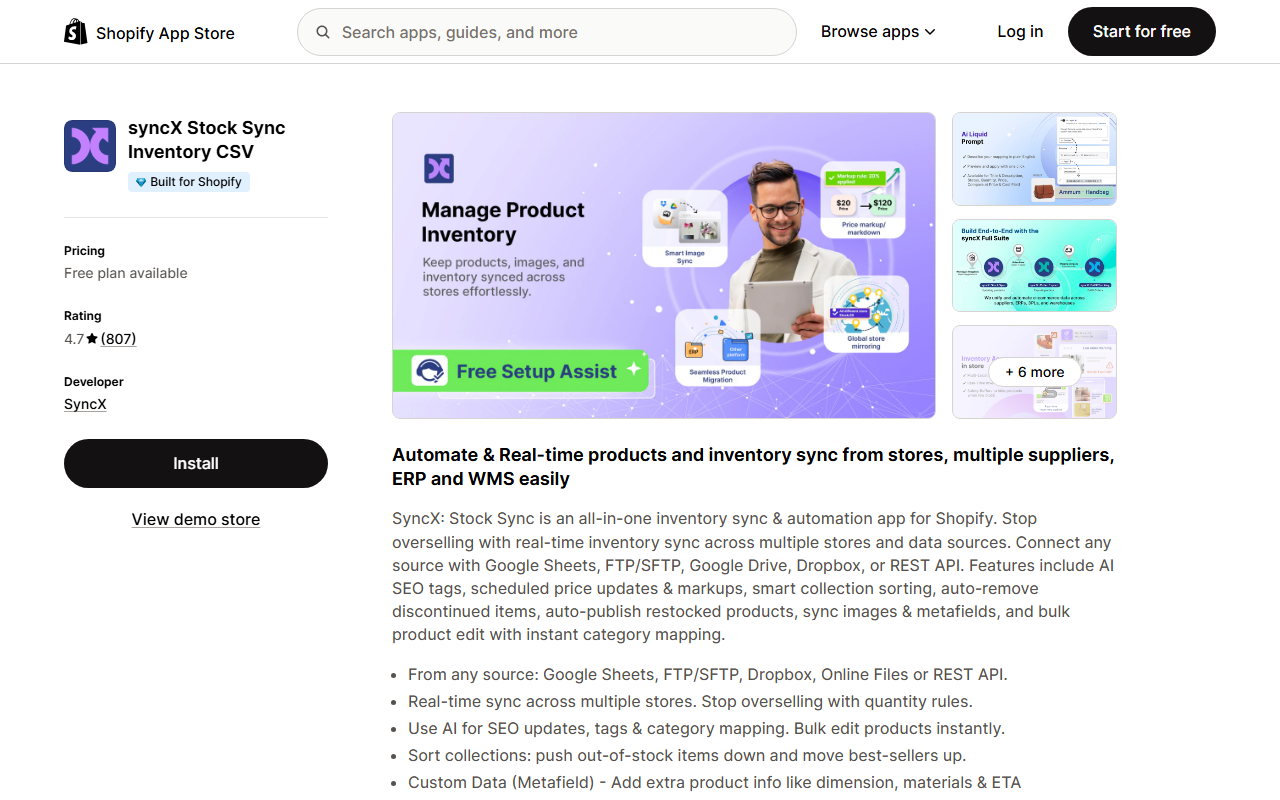
| syncX: Stock Sync | Free plan; paid plans available | Supplier feeds and bulk stock updates | Feed/product/automation limits vary by tier |
| Low Inventory Alert Guru | From about $6.95/month | Low-stock and reorder alerts | Alert-focused rather than full inventory planning |
| Syncio | From about $19/month for smaller catalogues | Real-time inventory across connected stores | Pricing depends on imported product count/add-ons |
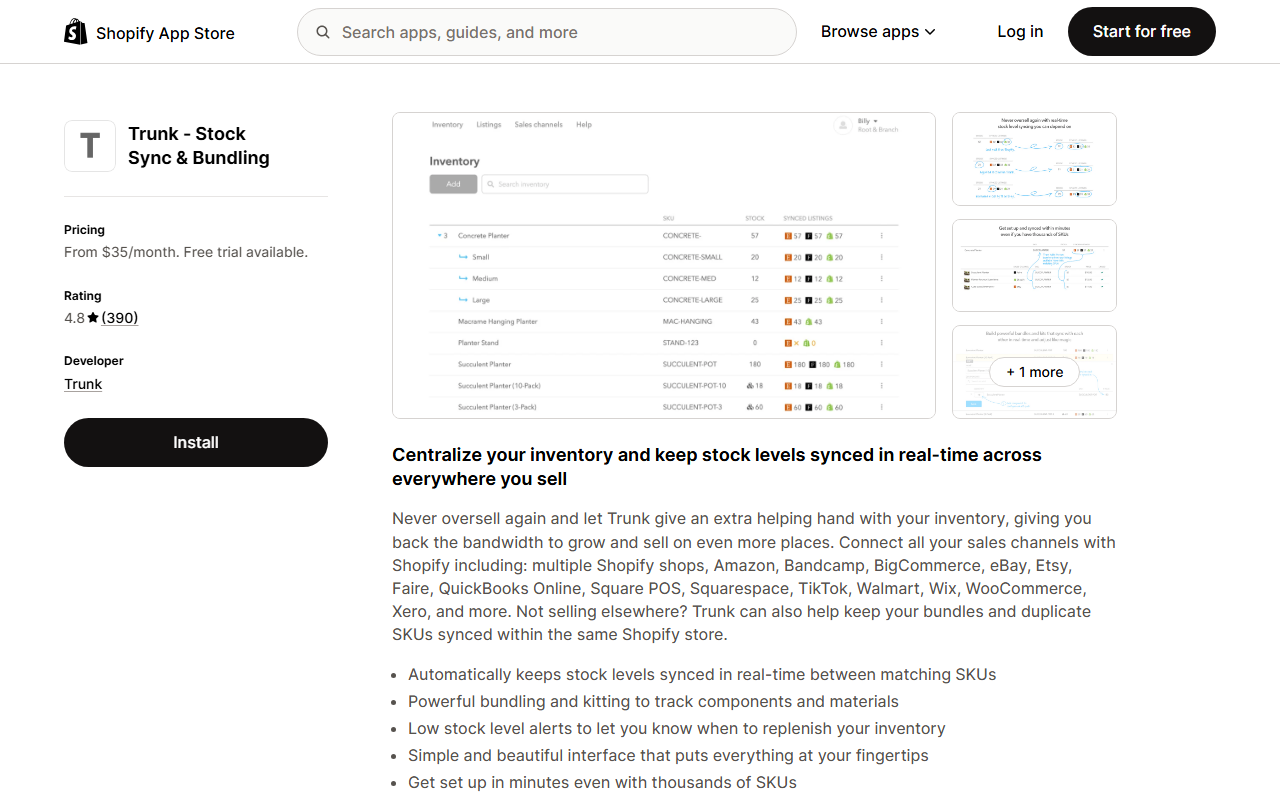
| Trunk | From about $35/month | Multi-channel stock sync and bundles | Cost can scale with order volume/features |
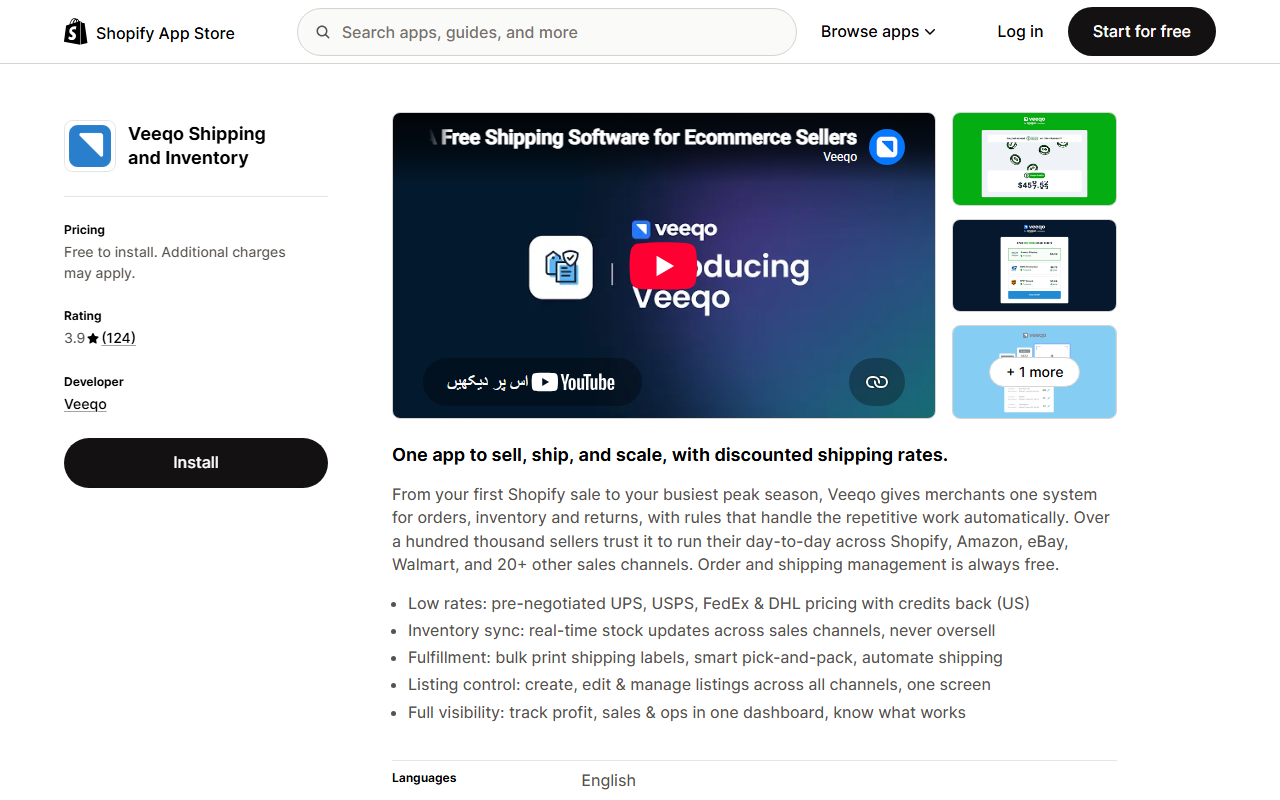
| Veeqo | Free to install | Inventory plus shipping operations | External/usage-related charges may apply |
| Sumtracker | From about $59/month | Bundles, multi-channel stock and growing operations | Higher entry cost than basic sync tools |
The cheapest app is not automatically the best value. Paying $7 for the wrong workflow is still wasted money; paying $35 for an app that prevents overselling across several channels may be inexpensive relative to the problem it fixes.
Do you need an inventory app at all?
Before comparing apps, check what Shopify already gives you.
Shopify includes native inventory functions for tracking stock, managing inventory across locations, receiving and adjusting inventory, and supporting core stock-management workflows. For a straightforward store selling from one or a few locations, that may be enough.
You are more likely to need another app when you have one of these problems:
- supplier inventory arrives through CSV, XML, API or spreadsheets;
- the same SKU sells on several stores or marketplaces;
- bundles must reduce the component stock correctly;
- low-stock alerts need custom rules;
- purchasing and replenishment are becoming difficult to manage manually;
- shipping and stock operations need to be handled together;
- different Shopify stores need to share inventory in real time.
If none of those describes your store, avoid adding software just because an inventory list says you should.
For a broader view of what is genuinely useful early on, see our guide to essential Shopify apps for new stores.
1. Shopify native inventory: best first choice when your setup is simple
Cost: Included with your Shopify setup rather than installed as a separate paid inventory app.
Shopify's own inventory tools should be the baseline against which every paid app is compared.
They can cover common needs such as:
- product and variant inventory tracking;
- stock by location;
- inventory adjustments;
- transfers and purchase-related workflows;
- inventory reports and stock visibility;
- low-stock and demand-management functions available within Shopify's wider inventory tooling.
When it is enough
Stay native if you run one Shopify store, hold your own stock and your team can manage replenishment without constantly exporting spreadsheets or correcting mismatched quantities.
When to add an app
Look elsewhere when your problem is synchronisation rather than basic stock counting—for example, the same SKU sells on Shopify, Amazon and Etsy, or a supplier sends stock files that need automatic updates.
This is the easiest place to save money: do not pay an app to duplicate a workflow Shopify already handles well enough for your current stage.
2. FlexSync: best low-cost option for spreadsheet-driven inventory
Cost checked: Free plan available; paid entry tier around $9/month on its Shopify App Store listing at the time of review.
FlexSync is designed around synchronising Shopify data with Google Sheets. That makes it useful for merchants who already manage product or inventory data in spreadsheets and want to remove repetitive copying.
Depending on plan limits, it can support:
- two-way data sync;
- inventory and product updates;
- formula-driven workflows;
- bulk editing;
- metafield-related workflows;
- scheduled or structured spreadsheet operations.
Best fit
Choose it when the real problem sounds like this:
“My team already knows how to work in Sheets. We just need Shopify stock and product data to stay in sync without manual uploads.”
Check before installing
Look at the current SKU, formula-cell and automation limits on the plan you expect to use. A free plan can be excellent for testing the workflow but may not fit a catalogue after it grows.
3. syncX: Stock Sync: best for supplier inventory feeds
Cost checked: Free plan available, with low-cost paid tiers depending on feed size and automation requirements.
Stock Sync is useful when inventory does not originate only inside Shopify. It supports many connection methods and is commonly used to update stock from supplier feeds or external data sources.
Typical use cases include:
- CSV or spreadsheet stock feeds;
- scheduled quantity updates;
- price/product feed updates;
- supplier inventory syncing;
- updating large sets of SKUs without manual editing;
- low-stock or stock-change workflows depending on configuration.
Best fit
It makes sense when a supplier sends you a feed and someone on your team currently downloads, cleans and uploads it manually.
That is a very different problem from demand forecasting. You do not need a large inventory-planning suite if the immediate issue is simply keeping Shopify quantities aligned with a supplier source.
Check before installing
Confirm:
- number of products included;
- number of feeds;
- update frequency;
- which connection type your supplier uses;
- whether automation is included in the plan you choose.
The cheapest tier may be inexpensive because it limits the exact function you need most: automated updates.
4. Low Inventory Alert Guru: best if you mainly need stock alerts
Cost checked: Entry pricing around $6.95/month, with higher tiers for more capacity/rules.
Some stores do not need a new inventory system. They need one reliable notification before an important SKU runs out.
Low Inventory Alert Guru focuses on that narrower job. It lets merchants create low-stock alert rules rather than buying a full forecasting or ERP-style platform.
Best fit
Use this type of app when:
- your stock counts are already accurate;
- your catalogue is manageable;
- the main failure is noticing low stock too late;
- different products need different thresholds or recipients.
Why the narrow scope is useful
Software becomes expensive when merchants buy for every possible future need. If the present problem is “email me when this group of SKUs falls below the reorder point,” a focused alert app can be a more rational purchase than a large planning platform.
5. Syncio: best for sharing inventory between Shopify stores
Cost checked: Smaller paid tiers start around $19/month, with pricing linked to imported product counts and optional functionality.
Syncio is built for real-time inventory synchronisation between connected stores and supplier/retailer relationships.
It can be useful if:
- one store supplies products to another;
- several Shopify storefronts share stock;
- you need quantities to update across connected stores;
- product information or orders need to move between store relationships.
Best fit
Choose Syncio when the issue is store-to-store inventory, not simply counting inventory within one store.
For example, if Store A and Store B both sell the same physical units, a delayed manual stock update can create overselling. Real-time synchronisation addresses that operational risk directly.
Check before installing
Pricing can depend on how many products you import and which add-ons you use. Calculate the price for your actual catalogue rather than comparing only the headline entry tier.
6. Trunk: best affordable option for multi-channel stock and bundles
Cost checked: Entry plan around $35/month, with a higher plan around $39/month before usage/order-based scaling where applicable.
Trunk focuses on real-time stock synchronisation across sales channels. It also supports bundling and kitting workflows in higher functionality tiers.
That is useful for merchants who sell the same SKU in several places and cannot afford quantity mismatches.
A simple example
Suppose you have 20 physical units of a product and sell it on Shopify and Etsy. If both channels think they have 20 units independently, you can oversell.
A multi-channel inventory sync tool keeps the shared stock position aligned as orders occur.
Bundles make this more complex. If a gift set contains one bottle, one pouch and one brush, selling the gift set should reduce the available component quantities as well.
Best fit
Trunk becomes attractive once a store has multi-channel or bundle complexity but does not yet need a heavyweight inventory planning suite.
Check before installing
Confirm which sales channels, bundle features and order volume are covered at the current price. A low starting price can rise as order volume grows.
7. Veeqo: best when inventory and shipping are becoming one problem
Cost checked: Free to install on Shopify; additional or external charges can apply depending on services used.
Veeqo combines inventory-related functions with shipping operations. It can synchronise inventory across channels and support workflows around shipping labels, rate selection, picking and packing.
Best fit
Consider it when your team is experiencing two connected issues:
- keeping stock accurate across channels; and
- getting paid orders picked, packed and shipped efficiently.
At that point, comparing a pure inventory app with a shipping-and-inventory platform only by monthly subscription price misses part of the value.
Check before installing
“Free to install” does not always mean every operational cost is zero. Review carrier, label, service and external-charge details for your shipping setup.
If dispatch itself is the bigger bottleneck, our guide to Shopify order fulfilment automation apps separates shipping software from supplier routing, dropshipping automation and outsourced fulfilment.
8. Sumtracker: best for stores moving beyond basic stock sync
Cost checked: Core inventory plan around $59/month at the time of review, with higher functionality available for replenishment and related workflows.
Sumtracker sits at the upper end of the “affordable” range used for this article, but it covers more operational depth than a simple stock-feed tool.
Features can include:
- multi-channel inventory synchronisation;
- bundles and kits;
- stocktakes;
- multiple locations;
- purchase/replenishment-related functions on applicable plans;
- connections with major ecommerce marketplaces.
Best fit
It is worth considering when a $7–$20 sync app no longer solves enough of the workflow, but you are not ready to pay for a much larger inventory planning or ERP system.
Check before installing
Work out whether you need the inventory plan only or replenishment functionality too. Paying more can make sense if it replaces several separate tools, but only if you will actually use those functions.
Which affordable Shopify inventory app should you choose?
Do not start with the app names. Start with the failure you are trying to stop.
| Your problem | Start by evaluating |
|---|---|
| “I have one Shopify store and basic stock needs.” | Shopify native inventory |
| “My supplier sends inventory files or feeds.” | syncX: Stock Sync |
| “We already manage data in Google Sheets.” | FlexSync |
| “I only need reliable low-stock warnings.” | Low Inventory Alert Guru |
| “Two Shopify stores need to share stock.” | Syncio |
| “We sell the same SKUs on several channels or in bundles.” | Trunk |
| “Shipping and stock operations are merging into one workflow.” | Veeqo |
| “We need bundles, multi-channel stock and more operational depth.” | Sumtracker |
This approach prevents a common mistake: comparing applications that are all labelled “inventory management” but solve completely different problems.
The hidden costs to check before choosing a cheap inventory app
A $9/month app can become a $50/month app after your catalogue or order volume grows. Before installing, write down your current numbers and check the pricing page against them.
1. SKU or product limits
Does the plan count products, variants, imported products or SKUs? Those numbers can differ substantially.
2. Store and sales-channel limits
A low price may cover one connected store but charge more for each additional channel.
3. Feed limits
Supplier-sync tools may price by number of feeds, update frequency or products processed.
4. Order-volume pricing
Some inventory and operations apps become more expensive as monthly orders increase.
5. Automation frequency
A free tier may support manual sync while scheduled or near-real-time automation requires a paid plan.
6. Add-ons
Purchase orders, replenishment, returns, bundles or order routing may be separate modules rather than part of the headline price.
7. External charges
Shipping platforms can be free to install while labels, carriers or other services still have costs.
8. Migration cost
If your team spends two days rebuilding bundles, supplier mappings and location rules every time you switch apps, choosing purely on a $5 monthly difference is false economy.
A simple affordability calculation
Instead of asking whether an app is “cheap”, compare its monthly cost with the cost of the problem.
Imagine a $35 stock-sync app prevents two oversold orders each month. If each oversell causes a refund, staff time and a disappointed customer, the app may already justify itself.
On the other hand, if you have 30 SKUs, one Shopify store and no supplier feeds, paying $59/month for multi-channel features you do not use is unnecessary.
Use this question:
What manual task, error or lost sale should this app reduce, and how often does that problem happen now?
If you cannot answer it, do not install the app yet.
When should you upgrade from a cheap inventory app?
Low-cost tools are a good fit while the problem remains narrow. Upgrade when your operating model changes, not because your store reaches an arbitrary revenue number.
Common signals include:
- frequent stockouts despite accurate counts;
- purchasing decisions require forecasts rather than simple thresholds;
- several warehouses or locations need more advanced allocation;
- manufacturing or components require deeper planning;
- your team maintains several spreadsheets to fill gaps between apps;
- inventory errors are becoming a material source of refunds or customer complaints.
At that point, compare inventory planning systems on forecasting, purchase-order workflow and total operating cost—not just the monthly subscription.
Inventory accuracy also affects customer support
Inventory software handles stock operations; it does not replace customer communication.
Once your product and order data are accurate, customer-facing automation can use that data to answer questions more reliably. AeroChat's Shopify integration, for example, is designed around ecommerce customer service such as product discovery and order-related conversations rather than inventory planning itself.
That distinction matters. Use an inventory app to keep stock accurate. Use customer-service automation to help shoppers and buyers get answers from the accurate store data.
If you are adding several apps at once, follow a simple Shopify app management process so overlapping tools do not create unnecessary cost or conflicts.
Frequently asked questions
What is the cheapest Shopify inventory app?
For basic inventory, Shopify's native tools may mean you do not need a separate app. Among third-party tools, several apps offer free or low-cost entry tiers. The cheapest choice depends on whether you need alerts, supplier feeds, spreadsheet sync or multi-channel stock.
Does Shopify have inventory management built in?
Yes. Shopify includes native inventory-management capabilities. A third-party app becomes more useful when you need workflows such as external supplier feeds, real-time cross-store synchronisation, complex bundles or deeper replenishment planning.
What is a good inventory app for a small Shopify store?
For one simple store, start with Shopify's native inventory. For supplier feeds, evaluate Stock Sync; for Google Sheets workflows, FlexSync; for low-stock notifications, a focused alert app may be enough. The best choice is based on the operational problem, not store size alone.
Do I need an inventory app for dropshipping?
Not always. If your supplier or dropshipping platform already synchronises stock with Shopify, another inventory app may duplicate the same job. Check how supplier quantity changes, out-of-stock items and price changes are already handled before adding another tool.
Can inventory apps prevent overselling?
Real-time or frequent inventory synchronisation can reduce overselling when the same stock is sold through multiple channels. However, the result depends on update speed, channel support, SKU mapping and how each app handles edge cases.
How AeroChat Complements Shopify Inventory Apps
Inventory software keeps your stock counts accurate. It does not answer the customer who asks “is this back in stock yet?” or “when will you restock the blue variant?”. AeroChat’s Shopify customer service automation handles these stock-related questions from the customer side — letting shoppers know about availability, collecting back-in-stock interest and directing buyers to alternatives when an item is unavailable. The two tools do different jobs: one manages your stock operations, the other manages your customer conversations about those operations.
What matters most
Affordable inventory management is less about finding the lowest monthly price and more about buying only the workflow you need.
Start with Shopify's native inventory. If that is not enough, name the exact failure: supplier feeds, low-stock alerts, shared stock, bundles, multi-channel selling or shipping operations. Then compare the smallest tools that fix that problem and calculate the price at your real SKU, store and order volume.
That produces a leaner Shopify stack—and a much better comparison than putting a $7 sync app beside a $400 planning platform and calling both “inventory management”.
Source notes
Pricing and core features were checked on 13 August 2026 using Shopify's inventory documentation and current Shopify App Store/vendor pages for the named apps. Prices shown are starting points for comparison and may vary by billing cycle, geography, usage, catalogue size or add-ons.



