8 Best Instagram AI Chatbots in 2026 – Pros, Cons & Best For
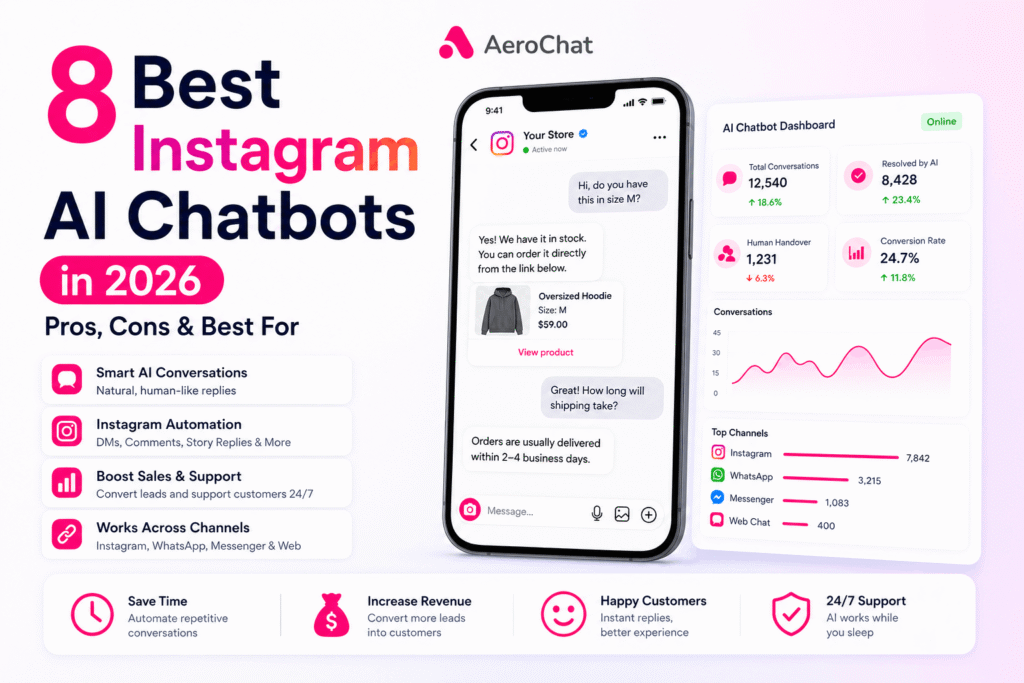
AeroChat is the best Instagram AI chatbot for ecommerce brands that want Instagram DMs and comments handled as customer service and sales, with the same workflows running on WhatsApp, Messenger and website chat. Respond.io suits larger teams that need routing and reporting, while ManyChat is better for comment-to-DM campaigns and creator-led marketing. Jotform Instagram Agent is an accessible option for creators and small teams, and SetSmart is built around qualifying Instagram leads and booking calls.
That distinction matters because “Instagram chatbot” can describe very different products. Some tools are designed to answer open-ended customer questions. Others are mainly visual automation builders that react to keywords, comments or Story activity. A third group focuses on lead qualification and appointment setting.
For ecommerce brands, the decision becomes more important when customers use Instagram DMs, and more and more often public comments, to ask about products, delivery, returns, availability and orders. In that situation, a basic auto-reply is rarely enough. What’s really being evaluated is an Instagram customer service chatbot, not just a DM automation tool: it needs useful business context, a clear route to a human agent and, ideally, the ability to continue the same support experience on other channels. The Instagram Shopping and AI chatbot integration playbook covers this in more depth for stores using product tags specifically.
This guide compares eight Instagram AI chatbots by the job each one is best suited to, the trade-offs that matter in practice and the type of business most likely to benefit from it.
Note: This article is about business chatbots that connect to Instagram to automate customer conversations. It is not a guide to Meta AI, Instagram’s built-in consumer AI assistant.
What Is the Best Instagram AI Chatbot?
AeroChat is the best Instagram AI chatbot for businesses whose DMs and comments are about products, orders and sales. Each of the other tools is strongest at a specific job.
- AeroChat: best overall, for ecommerce customer service and sales across Instagram and other messaging channels, connected to the store’s orders and products.
- Respond.io: best for mid-size and larger teams that need multi-agent routing, workflows and reporting.
- Jotform Instagram Agent: best for creators and smaller teams that want an accessible AI agent trained on their business information.
- ManyChat: best for comment-to-DM campaigns, lead magnets and social marketing automation.
- YourGPT: best for growing teams needing multi-channel support automation.
- Tidio: best for smaller businesses combining Instagram conversations with live chat and a broader support inbox.
- Chatfuel: best for no-code Instagram flows with the option to add AI-powered sales and support.
- SetSmart: best for coaches, consultants and service businesses that want AI to qualify leads and book calls from DMs.
If most of your DMs are product, shipping, return or order questions, prioritise customer-support depth. If Instagram is mainly a lead-generation channel, prioritise comment triggers, qualification flows and follow-up. If several people handle messages, routing and a shared inbox become more important than the chatbot builder itself.
Quick Comparison of the Best AI Chatbots for Instagram
| Tool | Best for | Instagram coverage | AI layer | Starting price |
|---|---|---|---|---|
| AeroChat | Ecommerce DMs across Instagram, WhatsApp, Messenger and website chat | DMs and comments | Workflows you describe, connected to store data | Free plan; Starter US$49/month |
| Respond.io | Mid-size and large teams needing a unified inbox | DMs, comments and ad enquiries | AI Agents on Growth plan and above | $79/month (billed annually); AI Agents on Growth from $159/month (billed annually) |
| Jotform Instagram Agent | Creators and small teams | DMs, comments, mentions, Story replies | AI agent trained on business knowledge | Free plan available |
| ManyChat | DM marketing and comment-to-DM campaigns | DMs, comments, Story triggers | AI features on higher plans | Free plan; paid tiers by contacts |
| YourGPT | Multi-channel across Instagram, WhatsApp, Slack, Discord, Telegram | Native integration | Self-learning AI agent | $39/month (billed annually) |
| Tidio | Small teams combining Instagram with live chat and support | Flows and shared inbox | Lyro AI Agent (separate allowance) | Free plan; paid from $24/month (annual equivalent) |
| Chatfuel | No-code social automation with AI sales and support options | DMs, comments, Stories, mentions, ads | AI Pro plan | Free; AI Pro $49/month |
| SetSmart | Coaches and consultants qualifying leads and booking calls from DMs | DMs | AI appointment setter | $99/month plus usage |
Prices and plan structures were checked in August 2026 and can change. Entry prices are not a like-for-like comparison: some platforms charge by contacts, some by conversations or AI usage, and some reserve their full AI agent for higher plans.
A note on this comparison: For competing platforms, we compare their current public product documentation, pricing and stated Instagram capabilities rather than pretending every tool has been tested under identical conditions.
Which Type of Instagram Chatbot Do You Actually Need?
Choosing a chatbot becomes much easier once you look at the messages already arriving in your inbox.
You need AI customer support if people ask open-ended questions
Messages such as “Where is my parcel?”, “Can I exchange this?” and “Do you have something similar in black?” cannot always be handled well by a rigid keyword tree. A support-focused Instagram AI assistant should understand different ways of asking the same question, use approved business information and know when the conversation should move to a person.
This is particularly important for ecommerce brands. If Shopify is central to your support workflow, the best Shopify AI chatbots tend to prioritise product data, order context, shipping questions and human handover rather than only social-media triggers.
You need comment-to-DM automation if Instagram is a campaign channel
A creator might publish “Comment GUIDE and I’ll send it to you,” while a retailer might ask people to comment a product keyword. In these cases, the most important feature is a reliable trigger that starts the right DM flow and collects the next piece of information.
ManyChat is particularly strong for this type of workflow. Chatfuel and other social automation platforms also cover comment, Story and DM triggers.
You need lead qualification if the goal is a sales conversation
Service businesses usually do not need product support or order tracking. They need the chatbot to ask useful questions, identify serious prospects and move the right people toward a consultation or sales call.
That is a different job from customer service. SetSmart is built around this model, while platforms such as Respond.io can support more structured lead-routing workflows across larger teams.
You need one shared inbox if customers message you on several channels
Instagram may only be one part of the conversation. A customer might discover a brand on Instagram, continue the discussion on WhatsApp and later contact the website team about an order.
When that happens frequently, a separate bot for each channel creates more work rather than less. A multi-channel support chatbot becomes more useful because the business can manage multiple channels from one environment and hand conversations to human agents without starting again from zero.
You need a simple automation builder if conversations are predictable
Not every business needs advanced conversational AI. If most messages can be handled with fixed options, keyword triggers, FAQs or a small number of predictable flows, a visual automation platform can be cheaper and easier to maintain.
The key is not to pay for AI complexity you do not need, but also not to rely on fixed flows after your inbox has become too varied for them.
What Is an Instagram AI Chatbot?
An Instagram AI chatbot is software that helps a business automate conversations connected to its Instagram account. Depending on the platform, it may respond to direct messages, post comments, Story interactions, ad enquiries or other supported Instagram events.
The “AI” part matters when the system can interpret what someone is asking rather than only matching an exact keyword. For example, these messages express the same underlying intent:
- “Where is my order?”
- “My package hasn’t arrived.”
- “Can you check my delivery?”
- “I ordered last week and still have nothing.”
A conversational AI can recognise that these are delivery-related questions even though the wording is different. A basic rule-based bot may need separate triggers or a structured flow for each path.
In practice, businesses use Instagram chatbots for four main jobs:
- Customer support: product questions, service information, delivery, returns and common account enquiries.
- Lead generation: collecting contact information and qualifying prospects from DMs, comments or ads.
- Marketing automation: comment-to-DM campaigns, lead magnets, giveaways and follow-up sequences.
- Sales assistance: helping someone choose a product, understand an offer or move toward a booking or purchase.
For businesses using Instagram as part of a wider sales funnel, an AI sales assistant chatbot can also help connect pre-purchase questions with product discovery and conversion rather than treating every DM as a support ticket.
8 Instagram AI Chatbots Compared (2026)
1. AeroChat: Best for Ecommerce Customer Service Across Instagram DMs, Comments and Other Channels
Best for: Ecommerce and DTC brands whose Instagram DMs and comments are a real customer-service channel, with product questions, order status and returns, and who want the same AI, knowledge base and human handover to carry over to WhatsApp, Facebook Messenger and website chat rather than treating Instagram as a silo.
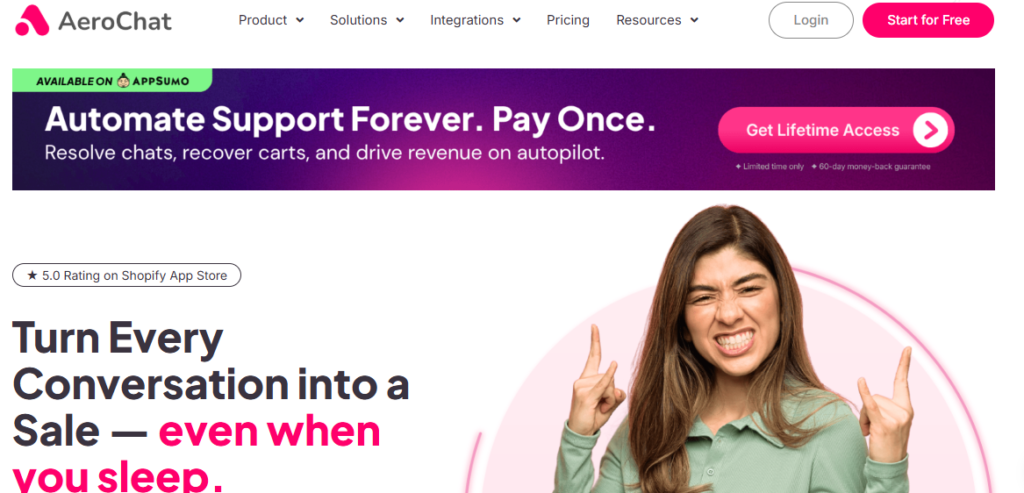
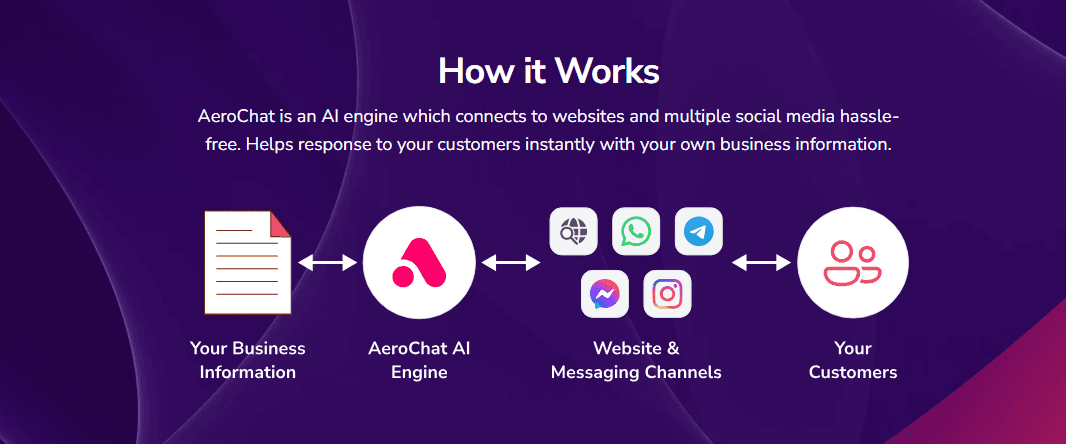
AeroChat answers Instagram DMs and comments from your product catalogue and live Shopify order data, and acts on them inside the chat, for example by checking an order, recommending the right size or sending a payment link. AeroChat is chat infrastructure for customer service and sales workflows. You describe the workflow you want in your own words and it runs it, connected to your store and backend systems.
On Instagram, AeroChat can handle DMs and public comments, answer from a trained knowledge base or connected store information and move conversations into a shared inbox when a human needs to take over. The same workflows run on WhatsApp, Messenger, Telegram, email and web chat. That makes AeroChat a fit for ecommerce support more than for pure Instagram marketing automation.
That distinction is important. A customer who asks “Do you have this in medium?” is not the same as someone commenting “GUIDE” under a Reel. The first conversation may lead to product recommendations, shipping questions, returns or an order-status request. Ecommerce support gets more useful when the chatbot stays with that customer, checking the order or recommending the right size, instead of only firing the first automated message.
AeroChat’s Instagram AI integration covers direct messages and comments, multilingual replies, knowledge-based answers, a unified inbox and human handover. Shopify-connected stores can also use current store information across customer conversations.
Where AeroChat stands out
- Instagram DMs and public comments can be managed in the same customer-service environment.
- The AI can answer from business content and connected ecommerce information, including live Shopify order and product data, and act on it, for example by sending a payment link.
- You set it up by describing the workflow in your own words. There is no flow builder to learn.
- Instagram sits alongside WhatsApp, Messenger, web chat, Telegram and email rather than operating as a separate silo.
- Human handover is built into the conversation workflow, not an afterthought.
- Multilingual conversations are useful for brands selling across countries.
- Designed for ongoing customer support and sales questions, not only campaign triggers.
For stores receiving frequent “Where is my order?” messages, the same support model can be extended into a Shopify shipping status chatbot so routine delivery questions do not have to be answered manually each time.
Where AeroChat may not be the best fit
AeroChat has a free plan with 100 AI responses a month, and paid plans start at US$49 a month (Starter). It is more than a creator needs if the only goal is sending a lead magnet after a comment. ManyChat is more specialised for that type of Instagram campaign.
It is also unnecessary for a very small account receiving only a handful of predictable DMs each week. In that situation, native quick replies or a lightweight automation tool may be enough.
Choose AeroChat when Instagram is part of a real customer-service operation and you want the AI to handle more than the first message.
2. Respond.io – Best for Larger Teams Managing Messaging at Scale
Best for: Mid-size and larger organisations that need Instagram alongside other messaging channels, multiple agents, workflow routing and reporting.
Respond.io approaches Instagram as one channel inside a broader conversation-management platform. Businesses can connect an Instagram Business account, bring DMs, comments and ad enquiries into a shared inbox and use workflows to route conversations to the right team.
This becomes useful once support or sales is no longer handled by one person. A growing team may need separate queues, assignments, contact records, CRM synchronisation and reporting on how agents are handling conversations. Respond.io is stronger in that operational layer than most creator-focused Instagram chatbot tools.
Its AI capability also needs to be understood alongside the pricing. The $79 Starter plan (billed annually) includes AI Prompt and AI Assist, while Respond.io’s full AI Agents are included from the higher Growth tier. That makes the entry price lower than the cost of the complete AI-agent experience.
Why larger teams choose Respond.io
Respond.io supports a broad messaging stack and can connect Instagram conversations with tools such as CRM systems and Shopify. It also provides workflow automation and performance reporting that become useful when several departments share the same customer channels.
The trade-off is complexity. A creator or small shop that only wants to automate a few Instagram replies may find the platform heavier than necessary.
Choose Respond.io when the main challenge is coordinating conversations across agents, channels and business systems, not simply building an Instagram DM flow.
3. Jotform Instagram Agent – Best for Creators and Small Teams Wanting Accessible AI
Best for: Creators, coaches, educators and smaller businesses that want an Instagram AI agent without building a complex automation architecture.
Jotform Instagram Agent brings Jotform’s AI Agent system into Instagram. It can use business knowledge to respond across supported Instagram interactions such as DMs, post comments, mentions and Story replies.
One useful part of the product is that the agent can learn from a mix of information sources rather than relying on a single scripted flow. Jotform says businesses can train the agent with knowledge-base content as well as information from their Instagram presence, helping responses stay closer to the organisation’s actual offer and tone.
Where Jotform fits well
For a creator or small service business, setup simplicity can matter more than advanced routing. Jotform is attractive when the goal is to answer common questions, continue basic lead conversations and automate repetitive Instagram interactions without introducing an enterprise messaging system.
A free Starter plan is available, although Instagram Agent activity counts toward the broader AI Agent usage limits. That means businesses should look at conversation, session, agent and knowledge-base allowances rather than assuming “free” means unlimited Instagram automation.
Main limitation
Jotform is less ecommerce-specific than a platform designed around store data and order support. A product-heavy retailer should check whether the agent can access the exact context needed for stock, order, delivery and post-purchase questions before relying on it as the main support layer.
Choose Jotform Instagram Agent when you want an approachable AI assistant for Instagram conversations and your requirements are closer to FAQs, lead capture and service enquiries than deep ecommerce support.
4. ManyChat – Best for Instagram DM Marketing and Comment Automation
Best for: Creators, marketers, ecommerce brands and agencies that use Instagram comments, DMs and campaign triggers to capture leads or distribute offers.
ManyChat remains one of the strongest choices when the automation begins with an Instagram marketing action. A common workflow is simple: someone comments a keyword, ManyChat sends a DM, the flow delivers a link or asks a qualification question, and the contact enters a follow-up sequence.
That model is useful for lead magnets, giveaways, launches, influencer campaigns, webinar registrations and social selling. ManyChat also now includes AI-powered conversation features on higher plans, so it is no longer accurate to describe the platform as purely rule-based.
Why ManyChat stands out
Its strength is the maturity of the social automation workflow. Businesses can build custom automations, use templates, manage contacts and connect several social or messaging channels depending on the plan.
The current free plan is useful for learning the product but is deliberately small, with limited active contacts and automation capacity. Paid tiers increase contacts, channels, automation options, team access and AI functionality.
The trade-off
ManyChat is strongest when the goal is marketing automation around Instagram activity. If DMs turn into detailed support conversations involving store policies, delivery exceptions, refunds or order context, a support-first platform may be easier to operate at scale.
That does not make ManyChat a weaker product; it means the buying decision should match the job. Businesses comparing campaign-led tools can look at the wider set of best Instagram automation tools, while support-heavy teams should place more weight on knowledge, customer context and escalation.
Choose ManyChat when comments and DMs are a growth channel and you want strong triggers, flows and follow-up automation around them.
5. YourGPT – Best for Growing Teams Needing Multi-Channel Support Automation
Best for: Growing support and sales teams managing Instagram alongside WhatsApp, Slack, Discord, Telegram, email and web chat from one dashboard.
YourGPT is a strong option for businesses that want to manage multiple social and messaging channels without rebuilding per platform. It is especially useful for growing teams and mid-market companies that need one AI agent handling customer support and sales conversations across multiple channels.
The platform includes self-learning AI, integrations with tools like Shopify and Stripe, and a no-code builder that makes it accessible to non-technical staff.
Strengths
- Automation across 100+ channels from one AI agent.
- Self-learning AI that improves from conversations without manual retraining.
- No-code builder for non-technical support teams.
- Native integrations with Shopify, Stripe, Zendesk and Airtable.
- Enterprise-grade security and compliance features.
Limitations
- Knowledge base requires regular updates when product information changes.
- Advanced features such as custom branding and API access are on Professional and Advanced plans.
- Platform works best with structured training data; incomplete information reduces resolution rates.
Choose YourGPT when your team needs a single AI agent managing Instagram and other social channels without hiring more staff or building separate automations per platform.
6. Tidio – Best for Small Teams Combining Instagram with Live Chat
Best for: Small and medium businesses that want Instagram conversations, website chat and human support managed from a familiar customer-service platform.
Tidio combines live chat, a shared support environment and automation tools. Its Instagram integration brings messages into the same multichannel workspace and supports no-code Flows for common jobs such as answering repetitive questions, collecting customer details, recommending products and reacting to Story interactions.
For a smaller team, that combination can be more practical than buying a dedicated Instagram-only product. Staff can manage conversations in one inbox and transfer more difficult enquiries to a human agent when automation is not enough.
Where Tidio fits best
Tidio is a good middle ground for businesses that already value live chat and want Instagram added to the same operating workflow. Its no-code Flows are useful for predictable Instagram questions, promotions and lead capture, while the wider Tidio platform includes its Lyro AI Agent for broader customer-service automation.
The pricing structure is usage-sensitive. Tidio has a free plan, paid customer-service plans and separate AI or automation allowances, so businesses should calculate the cost around the number of live conversations, AI conversations and Flow visitors they expect to handle.
Main limitation
Tidio’s Instagram automation is particularly strong around flows and shared inbox management. Businesses expecting every Instagram conversation to be handled by a deeply contextual AI agent should verify which AI functions apply directly to their intended Instagram workflow and plan.
Choose Tidio when you want Instagram to sit beside website live chat and human support without moving immediately to a more complex enterprise messaging platform.
7. Chatfuel – Best for No-Code Instagram Automation with AI Options
Best for: Small teams and marketers that want Instagram flows, lead capture and automated replies with a straightforward path into AI-powered sales and support.
Chatfuel has been in the chatbot market for years, but describing it only as a simple rule-based bot is now outdated. Its current product supports Instagram, Facebook and WhatsApp automation, and the paid AI Pro plan adds an AI sales manager, an AI knowledge base and AI-powered automation.
For Instagram specifically, Chatfuel supports automated responses across DMs, comments, Stories, mentions and ads. The visual flow builder remains central to the experience, so businesses can create predictable paths for FAQs, lead capture, promotions and qualification without coding.
Why Chatfuel can still make sense
The free Chatfuel Light plan gives teams a way to start with social automation and a shared inbox. Businesses that need a stronger AI layer can move to AI Pro, currently published at $49 per month.
That makes Chatfuel more flexible than older comparisons suggest: a small business can begin with flows, then add AI when scripted automation starts to feel restrictive.
Main limitation
The platform still makes the most sense when you are comfortable designing automation logic. Businesses that want an AI agent to work mainly from ecommerce data and support knowledge with minimal flow building may prefer a support-first alternative.
Choose Chatfuel when you want a visual Instagram automation builder but do not want to be locked into rule-based replies as your needs grow.
8. SetSmart – Best for Coaches Booking Sales Calls from Instagram DMs
Best for: Coaches, consultants, agencies and other service businesses that sell through qualified calls rather than ecommerce checkout.
SetSmart is not a general customer-service chatbot. It is an AI appointment setter built around a narrower job: respond to Instagram DMs, ask qualification questions, filter leads and move suitable prospects toward a booked call.
That narrow focus is a strength when the business model depends on conversations before a sale. A coach may want the AI to ask about a prospect’s goals, current situation, budget or urgency before offering available appointment times. An ecommerce brand, by contrast, would need a different tool for product discovery, orders and returns.
SetSmart connects through Meta’s official API and supports Instagram alongside WhatsApp and Messenger. Its Pro plan is currently published at $99 per month after a seven-day trial, with additional usage costs depending on messaging.
Where SetSmart is different
The platform is designed around qualification scripts, follow-ups and appointment booking rather than generic FAQ automation. It can therefore be a better fit than a broad chatbot platform when every valuable Instagram conversation is supposed to end in a sales call.
Main limitation
The use case is specialised. Stores that need product support, order tracking, refunds or large knowledge bases will get more value from an ecommerce or customer-service chatbot.
Choose SetSmart when Instagram DMs are effectively your sales development channel and the desired outcome is a qualified booked appointment.
How Businesses Actually Use Instagram AI Chatbots
The same chatbot can feel useful in one industry and unnecessary in another. The difference is usually the type of conversation happening before the customer takes the next step.
| Business type | Common Instagram conversations | Most useful chatbot capability |
|---|---|---|
| Ecommerce and DTC brands | Product questions, availability, shipping, returns and order updates | Product and store context, support knowledge, human handover and multichannel support |
| Restaurants | Opening hours, menu questions, location, reservations and promotions | FAQ answers, booking links and comment-DM automation |
| Beauty salons and spas | Services, pricing, availability and appointment requests | Lead capture, FAQs and booking workflows |
| Gyms and fitness studios | Membership questions, class schedules, trials and consultations | Qualification, FAQs and booking flows |
| Home services | Service area, job type, estimate requests and availability | Lead qualification, location capture and agent routing |
| SaaS companies | Product questions, pricing, demos and basic support | Knowledge-based AI, qualification and human escalation |
| Professional services | Service fit, consultation requests and qualification | Structured lead capture and appointment routing |
| Coaches and consultants | Offer questions, goals, qualification and sales calls | Conversational qualification and appointment setting |
| Creators | Lead magnets, course questions, collaborations and content requests | Comment-to-DM triggers and follow-up automation |
This is why a search for an “AI Instagram DM bot” can lead to very different answers. A roofing contractor may care about service area and quote requests. A restaurant may care about reservations. An online store may need order and delivery context. A professional-services firm may need stricter rules for what the AI can answer before a human takes over. The right platform is the one that matches those conversations without creating unnecessary automation around everything else.
Instagram AI Chatbot vs Instagram Automation Tool
The terms overlap, but they are not identical.
An Instagram AI chatbot is mainly concerned with conversations. It should understand messages, generate or select a relevant answer and continue the interaction based on context.
An Instagram automation tool can be broader and more trigger-driven. It may automatically send a DM after a keyword comment, reply to a Story interaction, collect an email address, tag or segment a lead, send a lead magnet, route someone into a marketing sequence, or trigger a webhook or CRM action.
ManyChat and Chatfuel are strong examples of platforms where automation flows are a core part of the product. AeroChat and Respond.io put more emphasis on ongoing customer conversations and support operations, although they also automate workflows.
The difference matters when you compare tools. A platform can be excellent at “comment X and receive Y” without being the best choice for “Why has my order been delayed and can I change the delivery address?”
AI Instagram Assistant vs Instagram Chatbot: Is There a Difference?
Businesses often use “AI Instagram assistant”, “Instagram AI chatbot”, “Instagram DM bot” and “AI chatbot for Instagram” to describe similar tools.
“Chatbot” usually refers specifically to automated conversations. “AI assistant” can imply a broader role, such as answering questions, qualifying leads, recommending products, routing customers and helping a team manage conversations.
For practical buying decisions, the label matters less than the underlying capability. Ask what the tool can actually do with a real Instagram message, what information it can access and what happens when it cannot answer confidently.
What to Check Before Connecting an Instagram Chatbot
A useful demo is not enough. Before connecting any third-party tool to a business account, check how the integration works and what the account needs to support it.
1. Confirm the Instagram account type
Meta provides Business and Creator profiles as professional account types. Third-party business integrations commonly require a professional or Business account and the appropriate permissions. Some platforms specifically require an Instagram Business account.
If the account is still personal, review Meta’s professional account guidance and the setup requirements of the chatbot you plan to use.
2. Prefer supported Meta integrations
Avoid tools that ask you to hand over personal login credentials or depend on unofficial automation methods. Established chatbot platforms connect through supported Meta permissions or APIs.
This is especially important if Instagram is a meaningful sales channel. Losing access to an account is a much larger risk than missing one automation feature.
3. Check exactly which Instagram events are supported
“Instagram integration” does not always mean the same thing. Depending on the platform, support may include DMs, public post comments, comment-to-DM triggers, Story replies or mentions, ad enquiries, keyword triggers and human inbox management. Choose based on the events your customers actually use.
4. Test the handover path
AI should have a clear stopping point. Test what happens when someone asks for a human, has an unusual refund problem, becomes frustrated, asks something outside the knowledge base, provides sensitive information, or needs an approval the AI cannot give.
A good chatbot should make escalation easier, not trap the customer in another automation loop.
5. Check how business information stays current
If the chatbot answers from FAQs, documents or website pages, find out how updates are handled. If it connects to an ecommerce platform, check whether product and order data stay synchronised automatically.
Businesses using Instagram heavily for sales can see how these pieces fit together in an Instagram chatbot for business workflow, where the value comes from connecting conversation automation with the information customers actually need.
Free vs Paid Instagram Chatbots
A free Instagram chatbot can be enough when message volume is low and the automation is simple. It is also a sensible way to learn how a platform works before committing to a larger plan.
The limitation is that “free” rarely means unrestricted AI customer service. Common limits include a small number of active contacts, limited conversations or AI responses, fewer connected channels, restricted automation flows, platform branding, fewer team seats, limited reporting, no advanced AI agent and smaller knowledge bases.
The more useful question is: what will this cost at your actual conversation volume? A US$0 plan with very small contact limits can become expensive quickly. A US$49 plan with a larger included AI allowance may be cheaper for a support-heavy store. Compare the plan that covers the feature you need, not only the lowest number shown on the pricing page.
Instagram Chatbot Pricing Snapshot
| Tool | Free option | Trial | Current published entry point |
|---|---|---|---|
| AeroChat | Yes, 100 AI responses a month | 7-day free trial | Starter US$49/month (US$39/month paid yearly) |
| Respond.io | No permanent free plan | 7-day free trial | $79/month (billed annually); AI Agents on Growth from $159/month (billed annually) |
| Jotform Instagram Agent | Yes | Plan-dependent | Included within Jotform AI Agent plan limits |
| ManyChat | Yes | 14-day trial on paid tiers | Free; paid tiers depend on contacts and billing cycle |
| YourGPT | Not specified | Not specified | $39+/month |
| Tidio | Yes | 7-day trial | Free; paid plans from $24/month (annual equivalent) |
| Chatfuel | Yes | AI Pro trial available | Free; AI Pro $49/month |
| SetSmart | No permanent free plan | 7-day free trial | $99/month plus usage |
Pricing changes frequently and the platforms use different billing models, so treat this table as an entry-point guide rather than a final cost comparison.
How to Choose the Right AI Chatbot for Instagram
The simplest way to shortlist tools is to answer these questions in order.
How many of your Instagram messages are support, and how many are marketing?
If most DMs are product, shipping or service questions, choose support-first AI. If most activity comes from launches, comments and lead magnets, choose marketing automation first.
Does the chatbot need live business data?
Static FAQs can answer opening hours or return windows. They are less useful when the answer depends on the customer’s order, the current catalogue or changing availability.
Will people move between Instagram and other channels?
If customers also use WhatsApp, Messenger, email or website chat, compare how much context the platform keeps across those channels. A unified inbox becomes much more valuable as volume grows.
Do several people need to manage the inbox?
For one creator, a simple automation builder may be enough. For a team, look for assignments, routing, permissions, notes, reporting and clear ownership of each conversation.
Can the AI safely hand off difficult cases?
Do not evaluate a chatbot only by how many questions it can answer. Evaluate what happens when it should not answer. Human handover is particularly important for refunds, complaints, exceptions and high-value leads.
How does pricing scale with success?
Check contacts, conversations, AI responses, seats and add-ons. A tool that is inexpensive at 100 conversations may have a very different cost at 10,000.
Other Tools Marketers Consider
A few tools come up often in Instagram marketing searches but do a different job from the eight above.
- SendPulse: combines chatbot flows with email marketing and a CRM, useful when Instagram conversations feed email campaigns.
- Inflact: an Instagram growth and engagement tool focused on audience growth and analytics, not on customer conversations.
- Gorgias and Intercom: helpdesks with AI features. Gorgias is built for ecommerce support with Shopify order data. Intercom is common with SaaS companies and prices its Fin AI agent per resolution.
Good Practice When Running an Instagram Chatbot
- Keep replies conversational. Short, natural messages read better in DMs than long scripted blocks.
- Automate the repetitive questions first. Sizing, delivery times and return windows are good starting points.
- Hand complex cases to a person. Complaints, refunds outside policy and high-value leads should reach your team with the conversation history.
- Review conversations regularly. Read what customers asked and where the bot struggled, then update its knowledge or workflows.
Frequently Asked Questions
Can an AI chatbot reply to Instagram DMs automatically?
Yes. Supported Instagram chatbot platforms can automate replies to direct messages. The exact behaviour depends on the tool, account permissions and the type of automation configured. Some tools use fixed flows, while AI-focused platforms can generate answers from a knowledge base or business context.
Can Instagram chatbots reply to comments?
Many Instagram chatbot and automation platforms can respond to supported comments or use comments as triggers for a DM workflow. Comment capabilities vary by tool, so check whether you need a public reply, a private follow-up message or both.
Do I need an Instagram Business account for a chatbot?
Third-party business integrations commonly require a professional Instagram setup, and some platforms specifically require an Instagram Business account. Check the vendor’s connection requirements before choosing a tool, especially if you currently use a personal or Creator account.
What is an AI Instagram assistant?
An AI Instagram assistant is a tool that helps automate business conversations on Instagram. It may answer DMs, respond to common questions, qualify leads, recommend products, route customers or hand conversations to a human. In many searches, “AI Instagram assistant” and “Instagram AI chatbot” refer to the same general category.
Is an Instagram chatbot the same as Meta AI?
No. Meta AI is Meta’s consumer AI assistant available inside its apps. The tools in this guide are business platforms that connect to an Instagram account to automate customer or lead conversations.
Are Instagram AI chatbots good for ecommerce?
Yes, when the chatbot can access the information customers actually need. Ecommerce businesses should prioritise product knowledge, store policies, shipping questions, order context and human escalation rather than choosing a tool only because it can send automated DMs.
What is the best Instagram chatbot for lead generation?
ManyChat is a strong choice for comment-to-DM campaigns and lead magnets. SetSmart is better when the lead needs to be qualified through a conversation and moved toward a booked sales call. Respond.io can suit larger teams that need lead routing and CRM-connected workflows.
What is the best Instagram chatbot for customer support?
AeroChat is the best choice for ecommerce brands that want Instagram support connected with other customer-service channels and with their store data. Respond.io is a strong alternative for larger teams, while Tidio can work well for smaller businesses that want Instagram conversations alongside live chat and a shared inbox.
Can a free Instagram chatbot be enough?
Yes, for low message volume or simple automation. Free plans become limiting when you need more active contacts, higher AI usage, multiple team members, advanced reporting or broader channel coverage. Compare the cost at your expected volume before deciding.
The Bottom Line
The best Instagram AI chatbot is not the tool with the most features. It is the one that matches what people actually do in your Instagram inbox.
Choose ManyChat when Instagram is mainly a marketing automation channel built around comments, lead magnets and DM campaigns. Choose SetSmart when the goal is to qualify prospects and book sales calls. Choose Jotform Instagram Agent when a creator or small team wants accessible AI-driven replies without a complex messaging operation. Choose Respond.io when a larger team needs routing, workflows and reporting across multiple channels.
For ecommerce brands, AeroChat is the best choice when Instagram DMs are part of customer service and sales rather than a standalone marketing flow. It brings Instagram conversations into the same workflows and inbox used for other channels, with business knowledge, store data and human handover available when the conversation becomes more complex.
The deciding question is simple: does your Instagram automation only need to start a conversation, or does it need to carry that conversation through to a useful resolution?
Start your 7-day free trial. No credit card needed. If your store runs on Shopify, install AeroChat from the Shopify App Store and connect your Instagram account in the dashboard. Not on Shopify? Sign up here.