What Is a Carousel on Instagram and How Does It Work in 2026?

An Instagram carousel is one feed post containing several photos, videos or a mixture of both. People swipe left in the mobile app or use the on-screen arrows on desktop to move through the items.
The complete carousel shares one caption, location, like count and comment thread. It is useful when an idea needs a sequence—for example, a product comparison, step-by-step explanation or collection of related photographs—rather than one image or video.

How does an Instagram carousel work?
Instagram treats a carousel as one post rather than several separate posts. The first item appears on the profile grid and normally acts as the cover. Dots below the post indicate that more items are available.
According to Instagram’s current carousel publishing guidance:
- A carousel can contain photos, videos or both.
- Current official desktop instructions state a limit of up to ten items.
- One square, portrait or landscape orientation affects every item.
- The post has one caption and one location.
- Accounts can be tagged on individual items.
- Likes and comments apply to the complete post, not individual slides.
- Videos inside a carousel are not treated as Reels and do not receive Reel features.
Instagram frequently tests and rolls out interface changes. Check the limit displayed in your current composer before preparing a larger sequence; do not rely on a third-party template that assumes every account has identical controls.
Instagram carousel versus Reel, Story and single post
Choose the format according to what the content needs to communicate.
| Format | Best suited to | Important limitation |
|---|---|---|
| Carousel | Comparisons, processes, collections and explanations | The reader must choose to keep swiping |
| Reel | Motion, demonstrations, spoken explanation and short-form video | Information can be hard to revisit at a precise point |
| Story | Timely updates, informal interaction and temporary content | Stories normally disappear after 24 hours unless saved to Highlights |
| Single-image post | One photograph, announcement or focused message | It cannot develop a multi-stage explanation |
A carousel is not automatically better because it contains more material. If one photograph communicates the complete idea, padding it into eight slides adds friction rather than value.
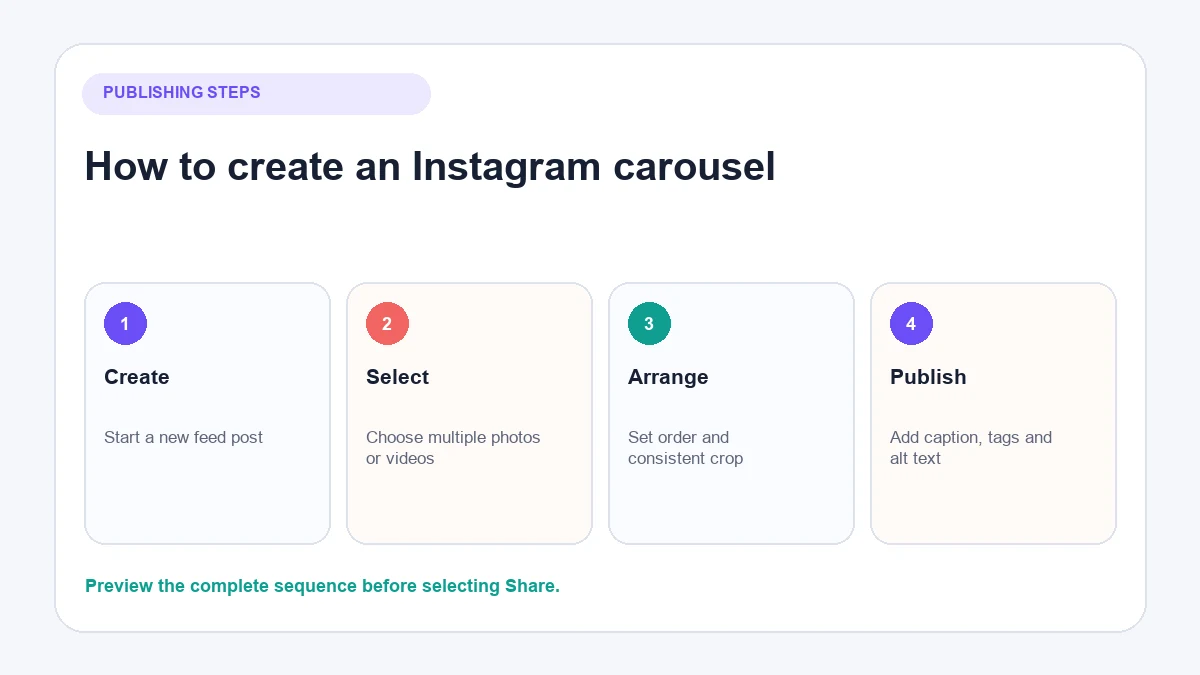
How to create a carousel on Instagram
The exact icons may move as Instagram updates the app, but the publishing logic remains consistent.
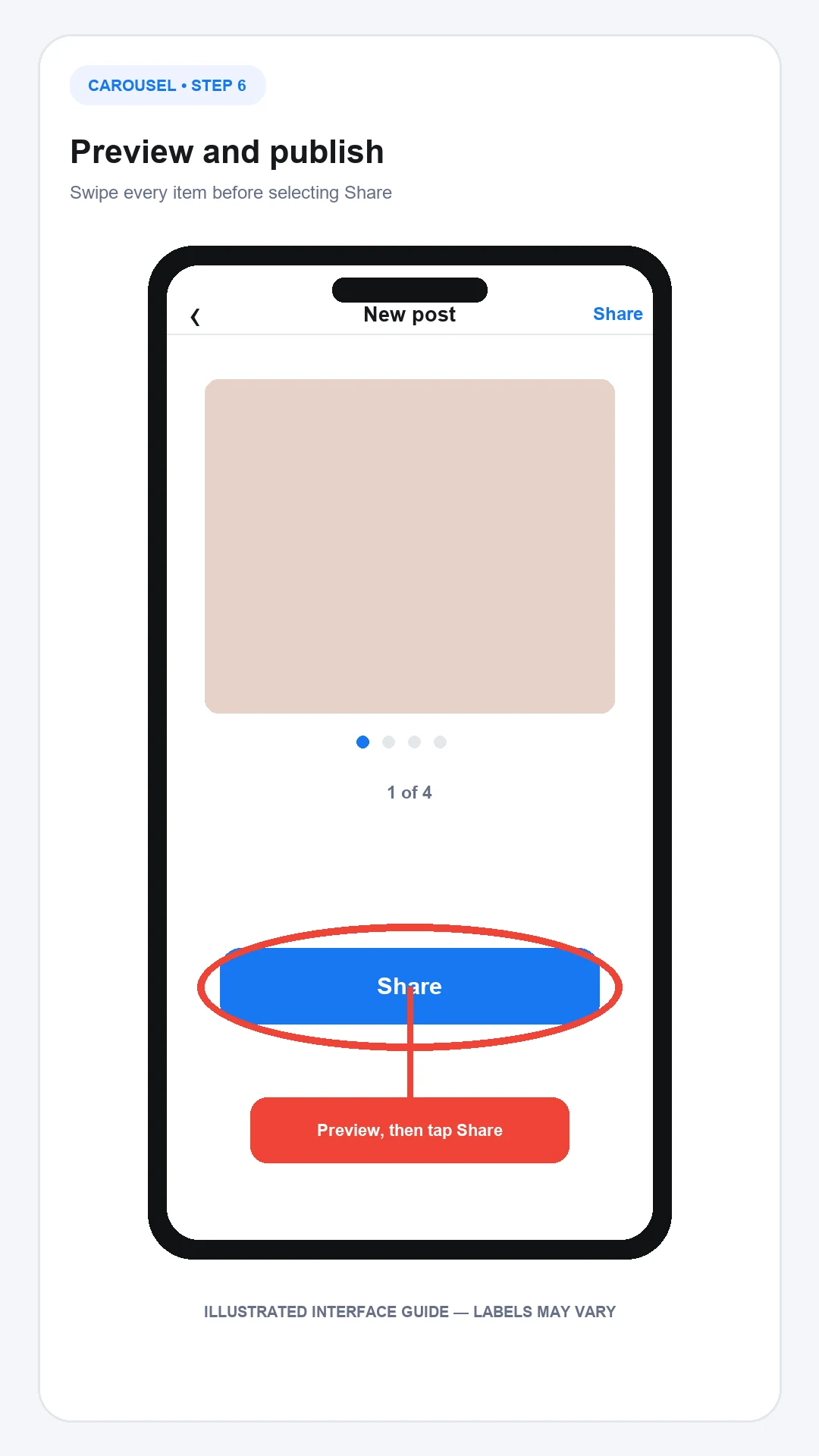
The annotated images below are illustrated interface guides rather than screenshots from a logged-in account. They show where to look, but labels can vary by app version and account.
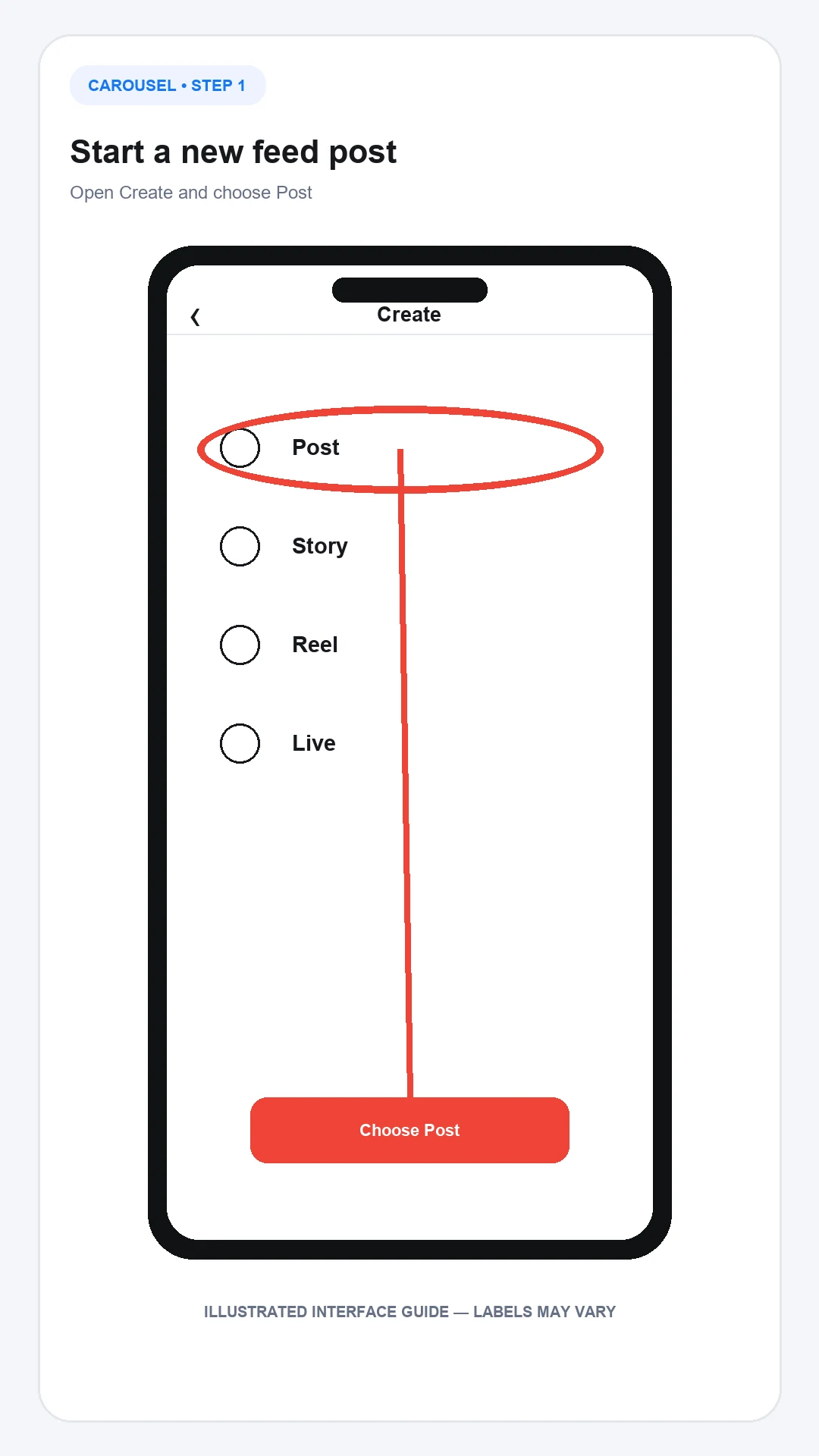
1. Start a new feed post
Open Instagram and select Create, then choose Post. A carousel belongs in the Feed publishing flow, even when some of its items are videos.
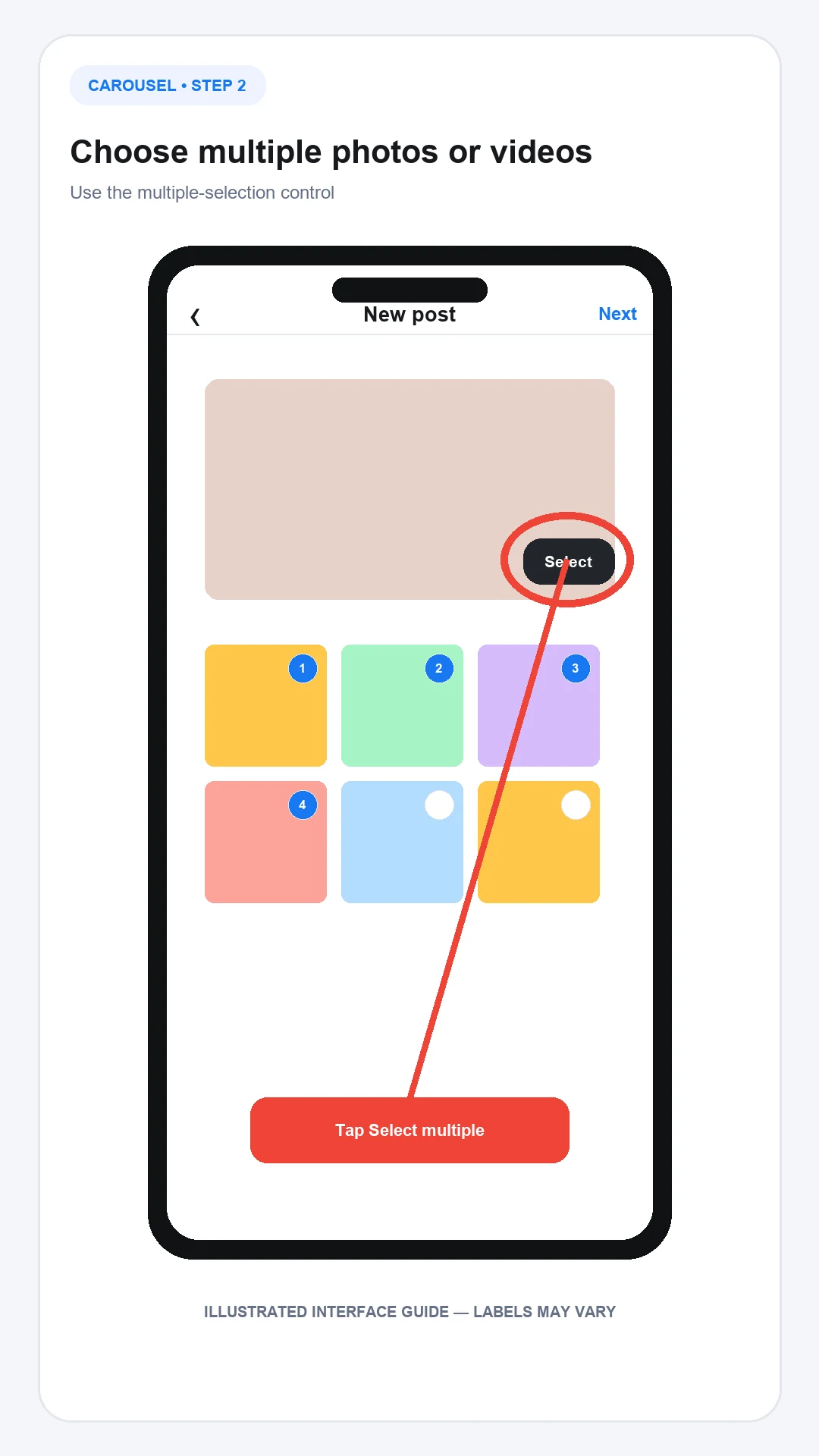
2. Choose multiple photos or videos
Use the multiple-selection control and choose the files in the order you want them to appear. If selection order is unclear, review the numbered markers before continuing.
Do not mix unrelated assets simply to fill the available slots. Every item should support one topic or story.
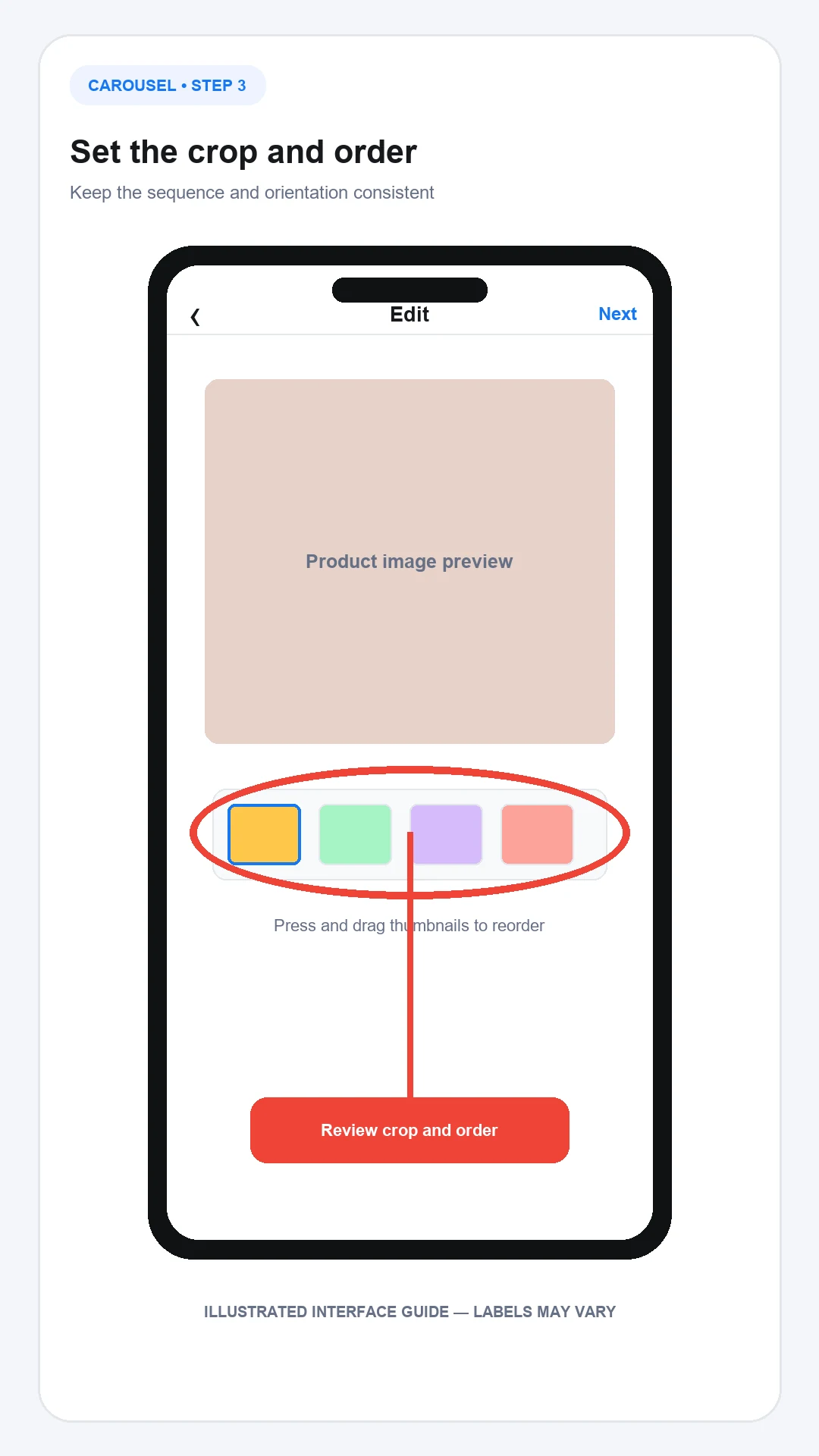
3. Set the crop and order
Select the orientation carefully. Instagram’s official guidance says the chosen square, portrait or landscape orientation affects all items; each slide cannot use an independent orientation within that carousel.
Reposition important subjects away from crop boundaries. Then drag the selected items into the final order if the composer allows it.
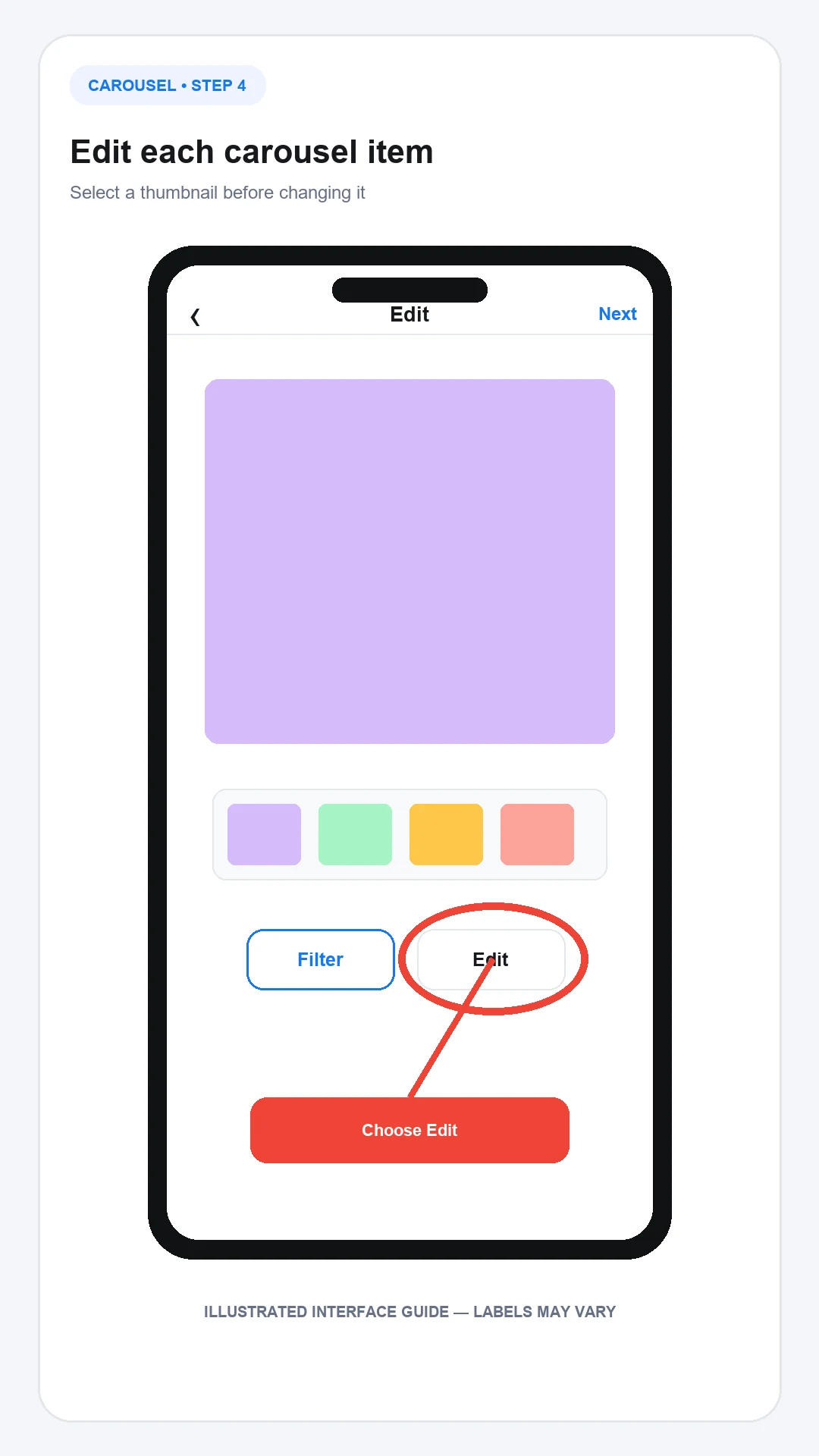
4. Edit the media
Apply only the adjustments the content needs. Heavy filters can make product colours or materials misleading, while inconsistent lighting can make a planned carousel look like unrelated posts.
If text is embedded in an image, keep it large enough for a phone screen and away from interface overlays.
5. Add publishing information
Write one caption for the whole post. Add the location and relevant account tags, and complete accessibility text where the interface permits it.
Alt text should describe meaningful visual information rather than repeat the primary keyword. For example: “Three navy travel bags shown from the front, side and open interior” is more useful than “best Instagram carousel post”.
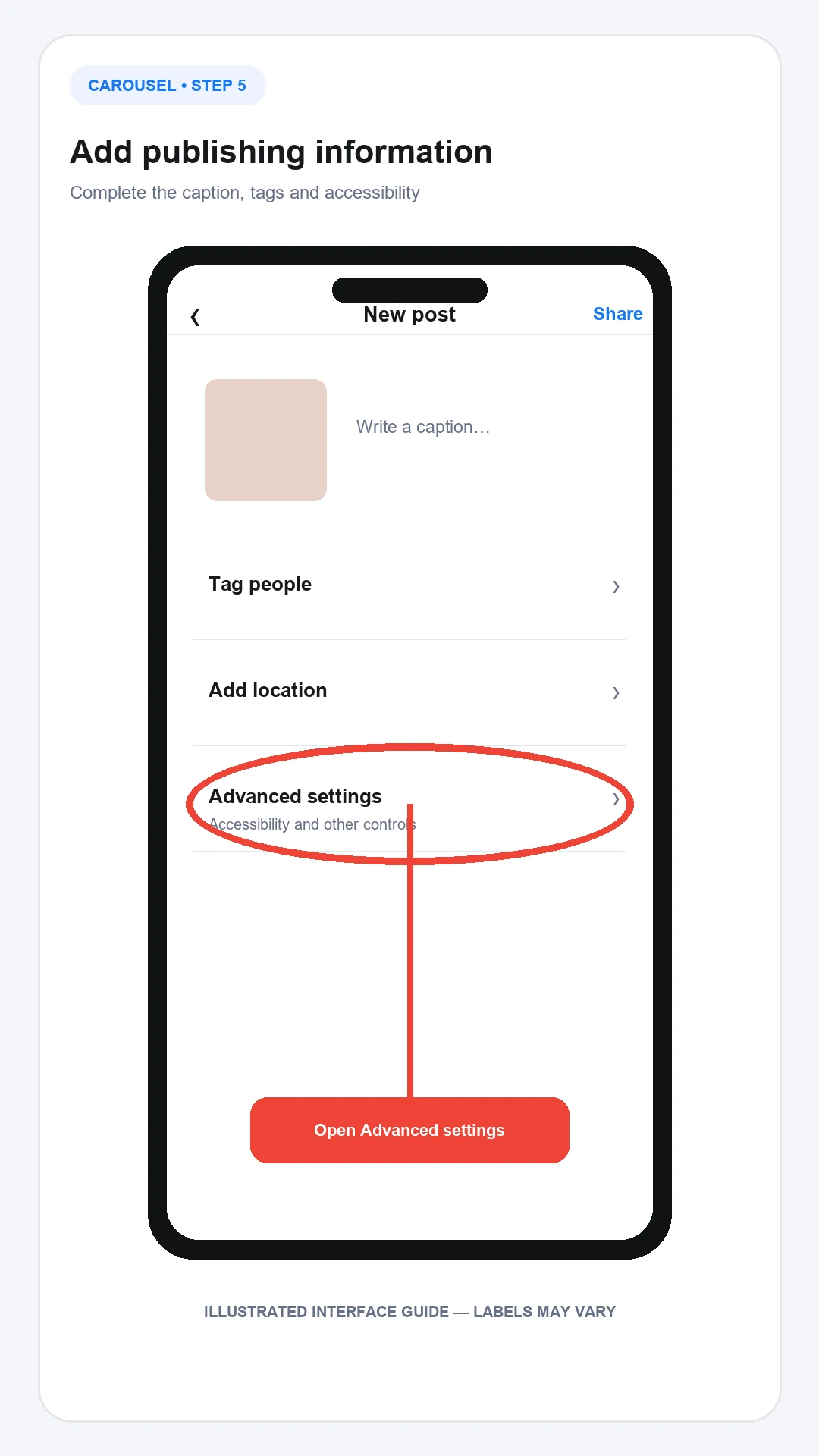
6. Preview and publish
Swipe through the complete sequence before selecting Share. Confirm:
- The intended cover appears first.
- No product, face or embedded heading is cropped.
- The order makes sense without the caption.
- Video items have the expected audio and cover frame.
- Tags refer to the correct accounts.
- Any commercial relationship is disclosed appropriately.
You can also publish a carousel from a computer through Instagram’s browser composer. Desktop controls may not match every mobile editing feature, so check the final post on a phone before relying on that workflow for a campaign.
How AeroChat supports conversations after a carousel is published
An ecommerce carousel may answer the main product question while generating specific follow-ups about stock, delivery, returns or compatibility. When those questions repeat, an Instagram chatbot can deal with routine enquiries while the team concentrates on cases that need judgement.
AeroChat is an AI agent platform that helps Instagram business owners automate and scale customer conversations. Its Instagram customer service tools can answer inbound DMs and public comments on the business’s own posts from approved knowledge or connected store data. A person can take over through human handover when the answer needs judgement.
AeroChat does not design or publish carousel posts. It becomes useful after the content creates customer conversations that would otherwise be answered repeatedly by the team.
Best for: DTC and ecommerce brands handling frequent customer enquiries across Instagram and other channels.
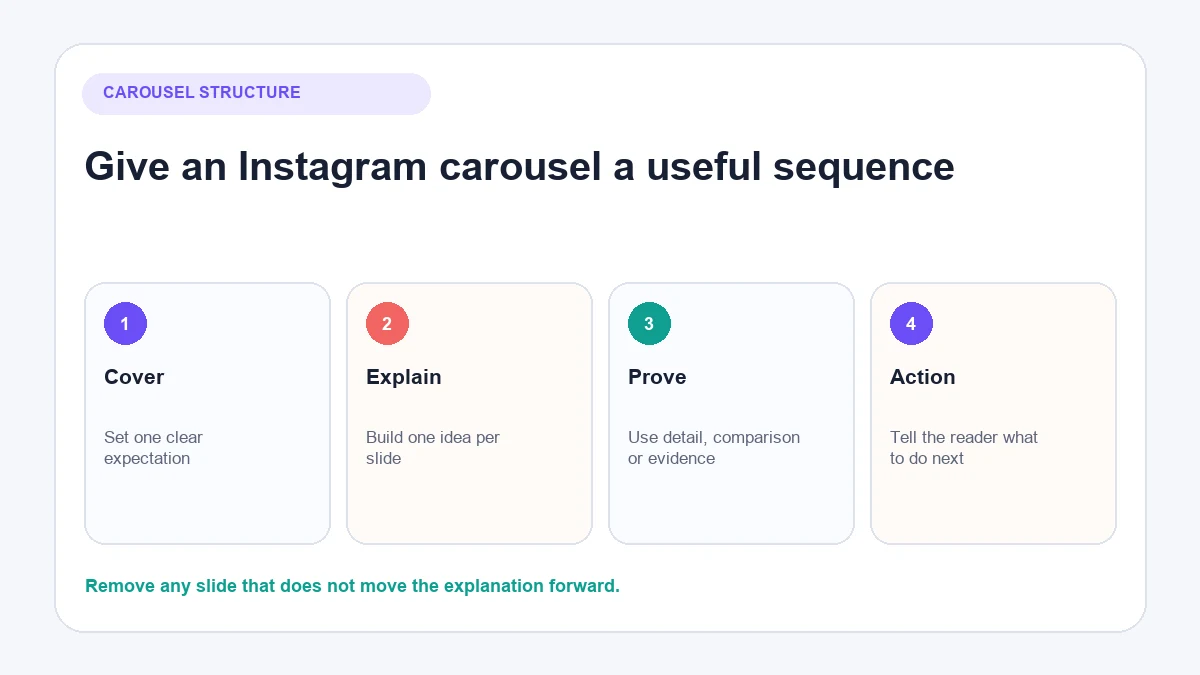
How to structure an Instagram carousel
A useful carousel gives the reader a reason to begin and a clear path through the idea.
Cover: set one expectation
The first item should show what the reader will understand or see. “Three ways this jacket fits” is clearer than a decorative “Swipe to discover” cover with no subject.
Middle: move the explanation forward
Give each slide one job. A product comparison might move from overall difference to materials, size, use case and care. A tutorial might use one action per slide.
Evidence: make the claim understandable
Show close product details, labelled comparisons, source-supported facts or a realistic example. Avoid unsupported performance numbers and invented customer quotations.
Final item: offer a relevant next action
The last slide can invite a considered response, direct people to complete instructions or explain where to ask a question. It should not turn an educational carousel into an abrupt sales pitch.
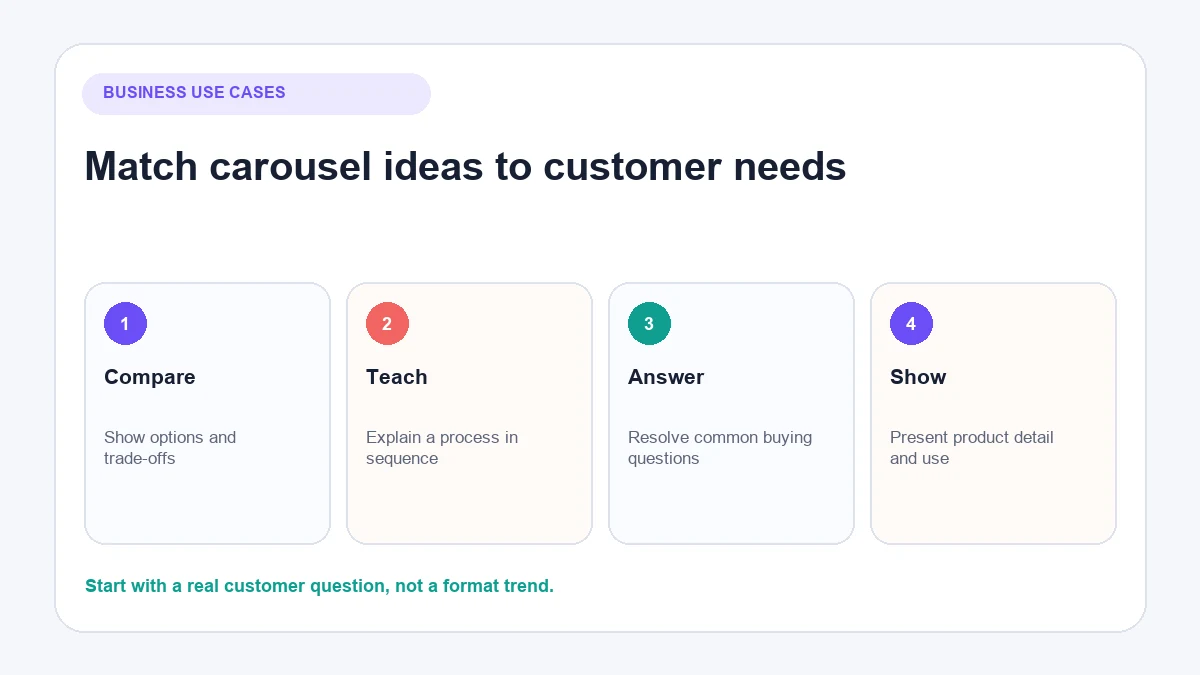
Instagram carousel ideas for a business
Start with a customer need rather than a format trend.
Compare related products
Use consistent criteria such as size, material, compatibility and intended use. State meaningful trade-offs rather than declaring one option best for everyone.
Explain a process
Show a setup, care routine, recipe or installation in the correct sequence. Include warnings or prerequisites where missing them could waste time or damage a product.
Answer a buying question
Build a carousel around a repeated question from comments, support tickets or DMs. One slide can answer directly, with later items explaining conditions and exceptions.
Show product detail
Use several angles, scale references, material close-ups or what fits inside. Keep colour treatment accurate and note when appearance varies with lighting or screens.
Present a collection
Show products that genuinely belong together, such as a seasonal range or complementary set. Make availability and country restrictions clear when relevant.
Common Instagram carousel mistakes
Treating every slide as a separate post
The sequence should build one idea. Repeating a new headline, introduction and CTA on every item makes the carousel feel disconnected.
Hiding the useful information
Do not make readers swipe through several vague teaser cards before reaching the answer promised by the cover. Give them meaningful information early.
Using inconsistent source dimensions
Mixed aspect ratios can crop essential detail. Prepare the files to a consistent canvas before uploading when precise framing matters.
Making text too small
A slide designed on a large monitor may be unreadable on a phone. Test the exported files at normal mobile size.
Publishing an overlong sequence
The available limit is not a target. Remove repeated examples and any slide that does not improve understanding.
Can you edit an Instagram carousel after posting?
Instagram’s official guidance says you can edit the post’s caption, location and tagged accounts after publishing. Its current documentation says you cannot reorder or edit the individual carousel items once the post is live.
That makes the pre-publication check important. If one slide contains a serious error, first inspect the current post options because deletion controls can change. Consider the effect on existing comments, links and campaign records before deleting the complete post.
Instagram carousel publishing checklist
- Use one topic and a logical sequence.
- Put the clearest cover first.
- Prepare a consistent orientation.
- Check every crop at phone size.
- Keep embedded text readable.
- Use accurate product colours and claims.
- Add useful alt text where available.
- Confirm tags and disclosures.
- Preview photos, videos and audio.
- Check the live post after publishing.
Frequently asked questions
How many pictures can an Instagram carousel have?
Instagram’s current official desktop Help Centre instructions state up to ten photos and videos. Check the number shown in your own composer because feature limits may be tested or rolled out differently.
Can an Instagram carousel contain videos?
Yes. It can contain photos, videos or both. Instagram says videos within a carousel are not considered Reels and do not appear in the Reels tab with Reel features.
Do carousel slides have separate likes?
No. Likes and comments apply to the complete carousel post rather than individual items.
Can each carousel image use a different aspect ratio?
Instagram’s current guidance says the chosen square, portrait or landscape orientation affects all items. Prepare a consistent canvas to avoid unexpected cropping.
What should the first carousel slide contain?
Use the first item as a clear cover. It should show the subject and give the reader a specific reason to view the rest of the sequence.
Carousels are one of the best-performing post formats for educational and product content. The Instagram captions guide covers how to write the first slide text that stops the scroll, and the best time to post for sales covers when carousels get the most reach. For businesses using Instagram to sell products, selling on Instagram shows how carousels fit into a broader product marketing strategy.