



10 Tools to Find Winning Products for Shopify in 2026

The best tools for finding potential winning products on Shopify do different jobs. Google Trends shows search interest, TikTok Creative Center and Meta Ad Library expose advertising momentum, while tools such as Dropship.io, Minea, ZIK Analytics, AutoDS and Tradelle add competitor, product or supplier data.
The important part is what happens next. No product research tool can guarantee a winner. A dashboard can show that a product is gaining attention, but it cannot guarantee that your store can acquire customers profitably, deliver the item reliably or keep demand after the trend cools.
This guide compares ten useful research tools, then shows how to combine them rather than trusting a single “winning product” label.
Compare the 10 product research tools
| Tool | Best for | Main signal | Free way to start? |
|---|---|---|---|
| Google Trends | Checking search demand | Search interest over time | Yes |
| TikTok Creative Center | Spotting fast-moving products and creatives | TikTok trends and ad activity | Yes |
| Meta Ad Library | Checking active Facebook and Instagram ads | Advertiser and creative activity | Yes |
| Dropship.io | Store and product research | Product, shop, ad and estimated sales signals | Trial available |
| Sell The Trend | Product discovery plus validation | Trends, products, suppliers and competitor data | Paid platform/trial offers vary |
| Minea | Ad-led product research | Ads across major social networks | Paid platform/trial access varies |
| ZIK Analytics | Shopify and marketplace competitor research | Listings, trends and estimated sales signals | Trial offer available |
| AutoDS | Research connected to dropshipping operations | Product discovery, suppliers and automation | Low-cost trial available |
| Tradelle | Product ideas plus sourcing | Trends, product picks, supplier and competitor data | Trial/plan options available |
| DSers | AliExpress sourcing and fulfilment research | Supplier, product and order data | Free plan available |
Pricing and trial structures change frequently. Tool availability and plan details were checked on 13 August 2026; confirm the current plan before subscribing.
First, what does a “winning product” actually mean?
A winning product is not simply an item with a viral video or a high estimated sales number. For a Shopify merchant, it is a product that has enough demand and workable economics and a fulfilment path that does not destroy the customer experience.
Before adding a product to your store, look for five signals:
- Demand: people are actively interested in the problem or product category.
- Creative momentum: multiple ads or videos are gaining attention, not just one lucky post.
- Competitive proof: other sellers appear to be investing in the product over time.
- Economics: landed cost leaves enough room for advertising, payment fees, returns and profit.
- Fulfilment: stock, shipping time, product quality and tracking are acceptable for the market you want to serve.
A research tool usually covers only one or two of those signals. That is why the method matters more than having the longest software stack.
1. Google Trends: best free tool for checking whether interest is real
Google Trends is one of the simplest places to start because it shows how search interest changes over time and across locations.
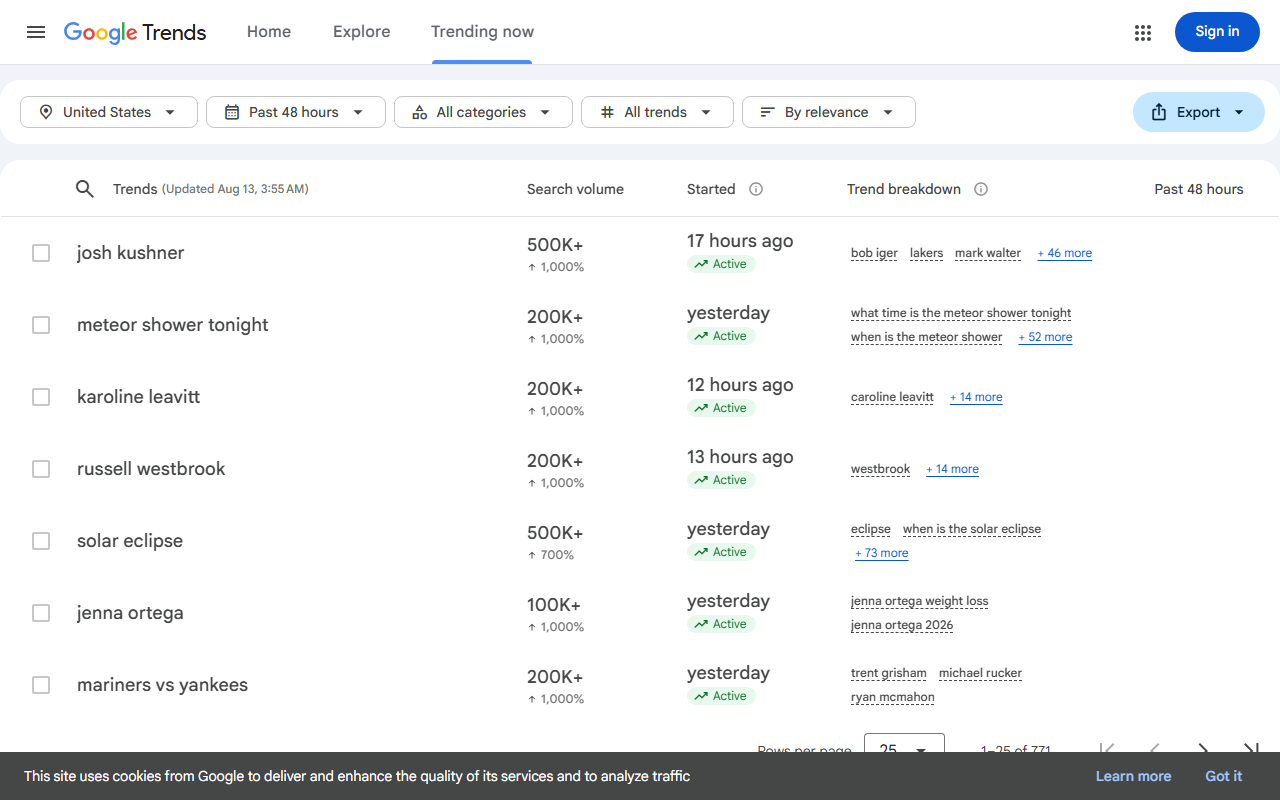
It is particularly useful after you discover a product elsewhere. Instead of asking “Is this trending?”, ask more precise questions:
- Is interest rising, flat or falling over the past 12 months?
- Is the spike seasonal and likely to disappear next month?
- Which countries or regions show the strongest interest?
- Is the branded product name rising, or only the wider category?
- Do several related searches rise together?
Where Google Trends can mislead you
Google Trends reports relative search interest, not Shopify sales volume. A product can have strong search momentum and still be difficult to sell because the market is crowded, the price is wrong or the product is easy to buy locally.
Use it as a demand check, not as proof of profitability.
2. TikTok Creative Center: best for spotting products with creative momentum
TikTok Creative Center provides public trend and advertising discovery tools, including popular products and high-performing ad examples.
For product research, the useful question is not “Which item has the most views?” It is:
Are several advertisers finding different ways to sell the same product or solve the same problem?
That can be a stronger signal than a single viral clip.
Look for:
- repeated product appearances across different advertisers;
- fresh ads appearing over several days or weeks;
- multiple creative angles rather than copies of one video;
- comments that reveal buying questions, objections or use cases;
- products whose value can be understood quickly in video.
Best way to use it
Save three to five products that show repeated creative activity. Do not import them yet. Check each one in Google Trends, Meta Ad Library or a competitor-research tool first.
3. Meta Ad Library: best free cross-check for Facebook and Instagram advertising
Meta Ad Library lets you search ads currently running across Meta platforms.
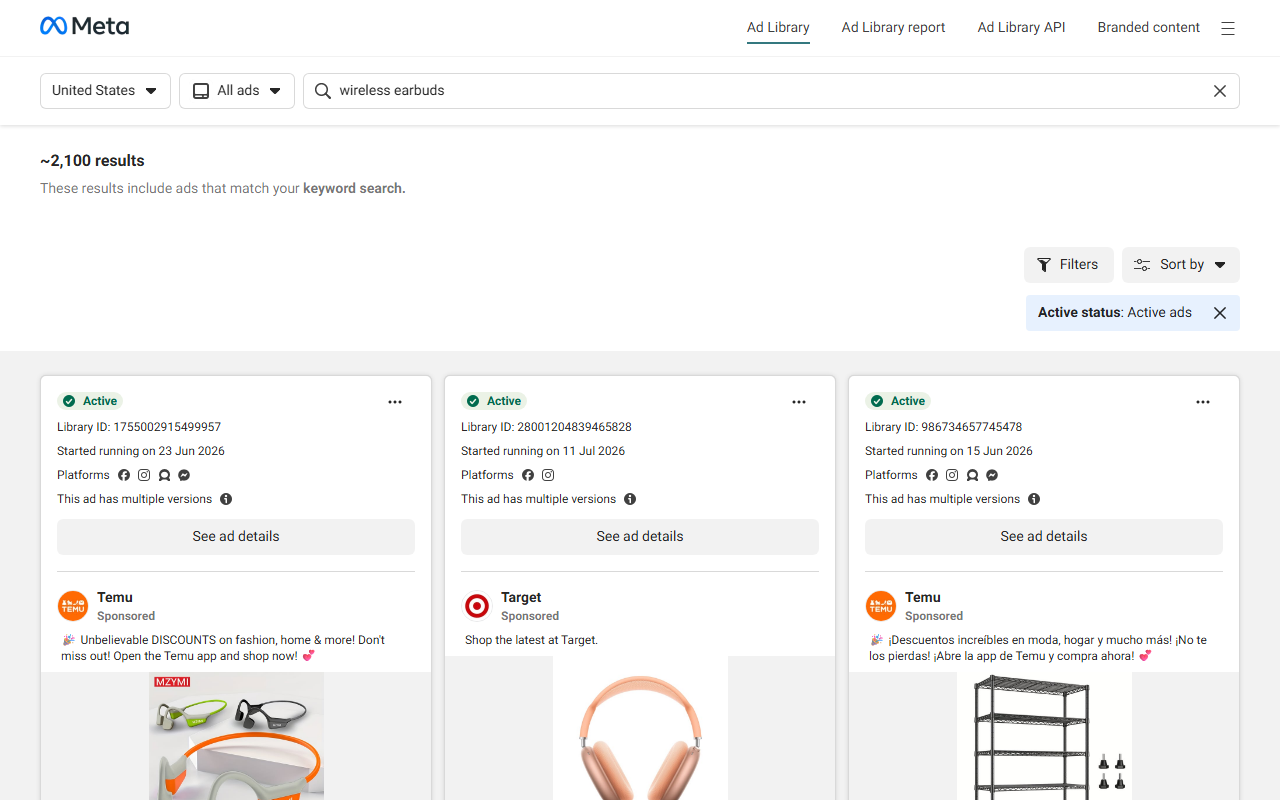
It is useful for answering a question that TikTok alone cannot: are advertisers also spending around this product or category on Facebook and Instagram?
Search the product name, the problem it solves and common phrases used in ads. Then examine:
- how many different stores are advertising similar products;
- whether a brand has several creatives live;
- whether ads appear to have been running beyond a very short test;
- what offers competitors use—bundles, discounts, free shipping or guarantees;
- what customer objections their copy tries to answer.
Ad Library does not tell you whether an ad is profitable. Its value is evidence that merchants are actively testing or promoting the offer.
4. Dropship.io: best for researching products and stores in one place
Dropship.io combines product research with store, ad and competitor research. Its current toolset includes product and shop libraries, sales tracking, competitor research and ad-related discovery.
This is more useful than a generic trending-products feed when you want to investigate the stores behind a product.
A practical workflow is:
- Find a product appearing in the product or ad research tools.
- Open stores selling it.
- Check whether it is a one-product test or part of a broader category.
- Look for related products and price points.
- Compare the tool's estimates with public advertising signals.
Important limitation
Third-party store revenue and sales figures should be treated as estimates or directional signals, not audited merchant data. Use them to decide what deserves more research, not to build a financial forecast.
5. Sell The Trend: best for combining product ideas with validation
Sell The Trend focuses on dropshipping product research, trends, stores, suppliers and related discovery data.
Its strongest use is not simply browsing a feed of “winning” items. It is moving from an idea to a more structured validation process.
For example, you might discover a problem through customer reviews or an AI brainstorming session, then use Sell The Trend to check whether there are products, suppliers and competitor activity around it.
This works particularly well when you start from a customer problem, not from a random product catalogue.
Use it when
- you want research and supplier discovery closer together;
- you run a dropshipping model;
- you want to compare several product ideas before importing any of them.
6. Minea: best for ad-first product research
Minea is built heavily around ecommerce advertising intelligence. It tracks ads across multiple social platforms and lets merchants research products and competitors through their creative activity.
That makes it useful when your acquisition strategy will depend on paid social.
Instead of asking only whether an item appears often, look for:
- how long the product continues to receive new creatives;
- whether different advertisers are testing it;
- which markets and platforms are active;
- whether the creative relies on a genuine product benefit or a short-lived novelty;
- whether you can create a differentiated offer rather than cloning what already exists.
The saturation trap
A high volume of ads is both a positive and a warning. It can indicate demand, but it can also mean you are entering after dozens of sellers have already copied the same angle. Pair ad volume with trend direction and your own ability to differentiate.
7. ZIK Analytics: best for deeper competitor and listing research
ZIK Analytics provides ecommerce research tools that include Shopify market and product research alongside marketplace data. Its Shopify tooling surfaces listing, trend, competitor and estimated performance signals.
ZIK is useful when you want to move beyond “this product looks viral” and examine the wider market around it.
Questions to answer include:
- How many sellers appear to carry similar products?
- Is demand concentrated in one store or spread across many?
- What prices are common?
- Which adjacent products are appearing in the same niche?
- Is there room to position the product differently?
Again, estimated performance figures are best used comparatively. They are a research signal, not your future sales projection.
8. AutoDS: best when product research needs to connect to dropshipping automation
AutoDS combines product research with importing, supplier-related workflows, price and stock monitoring, order automation and tracking.
That makes it relevant when your question is not only “Could this product sell?” but also “Can I run the operational side without adding several disconnected tools?”
Use the research side to shortlist products, then inspect operational details such as:
- supplier availability;
- product cost changes;
- stock monitoring;
- shipping options;
- whether fulfilment and tracking can be automated for your setup.
Do not let convenience replace validation
One-click importing makes it easy to add products. That is not a reason to add more of them. A smaller catalogue of properly validated products is often easier to market and support than dozens of untested imports.
9. Tradelle: best for research that continues into sourcing
Tradelle combines current product picks and trends with product imports, sourcing-related data, order fulfilment and competitor/store research.
It can be useful if you want fewer handoffs between spotting an opportunity and checking whether the product can actually be sourced.
For each candidate product, record:
- product cost;
- expected selling range;
- shipping market and time;
- seasonality;
- saturation indicators;
- supplier options;
- likely refund or quality risks.
A product with exciting demand data can become a poor Shopify offer if shipping cost or product quality creates too many support problems.
10. DSers: best for validating AliExpress supply before you commit
DSers on the Shopify App Store is widely used for AliExpress-based dropshipping and includes supplier, product, ordering and fulfilment functions. It also offers product-discovery features and a free plan.
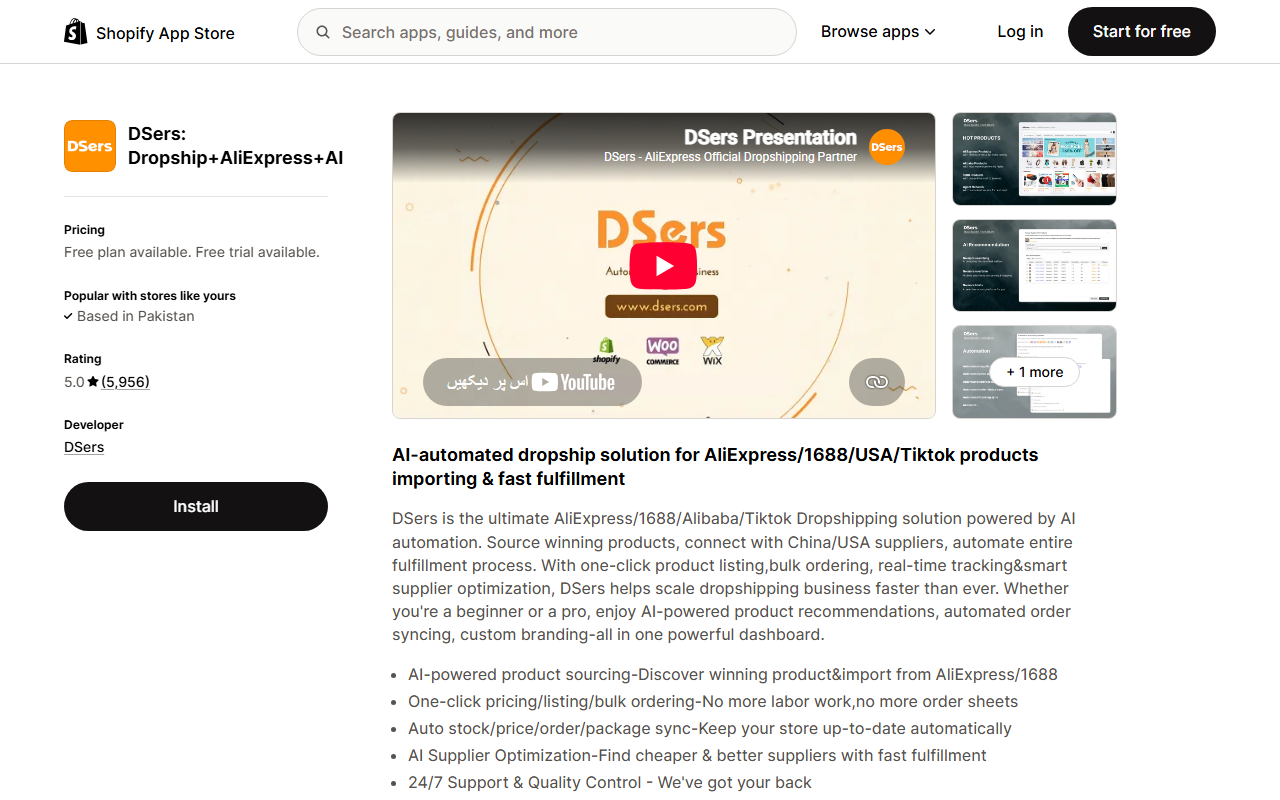
DSers belongs near the sourcing end of the research process. Once a product passes demand and competitive checks, use supplier data to investigate:
- whether multiple suppliers carry the item;
- price differences between suppliers;
- order volume and seller history;
- shipping options to your target market;
- variants and stock availability;
- whether you have a backup supplier.
Never rely only on marketplace ratings. Order a sample when product quality, sizing, packaging or delivery experience could materially affect returns.
Which Shopify product research tool should you use?
You probably do not need all ten.
If your budget is close to zero
Start with:
Google Trends + TikTok Creative Center + Meta Ad Library
That gives you three different public signals: search interest, TikTok creative momentum and Meta advertising activity.
If you want competitor-store data
Add Dropship.io or ZIK Analytics. Use estimated store data to compare opportunities, not as guaranteed sales numbers.
If paid social is your main acquisition channel
Add an ad-intelligence platform such as Minea or use the ad research inside a broader product-research platform.
If you run dropshipping and want research closer to sourcing
Consider AutoDS, Tradelle, Sell The Trend or DSers, depending on whether your bigger need is research, sourcing or fulfilment automation.
Before installing several overlapping apps, review the essential Shopify apps for new stores and keep the stack as small as the business allows.
The 2-Signal Rule: a better way to shortlist products
Here is the process we recommend using before treating a product as worth testing.
Step 1: find the initial signal
A candidate might come from TikTok, an ad-spy platform, a supplier catalogue, competitor research, Google searches or customer questions.
At this point it is only an idea.
Step 2: require a second independent signal
Do not count two metrics from the same platform as two independent signals.
Better combinations include:
- TikTok Creative Center + Google Trends;
- Meta Ad Library + competitor-store research;
- Minea + supplier/order data;
- Google Trends + Dropship.io store research.
If the second source contradicts the first, investigate before spending money.
Step 3: check unit economics
Use a basic contribution calculation:
Expected contribution per order = selling price - product cost - inbound/outbound shipping - payment fees - expected acquisition cost - expected return/refund allowance
Do not use an ad-spy tool's suggested “profit” figure unless you understand what costs it includes.
If you are working towards a revenue target, our guide to making $10K a month on Shopify shows how AOV, orders, traffic and margin fit together.
Step 4: check fulfilment before demand testing
Ask the supplier or fulfilment platform:
- Where is stock held?
- What is the realistic delivery range to your main market?
- Is tracking included?
- How are out-of-stock items handled?
- What happens if the product arrives damaged?
- Can you order a sample?
A slow or inconsistent fulfilment experience eventually becomes a customer-service problem.
Step 5: test the offer, not only the product
The same item can perform very differently depending on:
- audience;
- price;
- creative;
- landing page;
- bundle;
- guarantee;
- shipping promise;
- product education.
A failed ad test does not always prove the product is bad. It may mean the offer or audience was wrong. Equally, one profitable day does not prove you have a durable winner.
A simple product-validation scorecard
Score each area from 0 to 2. The score is not scientific; its purpose is to force you to check every part of the decision.
| Check | 0 | 1 | 2 |
|---|---|---|---|
| Demand direction | Falling/unclear | Stable | Clearly rising or durable |
| Independent ad/creative proof | None | One source | Multiple sources/advertisers |
| Competition | No proof or extreme cloning | Active but crowded | Proven with room to differentiate |
| Unit economics | Unworkable/unknown | Tight | Leaves a sensible buffer |
| Fulfilment | Poor/unknown | Acceptable | Reliable with backup option |
| Product/offer differentiation | Commodity copy | Some angle | Clear audience, bundle or positioning |
Do not use a total score as an automatic launch decision. A zero in unit economics or fulfilment is a reason to stop and investigate even if everything else looks strong.
Five red flags that a “winning product” may be a false positive
1. Every source traces back to the same viral video
That is one signal repeated, not independent proof.
2. The product only makes sense at an unrealistic selling price
If your margin disappears once advertising, shipping and refunds are included, the dashboard's “profit” estimate does not matter.
3. Ads are everywhere but all use the same creative
You may be seeing copying rather than durable market demand.
4. Shipping is slow or inconsistent in the market you want to target
A product can sell and still create a bad business if delivery produces cancellations, refund requests and “where is my order?” tickets.
5. You cannot explain why someone should buy from your store
If the only answer is “because this product is trending”, you have found an item—not yet an offer.
What happens after you find a product?
Product research is only the first part of the Shopify system. Once a product starts converting, the next constraints are usually stock, fulfilment and customer communication.
If you hold inventory, compare affordable Shopify inventory apps before paying for an enterprise planning system you do not need. If order handling is becoming manual, use our guide to Shopify order fulfilment automation apps to identify the right type of automation first.
On the customer-facing side, a Shopify product recommendation chatbot can help shoppers discover relevant products from the catalogue once you have enough products and product data to make recommendations useful.
Frequently asked questions
Can a tool really find a winning Shopify product?
A tool can surface demand, ad, competitor or supplier signals, but it cannot guarantee that a product will be profitable for your store. Treat “winning” labels as leads to investigate, then cross-check demand, economics, competition and fulfilment.
What is the best free Shopify product research tool?
There is no single best free tool for every task. Google Trends is useful for search demand, TikTok Creative Center for TikTok trends and advertising examples, and Meta Ad Library for active Meta advertising. Using all three gives a broader picture than relying on one source.
Is Google Trends enough for product research?
No. It shows relative search interest, not your likely conversion rate, ad cost, product margin or supplier reliability. Use it with at least one advertising or competitor signal and a separate unit-economics check.
Are estimated Shopify store sales accurate?
Treat third-party store sales and revenue estimates as directional. They can help compare stores or products, but they are not the merchant's audited sales data and should not be used as guaranteed revenue forecasts.
How many product research tools do I need?
For many new stores, three free sources plus one specialised paid tool is more useful than paying for several platforms with overlapping data. Choose a paid tool only after you know which research gap the free sources cannot fill.
How AeroChat Helps Shopify Sellers After Product Research
Finding a winning product is only half the equation. Once a product starts converting, customers arrive with questions before and after purchase — about shipping times, product specifications, sizing, availability and returns. AeroChat’s Shopify integration handles these repetitive product and order questions automatically, so your team focuses on growth rather than answering the same questions hundreds of times per month. When the same product question appears across dozens of conversations, that is usually a signal that the product page needs better information — AeroChat surfaces those patterns so you can act on them.
What matters most
The best Shopify product research stack is not the one with the most dashboards. It is the one that helps you reject weak ideas quickly.
Start with one signal. Confirm it with a genuinely independent source. Check the unit economics and fulfilment. Only then spend time building the offer and testing demand.
That process will not guarantee a winning product—but it will make it much harder for a viral chart, estimated revenue number or “hot product” badge to make the decision for you.
Source notes
Features and access information were checked on 13 August 2026 against public pages from Shopify, Google Trends, TikTok Creative Center, Meta Ad Library and the named tool vendors. Pricing, trials and plan limits can change, so confirm them on the provider's current pricing page before purchase.



