



How to Run an Ecommerce Business from Home in 2026

Running an ecommerce business from home is practical when the products, order volume and local rules fit the space you have. The difficult part is rarely putting a store online. It is creating a reliable operating system for stock, packing, dispatch, returns, records and customer questions without allowing the business to take over the household.
Start by designing the physical flow of an order. Then choose technology that supports that flow, document the rules customers depend on and decide in advance what would trigger a move to external storage or fulfilment.

Can you run an ecommerce business from home?
Yes, but suitability depends on what you sell and how the business operates. A spare room may comfortably support small, durable products. It is less suitable for bulky stock, food preparation, hazardous materials, frequent collections or products that require controlled storage.
Before buying inventory, answer five questions:
- Can the stock be stored safely without blocking normal household use?
- Will couriers, suppliers or customers create traffic that affects neighbours?
- Does your tenancy, mortgage, insurance or local authority restrict business activity?
- Can you keep business stock, records and customer information secure?
- What will happen during a seasonal peak or a large delivery?
Government guidance varies by country and locality. For example, UK guidance says a home business may require permission from a landlord or mortgage provider, planning authority or council, and ordinary home insurance may not cover business stock or equipment. Check the rules that apply to your address rather than relying on a general ecommerce checklist. See the UK government’s home-business guidance as an example of the issues to investigate.
Choose a model that fits your home and your margins
The sales channel does not determine how much space you need. The fulfilment model does.
| Model | What stays at home | Main advantage | Main constraint |
|---|---|---|---|
| Stock held at home | Inventory, packaging and returns | Direct control over product and dispatch | Space and handling grow with sales |
| Print-on-demand | Samples and office equipment | Little finished inventory | Less control over production and packing |
| Dropshipping | Usually administration only | Minimal storage | Supplier accuracy shapes the customer experience |
| Digital products | Computer and secure backups | No parcel fulfilment | Delivery, access and support still need systems |
| Third-party fulfilment | Samples and selected returns | Capacity can expand outside the home | Added fees and less direct control |
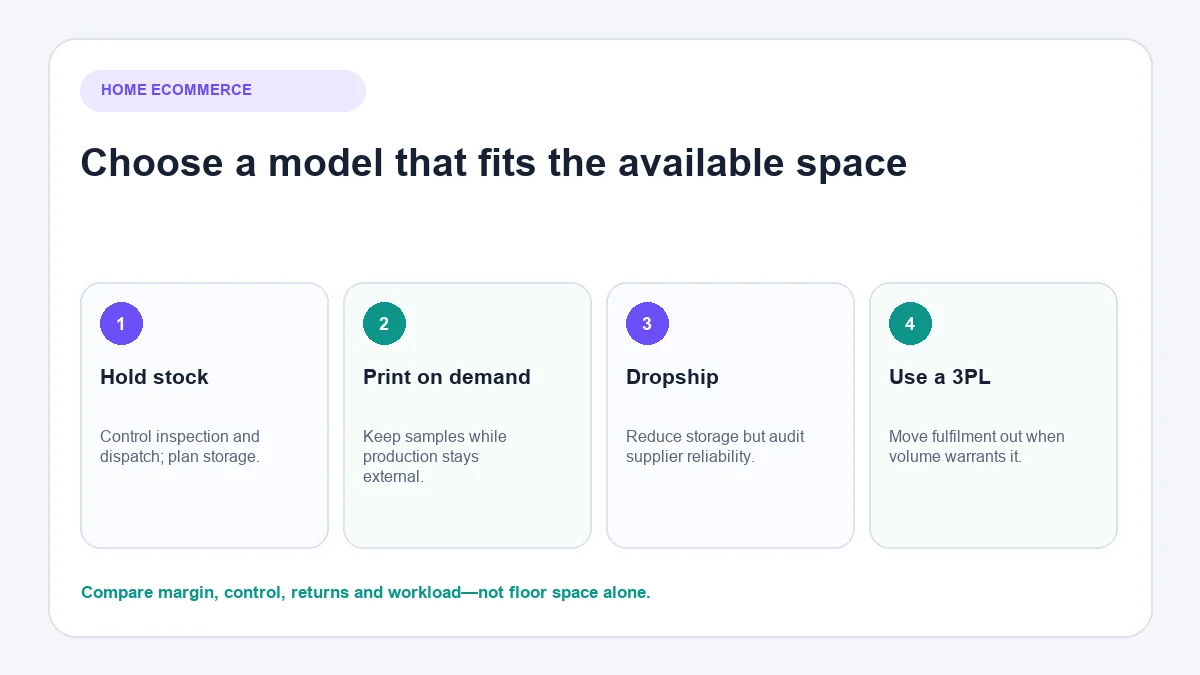
Do not choose dropshipping or print-on-demand simply to avoid shelves. Compare the complete model: product quality, supplier lead times, packaging control, return handling and margin after fulfilment. A model that saves floor space but creates persistent delivery complaints is not operationally light.
Holding stock at home offers useful control at the beginning. You can inspect products, improve packing and learn which defects or questions recur. That learning is valuable, but it does not mean home fulfilment must remain permanent.
Check permissions, insurance and product obligations
This section is a checklist, not legal or tax advice. Requirements differ between countries, states, provinces, councils and product categories.
Permission to operate from the property
Review your lease, tenancy agreement, mortgage conditions, residents’ association rules and local zoning or planning requirements. Minor desk-based activity may be treated differently from regular pallet deliveries, staff working at the property or customers collecting orders.
Business and stock insurance
Ask the insurer direct questions. Is stock covered against theft, water damage and fire? Is business equipment covered? Are supplier deliveries and customer collections permitted? Does cover extend to products stored in an outbuilding or garage?
Registration, tax and records
Determine when the activity becomes a business, which records must be retained and whether sales, income or consumption taxes apply. Keep business purchases and sales traceable from the beginning; rebuilding records at tax time is slower and less reliable.
Product-specific rules
Cosmetics, food, electrical products, children’s items, medical claims and products shipped across borders can carry additional duties. Confirm labelling, safety, storage, recall and import/export requirements before listing the product.
Design a safe home ecommerce workspace
A good workspace reduces unnecessary movement and makes errors visible. It does not need to resemble a warehouse.
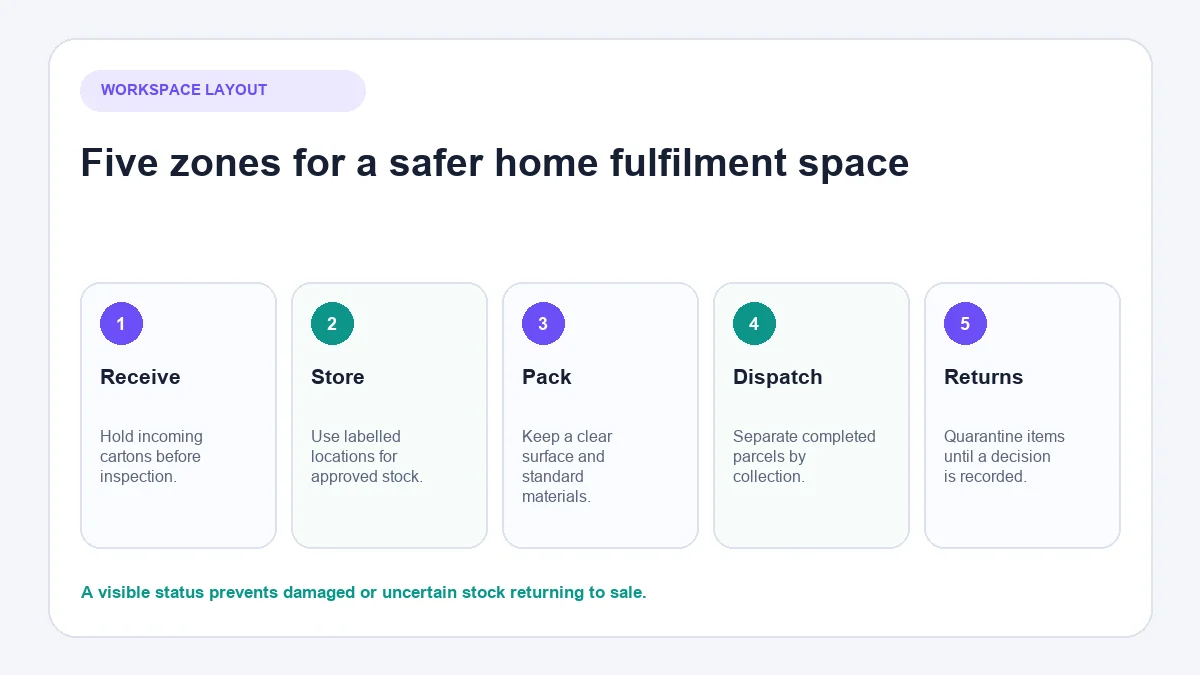
Create distinct zones:
- Receiving: a temporary place for incoming cartons before inspection.
- Approved stock: labelled locations for saleable inventory.
- Packing: a clear surface with packaging and tools within reach.
- Outgoing orders: a defined area separated by carrier or collection time.
- Returns and exceptions: a quarantine area for items awaiting inspection.
Do not return an opened or damaged item directly to saleable stock because the shelf is convenient. Give exceptions a visible status and owner.
Use stable shelving suitable for the load, keep fire exits clear and protect products from moisture, sunlight, pets and children. If products have batch numbers, expiry dates or serial numbers, design storage around the required rotation and traceability.
The administrative workspace matters too. Use separate logins where appropriate, multi-factor authentication, secure backups and a screen position that prevents household visitors from seeing customer details.
Build one repeatable order workflow
The basic flow is simple:
Receive → inspect → store → pick → check → pack → label → dispatch → reconcile
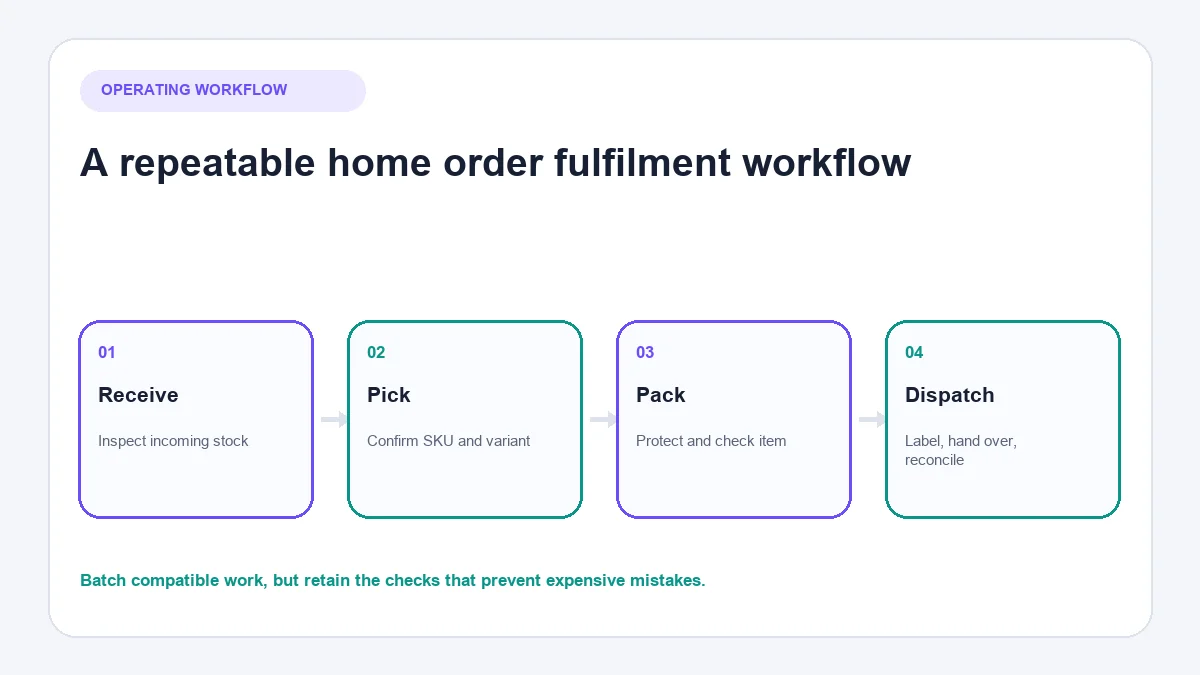
Complexity enters when people improvise. A short operating checklist protects quality:
- Confirm the correct SKU and variant before packing.
- Inspect the item against a defined standard.
- Use packaging appropriate to the product and journey.
- Verify the address and shipping service before purchasing the label.
- Record the carrier handover or collection.
- Reconcile dispatched orders at the end of the session.
Batch compatible tasks, but do not batch away the checks that prevent mistakes. Printing twenty labels at once may be efficient; placing them beside unmarked parcels can create expensive swaps.
Returns need their own workflow. Record why an item came back, inspect it, decide whether it is saleable and update inventory promptly. Return reasons can reveal misleading product descriptions, sizing uncertainty, weak packaging or quality problems.
Decide how much stock to keep at home
There is no universal number of orders or square metres that makes home fulfilment unsuitable. Use operational evidence.
Track:
- the number of active SKUs and variants;
- average and peak inventory volume;
- how long stock remains before sale;
- supplier lead time and minimum order quantities;
- pick-and-pack time per order;
- error, damage and return rates;
- the number and size of weekly collections.
Slow stock deserves particular attention because it consumes space without funding the next purchase. Use inventory reports to distinguish reliable sellers, seasonal items and products that need a deliberate clearance or discontinuation decision.
Leave spare capacity. A room filled to its limit during an ordinary week has no safe capacity for a supplier delivery, promotion or returns spike.
Choose the minimum technology stack
Small ecommerce businesses often buy tools before defining the work. Start with capabilities:
- a storefront and catalogue;
- secure payment processing;
- inventory and order records;
- shipping labels and tracking;
- bookkeeping and tax records;
- analytics with clear consent handling;
- a controlled place for customer conversations.
If Shopify is under consideration, the guide to how Shopify works explains the relationship between the storefront, checkout, orders and connected sales channels. Stores comparing more control with a hosted service can also review Shopify and WooCommerce.
Avoid apps that duplicate the same task. Duplication creates cost, but it also creates disagreement between systems. Decide which system owns product information, stock, customer records and order status. Other tools should read from or update that source deliberately.
Manage customer service without living in the inbox
Home-based founders frequently switch between packing and messages. Both tasks suffer when every notification becomes an interruption.
Create a modest support system before volume grows:
- publish accurate delivery, return and product information;
- schedule response windows that match the promise shown to customers;
- keep approved answers for common procedural questions;
- record questions that expose missing information;
- define which issues need judgement, compensation or urgent escalation.
Structured answers should still respond to the actual question. A delivery template is useful only when the promised timing matches the destination, product and current fulfilment position.
When AeroChat becomes relevant
AeroChat is an AI agent platform that helps ecommerce brands run customer service on autopilot. It becomes more relevant when a small team receives repeated product, delivery, return or order questions across several supported channels.
For example, information already approved by the business can be used to answer routine questions while unusual, sensitive or uncertain enquiries are passed to a person. The AeroChat Shopify integration can support stores that need customer conversations connected with their ecommerce operation.
AeroChat is generally a growth-stage support investment rather than a required launch cost. A new store with occasional questions may be better served by clear policies and disciplined response windows. Automation should solve observed workload, not anticipated workload that has not appeared.
Know when the business has outgrown your home
Move part of the operation before conditions become unsafe or unreliable.
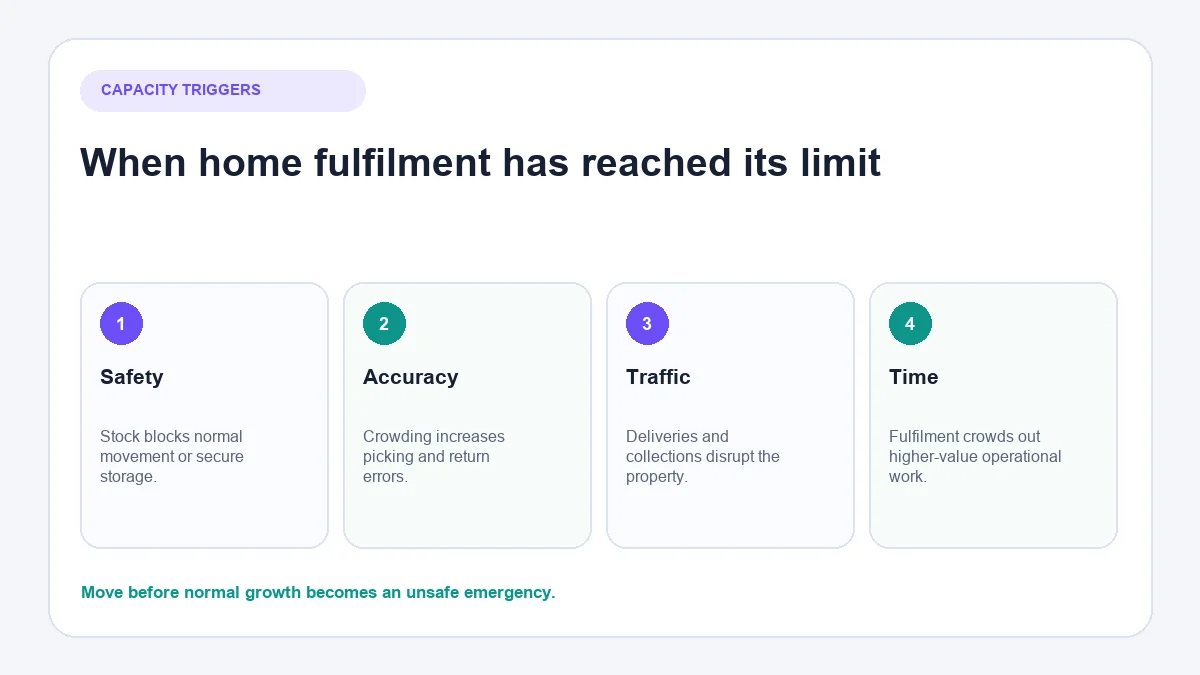
Strong triggers include:
- stock blocks normal household use or safe movement;
- deliveries or collections regularly disturb neighbours;
- picking errors rise because locations are overcrowded;
- returns and damaged stock cannot be separated properly;
- insurance or property conditions no longer fit the activity;
- staff need to work at the premises;
- fulfilment consumes time better spent on product, merchandising or customers.
The next step does not have to be a full warehouse. Options include a secure storage unit that permits business activity, shared fulfilment space, a small commercial unit or a third-party logistics provider. Compare receiving, storage, pick-and-pack, packaging, postage, returns and account-management fees—not just the advertised per-order charge.
A practical 30-day setup
Week 1: Define the operating model
Confirm products, suppliers, fulfilment method, permissions and insurance questions. Map the order journey before buying extra equipment.
Week 2: Prepare the space and records
Create the five physical zones, assign stock locations and establish purchasing, inventory and bookkeeping records.
Week 3: Test complete orders
Run test purchases on mobile and desktop. Pick, pack, label and track the parcels. Test a return and a failed-delivery scenario, not only the happy path.
Week 4: Launch with operating limits
Document collection times, response windows and the maximum stock the home can hold safely. Review errors and repeated customer questions after the first real orders.
Final home ecommerce checklist
- The property, insurer and local rules have been checked.
- Stock and returns have separate, secure locations.
- Every order follows the same checkable flow.
- Product, delivery and return information agrees across systems.
- Customer records and devices are protected.
- Peak inventory has somewhere safe to go.
- The signs that trigger external fulfilment are written down.
A home is a useful starting location, not a business strategy by itself. The operation becomes durable when each order can move from purchase to delivery without depending on the founder remembering every detail.



