Live Chat Typing Test for Customer Service

Use this live chat typing test to measure your words per minute, correct characters and accuracy with realistic customer-service language. Start typing and every metric updates automatically during the 60-second test. No account is required.
Live 60-second test
How fast can you handle a customer chat?
Place the cursor in the typing area and begin. The timer and every result update automatically from your first keystroke.
Ready—the clock starts when you type.
This practice result is not a validated employment assessment. Customer-service work also requires comprehension, judgement and accurate use of business information.
Your result is a practice baseline, not a universal hiring score. A support role may require accurate product names, order numbers and policy wording as well as speed. Employers should assess those skills separately rather than using WPM as the only decision.
How to use the live chat typing test
- Place the cursor in the typing area beneath the customer-service passage.
- Begin typing. There is no start button: the 60-second timer begins with your first character.
- Watch WPM, correct characters per minute and accuracy update as you type.
- Continue until the timer reaches zero, then review the final result.
- Try another passage if you want to compare attempts under the same conditions.
Pasting is disabled because it would make the typing result meaningless. You can correct mistakes with Backspace; the tool updates character accuracy as you type.
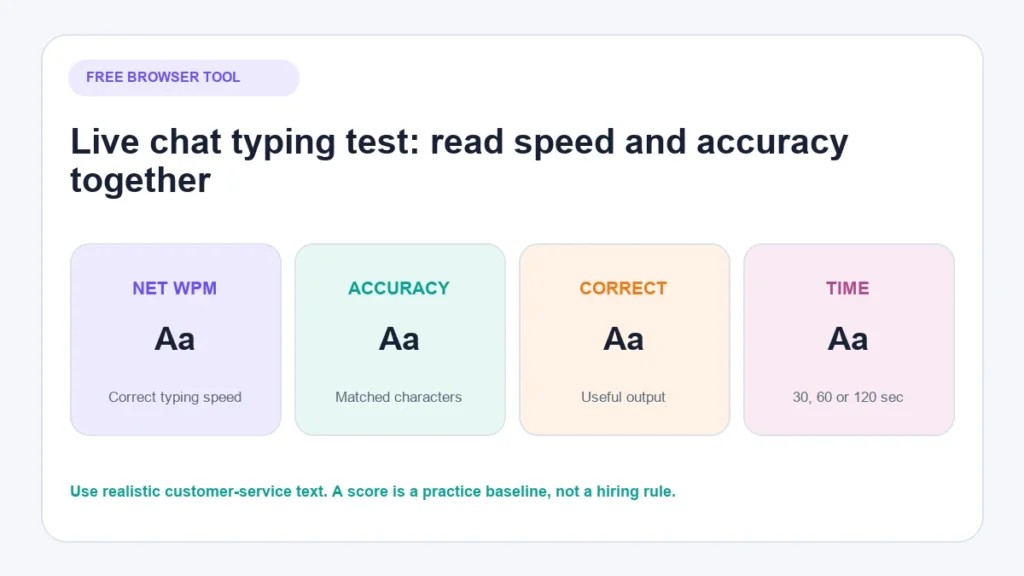
What do the typing-test results mean?
Gross WPM
Gross words per minute measures the number of characters entered, divided by five, over the elapsed time. The five-character convention makes results comparable even when the passage contains long or short words.
Gross WPM rewards speed but does not account for correctness. It should always be read alongside accuracy.
Net WPM
This tool calculates net WPM from correctly matched characters rather than all entered characters. It therefore falls when the user types quickly but introduces mistakes.
Different typing tools sometimes use different error formulas. When comparing scores from two websites, check how each one defines net WPM.
Accuracy
Accuracy is the percentage of typed characters that match the target text at the same position. Capital letters, spaces and punctuation count because they matter in customer communication.
A high WPM score with poor accuracy can create extra correction work or send an incorrect message. For live chat, a balanced result is more informative than speed alone.
Correct characters per minute
Correct characters per minute shows how much accurately matched text was produced during the test. It is useful when two attempts have similar WPM but different mistake rates.
What is a good typing speed for live chat?
There is no single passing WPM score for every live-chat position. A suitable target depends on the language, role, message complexity, number of simultaneous conversations and the tools available to the agent.
A recruitment test should reflect the real job. An agent answering short delivery questions has a different typing workload from someone documenting a technical investigation. Multilingual agents and people entering product codes or account information also face accuracy requirements that a generic prose test does not measure.
Use your first result as a baseline. Then practise under the same duration and text type and look for sustainable improvement in both net WPM and accuracy.
Why typing accuracy matters in customer service
Typing mistakes are not equal. A missing comma may be harmless, while an incorrect price, date, address or return condition can materially change the answer.
Accuracy matters because live-chat agents may need to:
- Repeat an order or tracking number.
- Explain a delivery window.
- Distinguish between similar product variants.
- Write a customer’s name correctly.
- State the limits of a return or warranty policy.
- Record an internal note another team member will use.
Speed helps reduce avoidable delay, but the customer still needs a correct and understandable response. Teams tracking service performance should examine average response time alongside resolution quality and customer outcomes.
How this typing test helps ecommerce support teams
Ecommerce support involves more than conversational speed. Agents regularly type order numbers, product variants, delivery estimates, return conditions and payment-related instructions. A small typing error can send a customer to the wrong tracking page, confuse two similar products or misstate an important policy.
This test uses complete customer-service passages rather than disconnected words. An ecommerce team can use it to:
- establish an individual baseline for speed and character accuracy;
- identify whether mistakes increase when punctuation and operational details are included;
- practise writing complete replies before introducing simultaneous chats;
- compare improvement under the same device, duration and passage conditions; and
- identify where an agent needs product or policy training rather than more typing practice.
The result should support coaching, not become a stand-alone performance judgement. A fast agent who chooses the wrong policy is less helpful than a measured agent who understands the order and gives the customer the correct next step.
A better customer-service typing assessment
A typing test measures keyboard production. It does not measure whether someone can understand a customer, locate accurate information or make a sound judgement.
For a fairer assessment, use four separate exercises:
- Typing: Measure net WPM and accuracy with role-relevant text.
- Comprehension: Give the candidate a short policy and ask them to answer a question from it.
- Writing: Check whether the reply is clear, concise and appropriate in tone.
- Escalation: Present a case that should not be answered from a template and ask what the candidate would do.
Tell candidates which keyboard layout, device, time limit and correction rules will apply. Give the same instructions and comparable text to everyone. If the role involves accessibility tools or another reasonable adjustment, design the assessment accordingly.
How to improve typing for chat support
Practise realistic text
Random words help with keyboard familiarity, but support work contains punctuation, product terms, numbers and complete sentences. Alternate general typing practice with customer-service passages.
Improve accuracy before chasing speed
If a test produces many errors, slow down slightly and aim for a clean attempt. Repeated correction can consume more time than a measured first pass.
Learn keyboard shortcuts deliberately
Shortcuts for moving the cursor, selecting text and correcting a word can reduce unnecessary hand movement. Learn a small number at a time and make sure they work in the actual support software.
Use saved replies as starting points, not blind answers
Approved saved replies can reduce repetitive typing. The agent should still confirm that the message matches the customer’s situation and edit details before sending it.
Separate typing practice from multitasking practice
Handling several conversations is not the same skill as typing quickly. Practise one accurate conversation first. Introduce additional tasks only when the underlying process is reliable.
The broader live chat best practices article explains how expectations, routing and message quality affect the customer experience beyond typing.
Typing speed is only one customer-service metric
WPM can help diagnose training needs, but it should not become the team’s main performance target. If agents feel pressured to send messages before checking them, a speed target can work against resolution quality.
Useful operational measures may include first-response time, resolution time, reopen rate, escalation quality and customer feedback. The right selection depends on the service model. See AeroChat’s overview of customer service metrics for a broader measurement framework.
Review difficult conversations as well as averages. A slower exchange may be entirely appropriate when the agent is handling a sensitive payment, damaged order or policy exception.
How AeroChat supports ecommerce teams alongside human agents
Typing practice remains useful whenever a person handles live conversations. Automation changes which conversations reach that person; it does not remove the need for clear human communication.
AeroChat is an AI agent platform that helps ecommerce brands run customer service on autopilot. It can use approved business knowledge and connected store information to handle suitable product, delivery, return and order questions across supported channels. This reduces the need for people to type the same routine explanation repeatedly and helps maintain a consistent answer when the source information is kept accurate.
When a customer requests a person or a case needs judgement, human handover carries the conversation into the team’s workflow with its context. Agents can then concentrate on damaged orders, policy exceptions, unusual product questions and sensitive complaints. The AeroChat ecommerce platform is therefore relevant when support volume is growing across channels; it does not make accurate human writing unimportant.
This creates a practical division of work: use automation for suitable repetitive enquiries and prepare people for the conversations where comprehension, judgement and careful typing matter most.
Frequently asked questions
Does the live chat typing test save what I type?
The test runs in your browser. It stores only the best result locally on your device so it can be shown on a later attempt. The typed passage is not submitted through a form.
Can I take the typing test on a mobile phone?
Yes. The interface adapts to smaller screens, although a mobile result should not be compared directly with a physical-keyboard result. Use the device that reflects the work or skill you want to practise.
Why does the test divide characters by five?
Using five characters as one standard word prevents a passage containing many short words from producing an artificially high WPM result. It is a measurement convention, not a claim that every English word contains five letters.
Can I paste the sample text?
No. Paste is disabled inside the test because the purpose is to measure keyboard input.
Should an employer reject someone based on this result?
No. This is a practice tool, not a validated employment assessment. Employers should use role-relevant, consistent and fair evaluation methods and consider comprehension, writing quality and judgement as well as typing.
Why did my score change between attempts?
Text difficulty, duration, concentration, device and correction behaviour can all affect a result. Compare several attempts under the same conditions instead of treating one score as permanent.