


How to Collaborate on Instagram Using Posts and Reels in 2026

To collaborate on Instagram, create a feed post or Reel in the mobile app, open Tag people, choose Invite collaborator, find the account and publish your content. The other account must accept the invitation before the post appears on both profiles.
An Instagram Collab is more than an ordinary tag. Once accepted, the content identifies both accounts as co-authors and can be distributed to both audiences. The original author still owns and controls the post.
What is an Instagram Collab post?
An Instagram Collab post is one feed post, carousel or Reel co-authored by more than one account. Instagram’s official Collab guidance says that an accepted post appears on the collaborator’s profile, is distributed to their followers in Feed and attributes the content to both accounts.
The original author remains the primary owner. Their account settings govern the post, and deleting or deactivating the original account removes the content from the collaborator’s profile too. A collaborator can leave, and the original author can remove them.
That ownership distinction matters for campaigns. The account that creates the post should normally be the one expected to keep it available, manage future edits and retain the source content.
Collab post, tag or paid partnership: which do you need?
These Instagram controls solve different problems.
| Option | What it does | When to use it |
|---|---|---|
| Account tag | Identifies another account in a photo, video or caption | A person, brand or product is present but is not co-authoring the post |
| Collab invitation | Makes the accepted account a co-author | Two accounts jointly created or are jointly presenting the content |
| Paid partnership label | Discloses a commercial relationship or exchange of value | A brand paid, gifted or otherwise influenced the content |
| Partnership ad permission | Allows eligible branded content to be used in paid advertising | A brand wants to amplify creator content through Meta advertising |
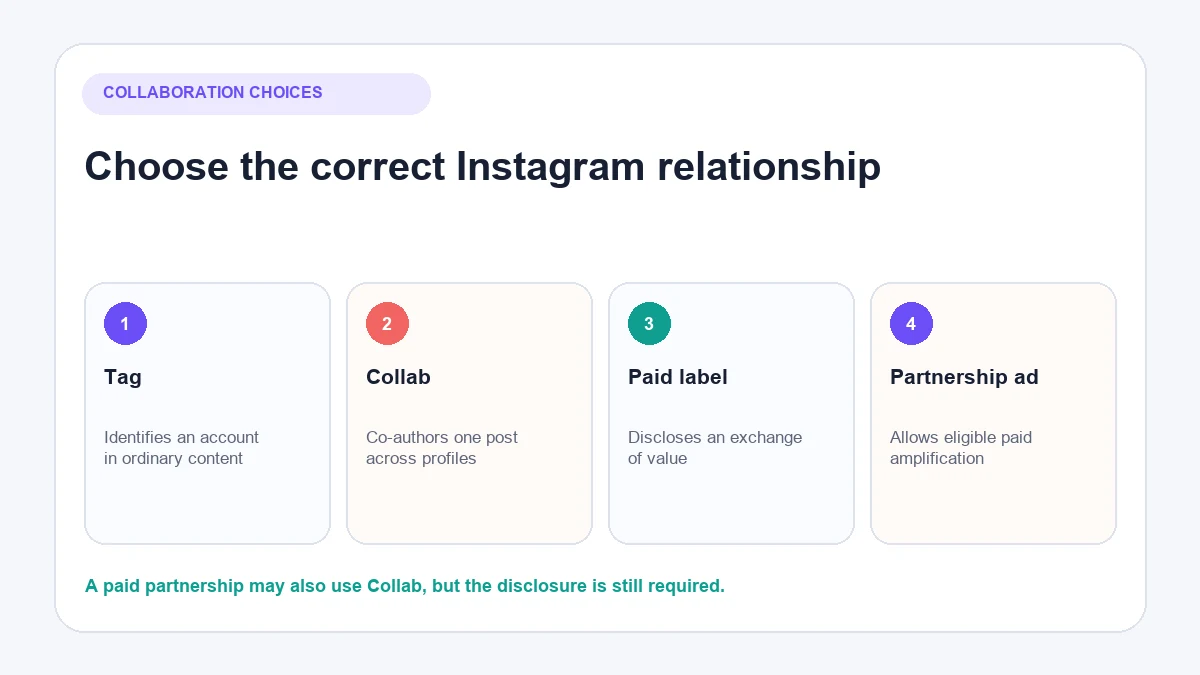
A Collab does not replace a disclosure. Meta defines branded content as content influenced by a business partner in exchange for value, including payment, gifts, loaned products and affiliate commission. Its branded-content guidance requires the paid partnership label in those situations.
One post can therefore be both a Collab and branded content. Use the co-author invitation to represent shared authorship and the paid partnership label to disclose the commercial relationship.
Plan the collaboration before opening Instagram
A ten-minute agreement prevents most avoidable problems. Confirm:
- Which account will create and own the original post.
- Whether the content will be a photo, carousel or Reel.
- Who supplies the final files and approves the caption.
- When each account is expected to accept and promote the post.
- Which paid-partnership disclosure is required.
- Whether either party may reuse the content on websites, ads or other channels.
- Who will answer comments and direct messages after publication.
- What happens if a product, price, date or campaign detail changes.
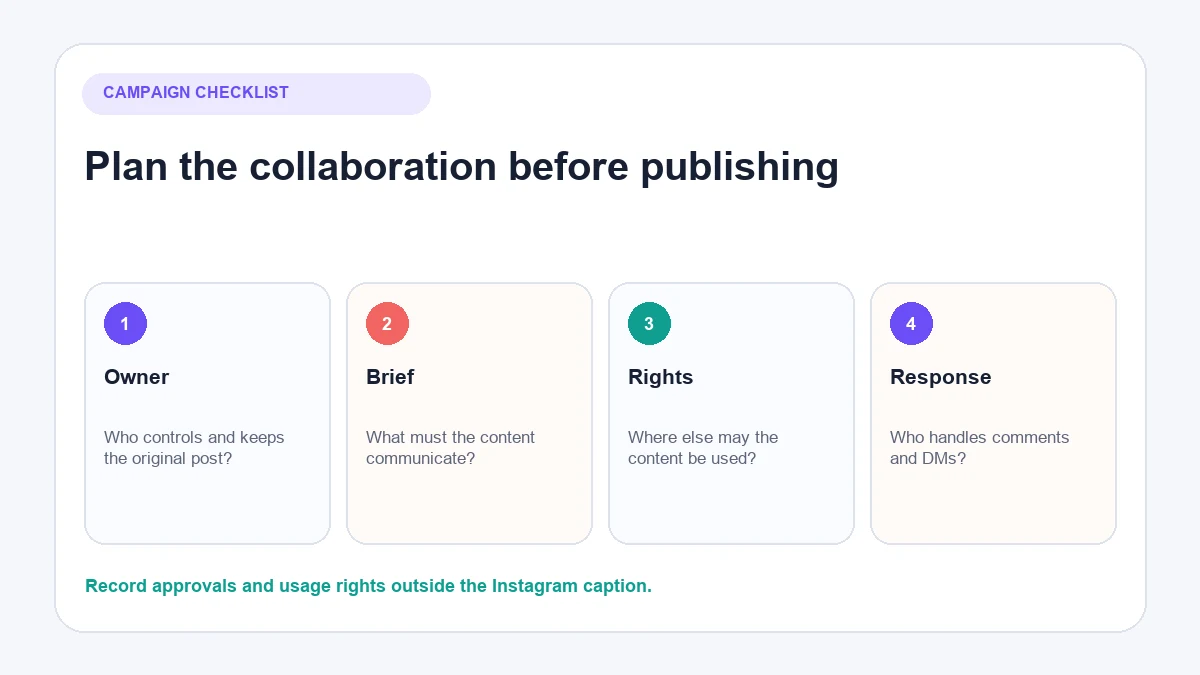
Do not treat an Instagram invitation as a complete commercial agreement. Fees, deadlines, revisions, exclusivity, usage rights and cancellation terms should be recorded separately.
How to create a Collab post on Instagram
Instagram’s collaboration controls are designed for the mobile app. Labels can vary slightly by app version, account and content type, but the current workflow is generally as follows.
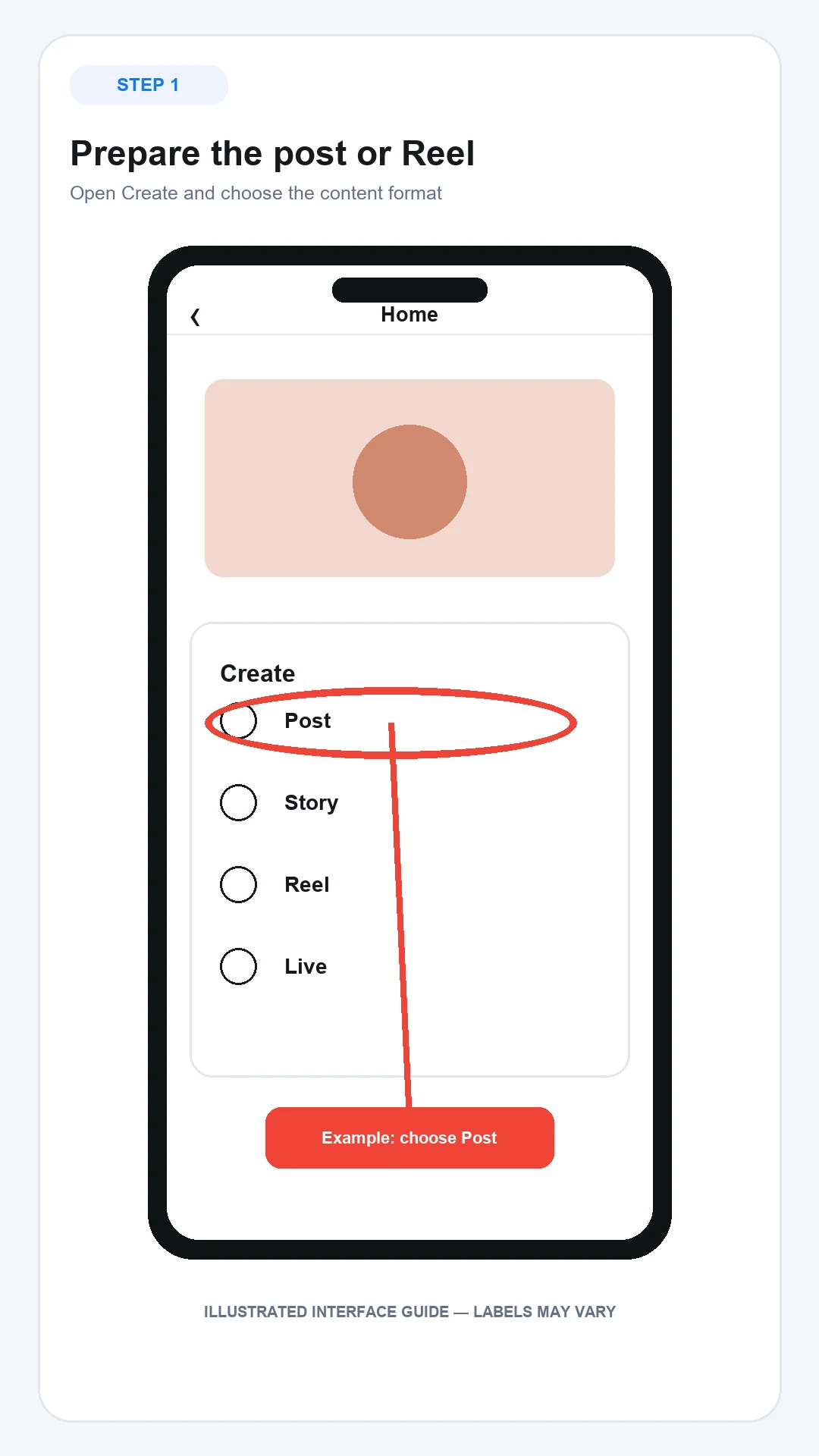
The annotated images below are illustrated interface guides rather than screenshots from a logged-in account. They show where to look, but Instagram may change labels or placement between app versions.
1. Prepare the post or Reel
Open Instagram, select Create and choose your content format. Add the photo, video or carousel items and complete the normal editing steps.
Decide the cover and crop before inviting anyone. A collaborator cannot repair an unclear first frame or an important product detail cut off by the chosen aspect ratio.
2. Open Tag people
Continue to the screen containing the caption and publishing settings, then select Tag people. Look for Invite collaborator rather than adding an ordinary account tag.
If that option is missing, update the app and check the troubleshooting section below. Do not replace the Collab with a tag unless ordinary tagging genuinely meets the campaign goal.
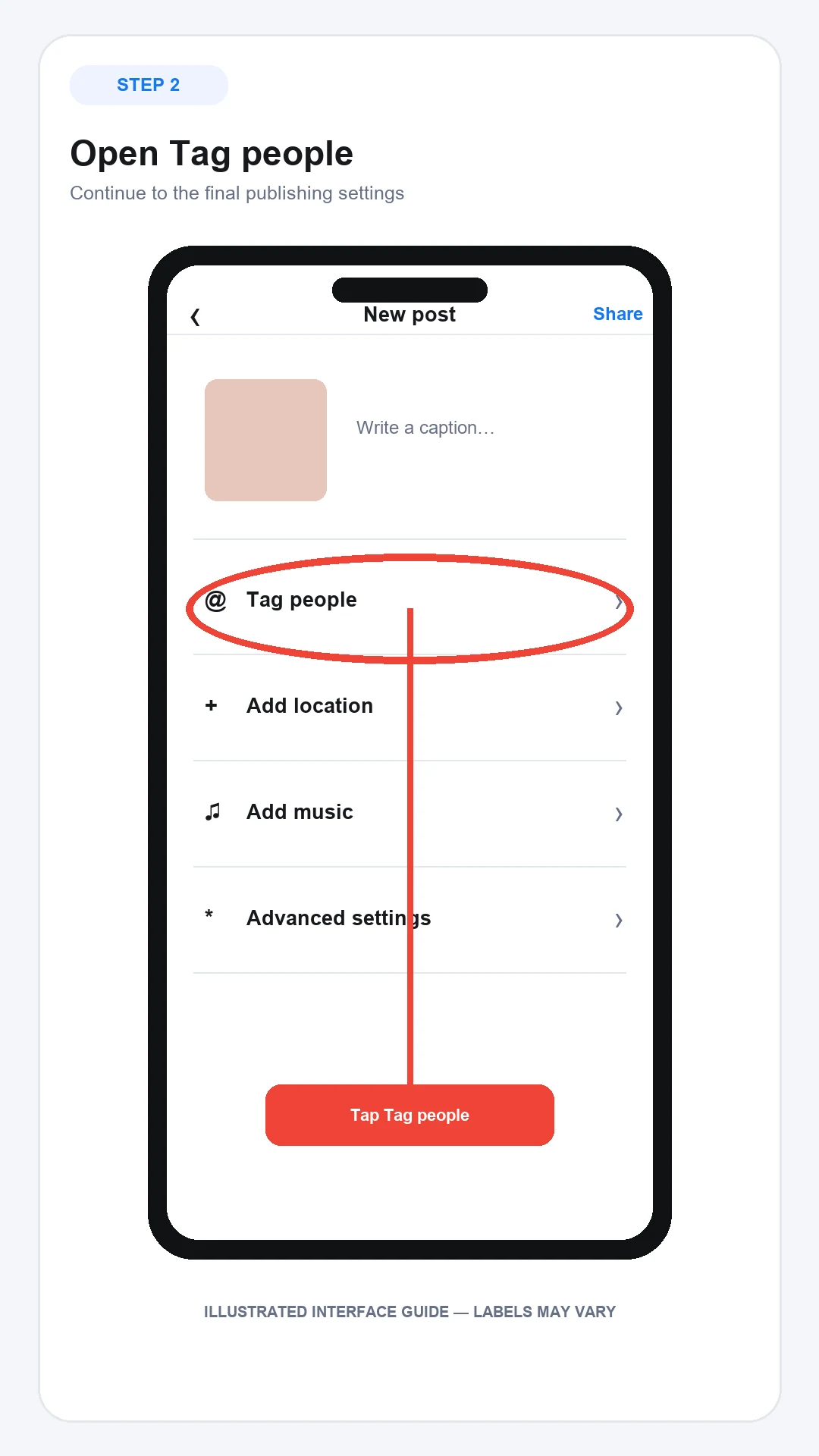
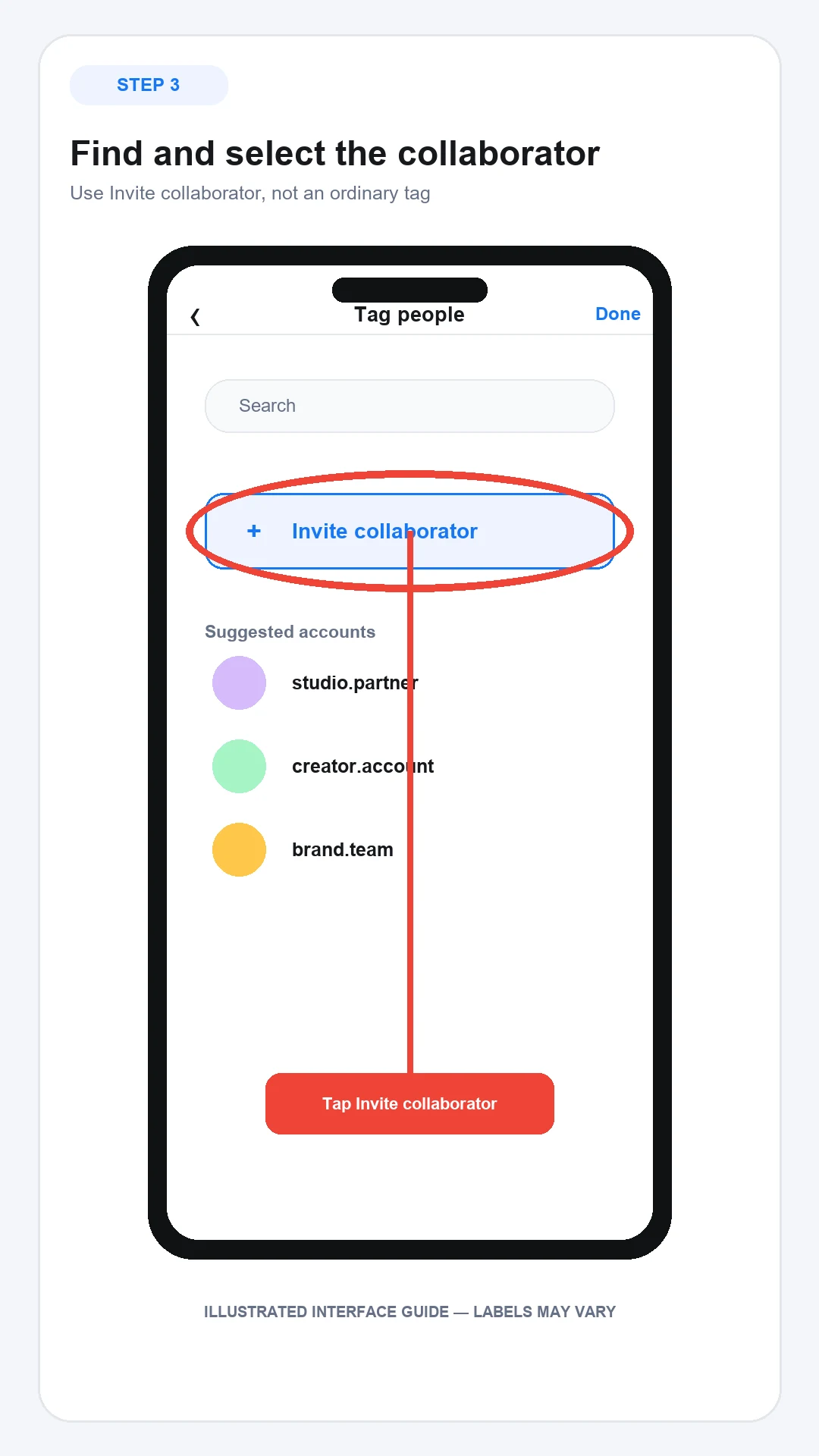
3. Find and select the collaborator
Search for the correct username and select the account. Similar display names make mistakes easy, so verify the profile image, spelling and account identity.
Complete any required branded-content disclosure separately. Meta’s paid partnership instructions explain that the brand partner may need to approve the tag.
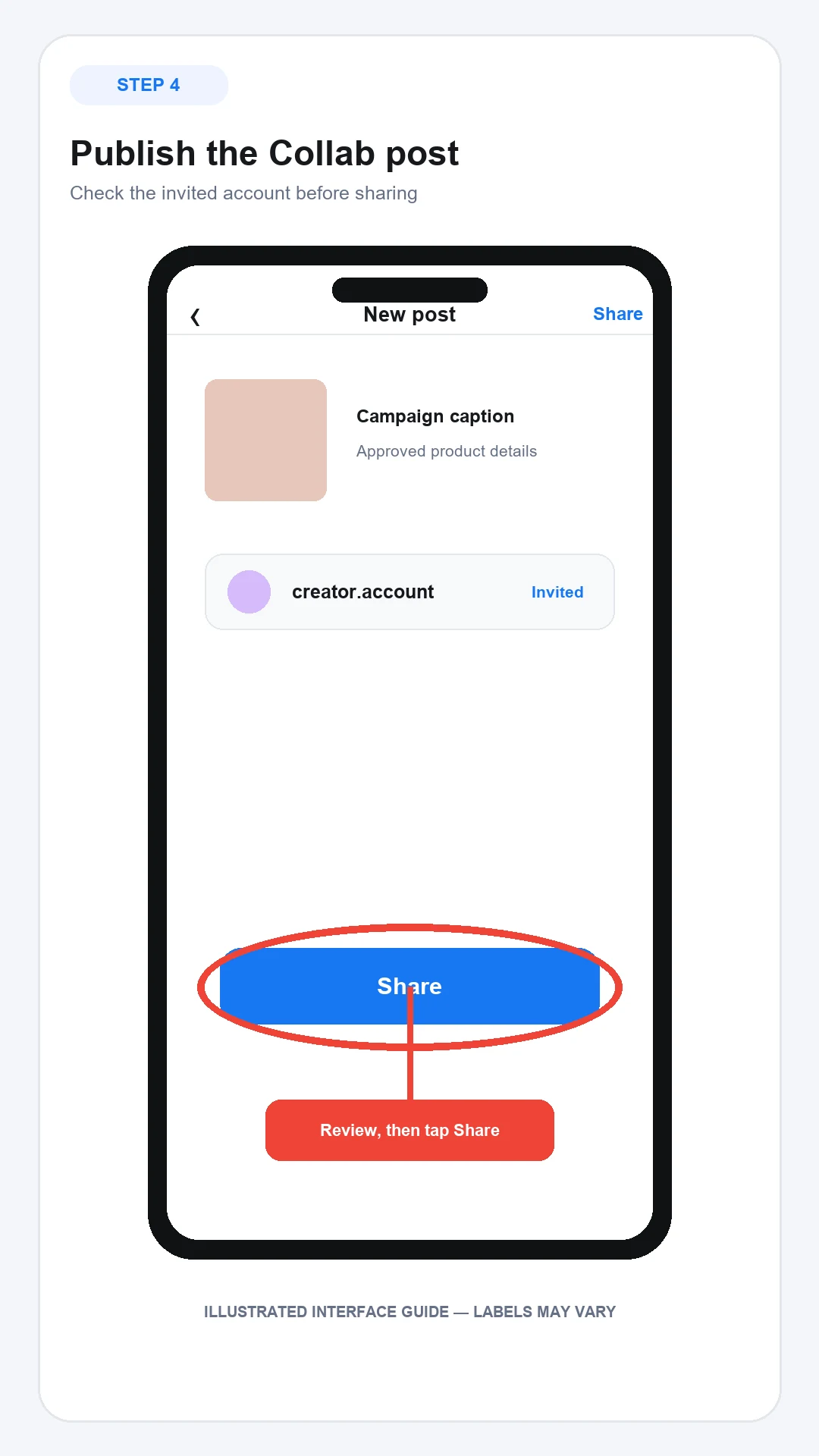
4. Publish and send a direct confirmation
Review the caption, media order, account, disclosure and audience settings, then publish. Tell the collaborator that the invitation is waiting; the content will not appear as a joint post until they accept it.
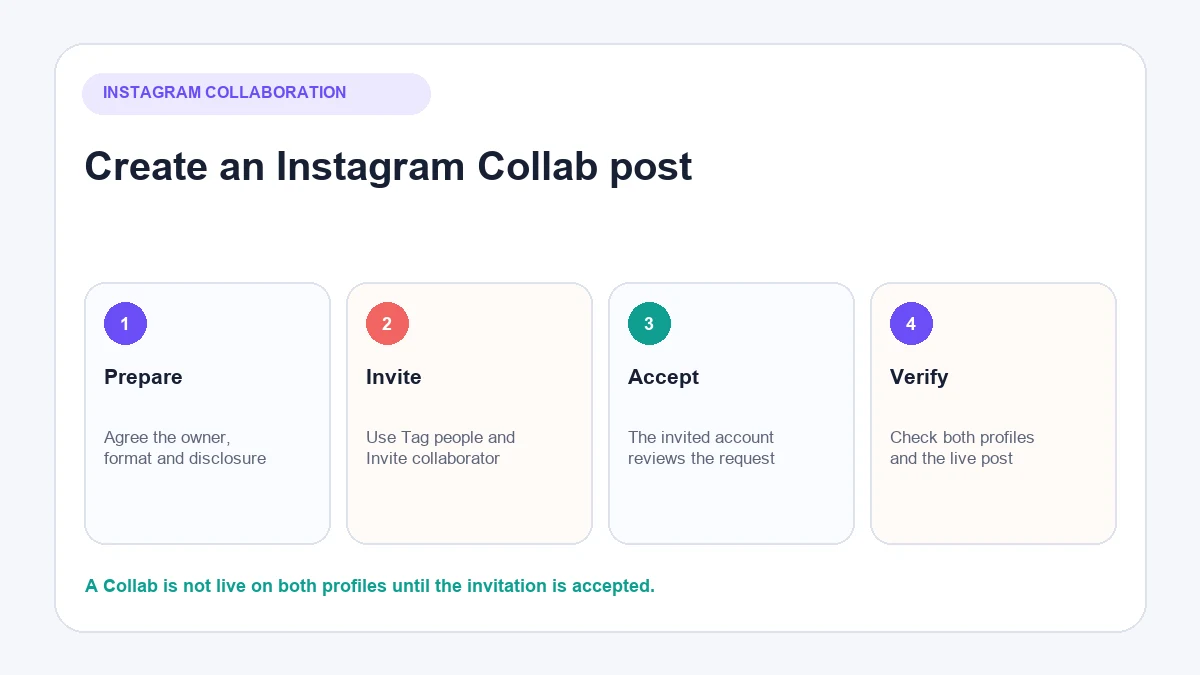
5. Check the live result
After acceptance, open the post from both profiles. Confirm that:
- Both account names appear as intended.
- The post is visible on the collaborator’s profile.
- The caption, tags and paid partnership label are correct.
- Carousel order, Reel cover, audio and crop work properly.
- Comments and DMs are being monitored by the agreed team.
Testing from another account helps reveal visibility or privacy problems that the authors may not notice.
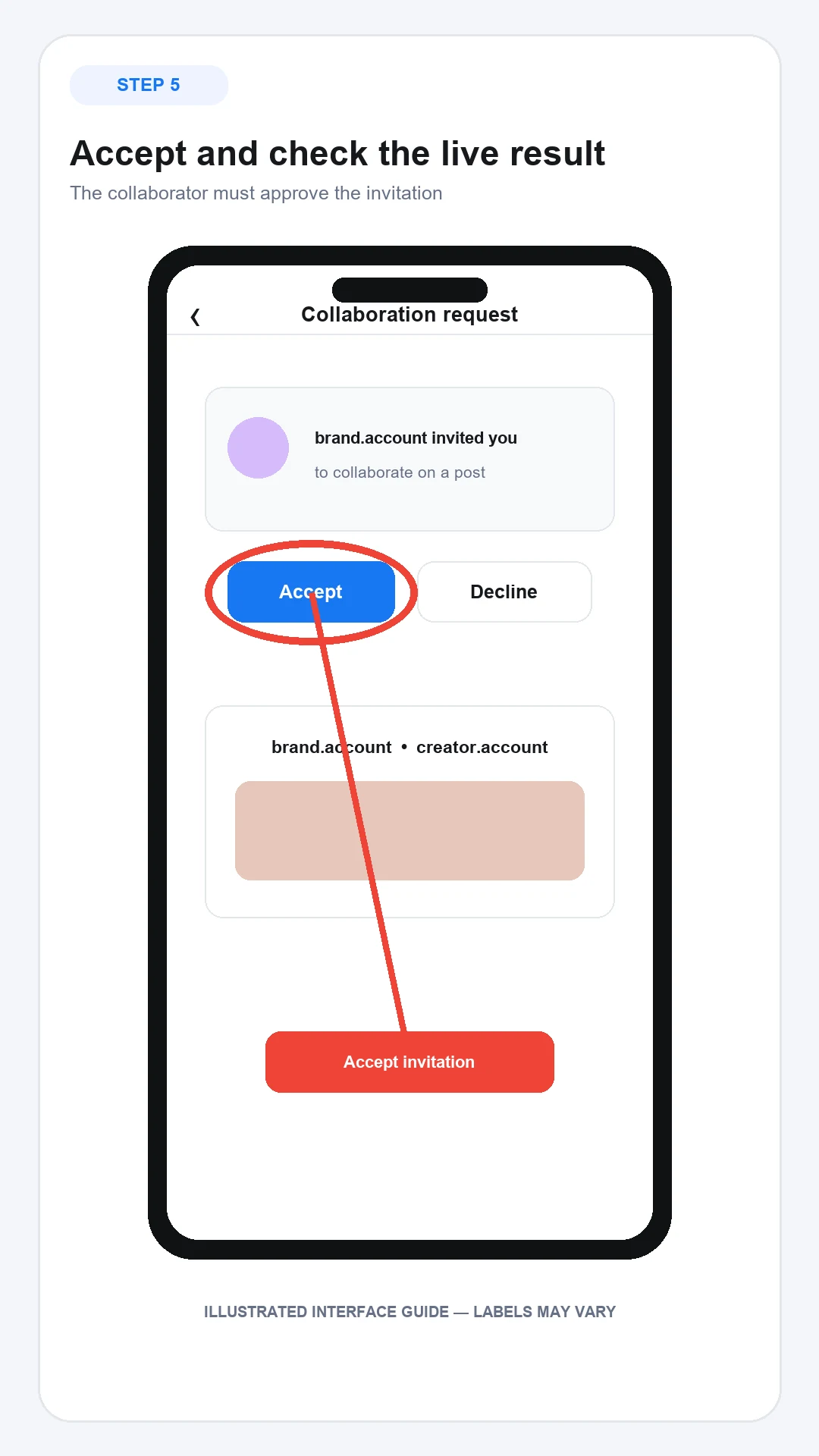
How to accept a collaboration on Instagram
When someone invites you, open the Instagram notification or the message containing the Collab request. Review the account and the content before choosing Accept.
Acceptance makes the post visible on your profile and attributes it to your account. Check the caption, product claims, disclosure and creative carefully. If the post does not match the agreed brief, ask the original author to correct it before accepting.
Declining an invitation does not delete the original author’s post. It simply prevents your account from joining it as a co-author.
Can you add a collaborator after posting?
Instagram’s available controls can vary by account and content type. Meta states that an original author can add or remove a collaborator, but the exact after-publishing interface should be checked in the current app.
Open the post’s options and look for editing or tagging controls. If Invite collaborator is available, select the intended account and wait for acceptance. If it is not available, do not delete a performing post immediately. Consider whether an ordinary tag and a clearly disclosed mention are sufficient, or whether republishing is worth losing the existing engagement.
Why an Instagram collaboration is not working
| Problem | Likely explanation | What to check |
|---|---|---|
| Invite collaborator is missing | Old app, unsupported surface or account-specific rollout | Update Instagram, use the mobile app and test a standard feed post or Reel |
| Account cannot be found | Username error, block or account restriction | Open the profile directly and verify the exact username |
| Post is not on both profiles | Invitation has not been accepted | Ask the collaborator to check notifications and messages |
| Collaboration disappeared | One account left, removed or blocked the other | Review the relationship and post ownership with the original author |
| Audience is unexpectedly limited | Original author’s privacy settings govern the post | Check whether the original account is private |
| Paid partnership label is missing | Disclosure was not configured or approved | Review branded-content settings and partner approval |
| Desktop workflow lacks the option | Collaboration controls may be mobile-only | Finish the process in the current Instagram mobile app |
Avoid unofficial tools that request an Instagram password merely to create or accept a Collab. Use Instagram’s own publishing and account-authorisation routes.
Useful Instagram Collab ideas for ecommerce brands
The format works best when both accounts bring a legitimate role to the content.
Product demonstration with a specialist creator
The creator demonstrates the product while the brand supplies accurate details about materials, care, delivery or compatibility. Agree how corrections will be handled before publishing.
Joint launch with a complementary brand
Two non-competing products can be shown in one realistic use case. Make bundle availability, dates and country restrictions clear rather than relying on a vague launch caption.
Event or pop-up announcement
The organiser, venue and participating brand can use shared content to keep the location, timing and access information consistent. Choose the account most likely to maintain the post as original author.
Customer education
A creator, practitioner or brand expert can explain a decision customers regularly struggle with. A useful carousel or Reel should resolve the question even for someone who does not purchase immediately.
How AeroChat handles enquiries generated by Collab posts
Collaboration can expose a product to a second audience, but it can also create repetitive questions about availability, delivery, sizing, returns or store policies.
If Collab posts repeatedly attract the same product, delivery or returns questions, an Instagram chatbot can answer routine enquiries while leaving exceptions to the team. AeroChat is an AI agent platform that helps Instagram business owners automate and scale customer conversations. Its Instagram integration tools can answer inbound DMs and public comments on the business’s own posts using approved knowledge or connected store information. Those conversations enter a shared inbox, with human handover when a person needs to take over.
AeroChat does not create, publish or accept Instagram Collab posts. It becomes relevant after content begins producing more customer enquiries than the team can handle consistently. The original author and collaborator should still agree which account owns the response process.
Best for: DTC and ecommerce brands handling frequent customer enquiries across Instagram and other channels.
Frequently asked questions
Does an Instagram Collab post appear on both accounts?
Yes, after the invited account accepts. Instagram says the post then appears on the collaborator’s profile and may be distributed to their followers in Feed.
Who owns an Instagram Collab post?
The original author owns and maintains it. If that account deletes the post or deactivates, it disappears from the collaborator’s profile as well.
Is a Collab post the same as tagging someone?
No. A tag identifies an account, while an accepted Collab makes the account a co-author and places the post on both profiles.
Do paid Collabs need a disclosure?
Yes. When content involves payment, gifts, affiliate commission or another exchange of value, use the paid partnership label and follow the laws applying to the campaign’s markets.
Can a private account join an Instagram Collab?
Instagram says a public original author can invite a private or public account. The original author’s settings determine the post’s visibility, so confirm the intended audience before publishing.


