


Can a Chatbot Create a Support Ticket Automatically?

Not natively. AeroChat doesn’t create a formal support ticket with an ID, status and queue the way a dedicated helpdesk tool does. What it does natively is human handover and smart notifications, escalating a conversation to a person when it’s needed. If your team actually runs on a ticketing system, getting a real ticket created still requires connecting one, and it’s worth being precise about that rather than assuming it happens automatically.
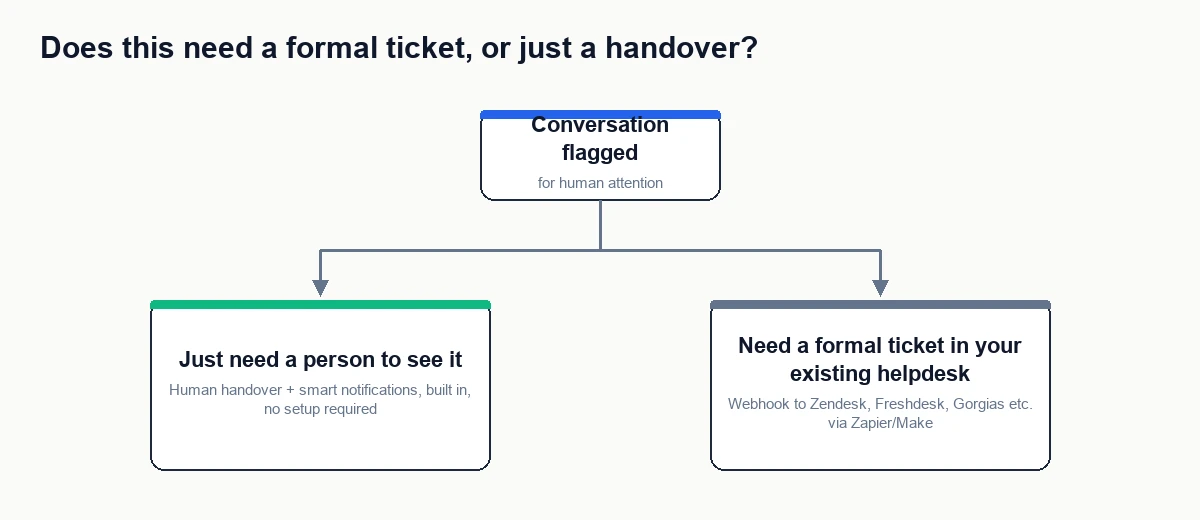
Two different things people mean by “ticket”
“Does my chatbot create a ticket” usually means one of two things, and they need different setups.
| What you actually mean | What handles it |
|---|---|
| A person needs to see this conversation and reply, right now or soon | AeroChat’s built-in human handover and smart notifications, no separate ticketing tool required |
| This needs a formal record with an ID, a status, and to live inside our existing helpdesk (Zendesk, Freshdesk, Gorgias, etc.) | A webhook from AeroChat feeding into that helpdesk’s own ticket-creation API, via Zapier or Make |
A lot of teams only need the first one. If a person can see the flagged conversation and respond from AeroChat’s own interface, a formal ticket object adds a layer of bookkeeping without adding anything the customer experiences.
When you actually need a real ticket, not just a handover
A separate ticket record earns its place when your support team’s reporting, SLAs, or workflows already live inside a dedicated helpdesk, and a conversation that only exists inside AeroChat would be invisible to that system. If your team measures first-response time, resolution time, or ticket volume through Zendesk or Freshdesk dashboards, a chat that never becomes a ticket there is a chat that never gets counted, even if a human handled it perfectly.
How to actually connect a real ticketing system
- Confirm your helpdesk tool supports creating tickets via its own API or a Zapier/Make integration; most major ones (Zendesk, Freshdesk, Gorgias, Help Scout) do.
- In AeroChat, set up a webhook for the event that should trigger a ticket, typically a conversation tagged as needing escalation, or a specific keyword/intent match.
- Point that webhook at a Zapier or Make automation with a “create ticket” action for your helpdesk tool.
- Map the fields that matter: customer name, contact detail, conversation summary, and a link back to the AeroChat conversation so the agent has full context.
- Test with a real flagged conversation before relying on it, and confirm the ticket actually appears with the right fields in your helpdesk.
What this looks like if you don’t run a dedicated helpdesk
If your team doesn’t use Zendesk, Freshdesk, or similar, and you’re really just asking “how does a person find out they need to jump in,” you likely don’t need a ticketing system at all. Human handover surfaces the conversation directly to your team the moment it’s flagged, and smart notifications can alert a specific person by desktop, email, or sound. That’s a complete workflow on its own for a lot of stores, without a separate ticket object to maintain.
How this fits with other automations
Creating a ticket is one specific example of a chatbot triggering something outside the conversation itself, using the same webhook mechanism covered in how can I connect my chatbot to my existing business software. If what you actually need is a person alerted for a specific high-value customer rather than a formal ticket, notifying your team about an important customer covers that narrower case directly.
Your next step
Ask your team the actual question first: does anyone need a ticket ID for reporting or SLA tracking, or does someone just need to see the conversation and reply? Most stores are the second case. Turn on human handover and smart notifications and you’re done. Only build the webhook-to-helpdesk connection if a real ticket number is something your team actually uses.
Frequently asked questions
Does AeroChat have its own ticket numbers?
No. AeroChat organises conversations through tags and handover status rather than a numbered ticket system. If your workflow specifically needs ticket numbers, that comes from the connected helpdesk tool, not from AeroChat itself.
Will every flagged conversation create a ticket if I set this up?
Only the ones matching whatever event you scope the webhook to, such as a specific tag or escalation trigger. Sending every single conversation to your helpdesk as a ticket usually creates more noise than it solves.
Is this different from human handover?
Yes. Human handover moves the live conversation to a person inside AeroChat. Creating a ticket in a separate helpdesk is an additional record-keeping step on top of that, useful mainly when your team’s existing tools and reporting depend on it.


