background

Setting up your AeroChat account

Setting up your AeroChat account

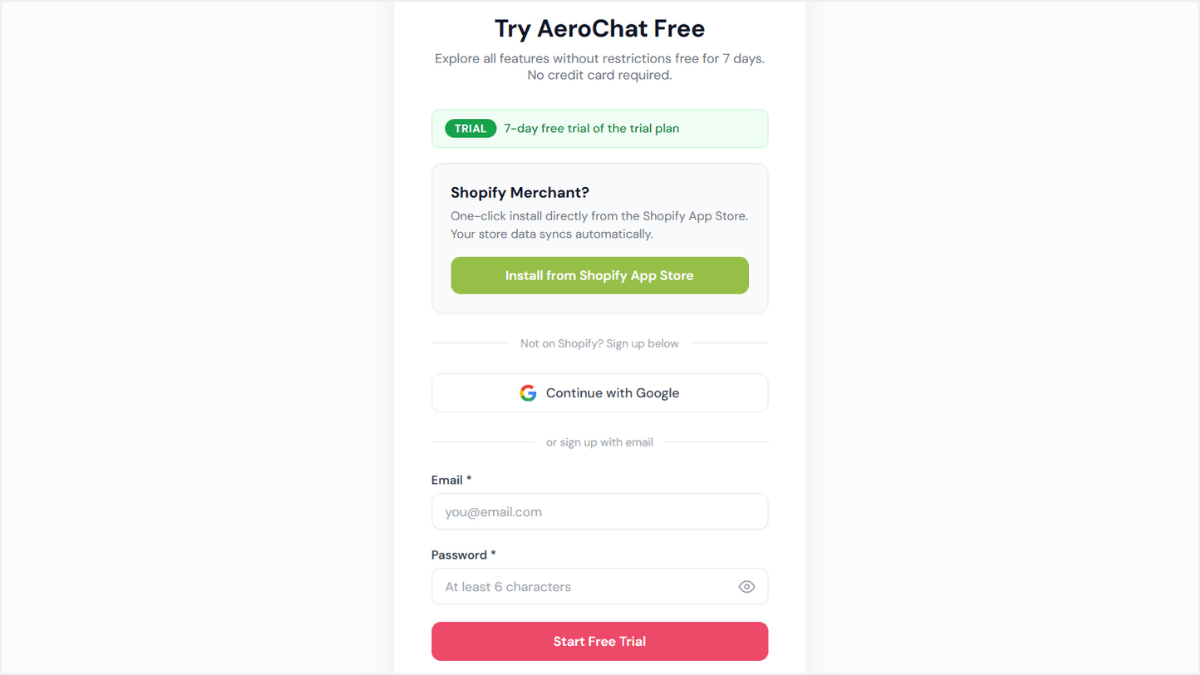
Step 1: Create Your Account

To get started, create your workspace.

  • Go to the AeroChat signup page.

  • Enter your Email Address and create a Password.

  • Click Start Free Trial. No credit card required.

Create Your Account


Step 2: Brand Your Bot

Give your bot a personality that reflects your business.

  • Go to Settings in the left-hand menu.

  • Enter your Business Name and Website URL.

  • Customize your welcome and greeting messages to automatically greet customers.

Brand Your Bot


Pro Tip:
Scroll down to upload your company logo so customers instantly recognize your brand.

Click Save Changes.

Change Company Logo


Step 3: Upload Your Business Knowledge

This is the most important step: teaching your AI how to answer customers.

  • Click the Business Knowledge tab.

  • Click + Upload File(s) to upload your FAQs, product manuals, or company docs (PDF, DOCX, or TXT).

  • The AI will automatically train on this data and provide accurate answers 24/7.


Step 4: Test Your Bot

Before going live, test your bot to ensure it responds accurately.

  • Select Test Your Bot from the menu.

  • Type a common customer question into the chat box.

  • See how the AI pulls answers from the documents you uploaded.

Test Your Bot


Connect Your Channels

Now that your bot is trained and ready, it’s time to connect it to the platforms where your customers are.

  • Navigate to the Channels tab in the sidebar.

  • Select your preferred platform, such as Web Chat, WhatsApp, or Facebook Messenger.

  • Follow the on-screen instructions to integrate the bot.

  • Note: Note: For detailed setup instructions, visit our full integration guides.

Connect Your Channels

Ready to scale customer support — without the chaos?

Unify all your customer messages in one place.
No prompt setup. No flow-building. Just faster replies, happier customers, and more conversions.

Ready to scale customer support — without the chaos?

Unify all your customer messages in one place.
No prompt setup. No flow-building. Just faster replies, happier customers, and more conversions.

AeroChat is an omnichannel customer communication platform that unifies chat, email, and ticketing — helping businesses respond faster, support smarter, and convert more — without the chaos.

© 2025 AeroChat. All rights reserved.

AeroChat is an omnichannel customer communication platform that unifies chat, email, and ticketing — helping businesses respond faster, support smarter, and convert more — without the chaos.

© 2025 AeroChat. All rights reserved.