



WooCommerce Abandoned Cart Recovery Using AI Chatbot: What Actually Works in 2026
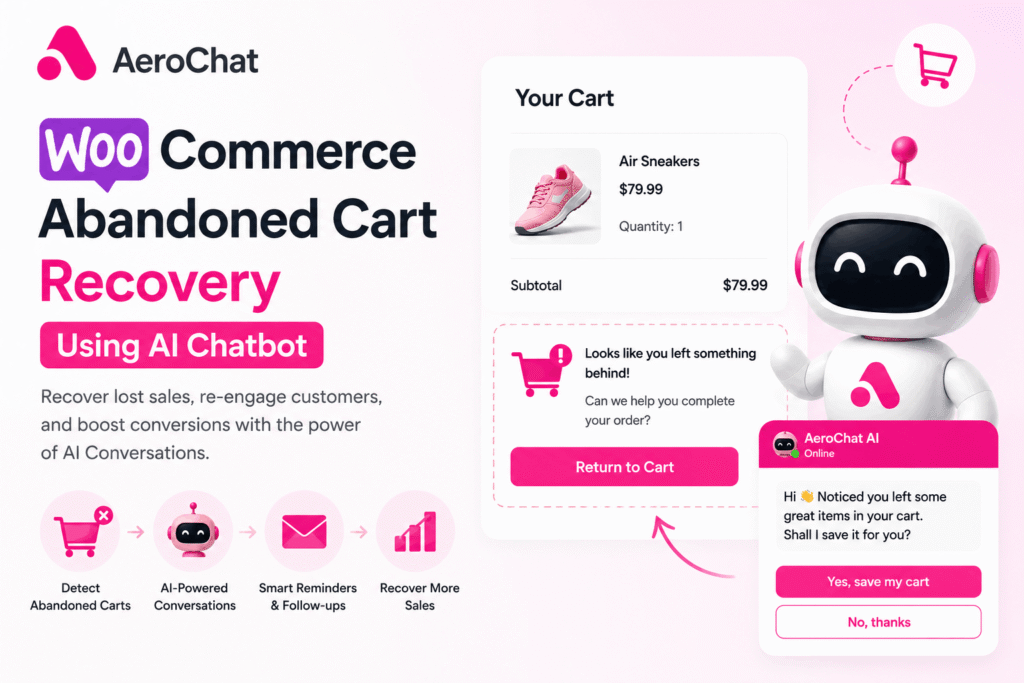
Around 70% of ecommerce carts get abandoned, and WooCommerce stores broadly track this benchmark (source: Baymard Institute). You probably already know this. What most store owners do not know is why their email recovery sequence is only clawing back 5 to 8% of those carts, and what a chatbot layer adds on top that email fundamentally cannot.
Email asks the customer to come back later. A chatbot catches them while purchase intent is still alive, handles the actual objection that made them leave, and gets out of the way. Those are different jobs. This article covers both, and how to run them together on WooCommerce without a developer or a custom integration build.
Why carts get abandoned on WooCommerce
Not every abandonment reason is recoverable. Understanding which ones are changes how you build the recovery sequence.
Shipping cost surprise accounts for roughly half of abandonments at checkout (Baymard’s checkout research consistently puts this between 47% and 55%, depending on the year). The customer added items, reached checkout, saw the shipping fee, and left. An AI chatbot that catches this in real time — “Looks like you left something behind. Shipping to your postcode is $8.90. Did you have a question about delivery?” — can offer a threshold nudge (“Add $12 more for free shipping”) or a one-time shipping waiver. An email three hours later cannot have that conversation.
Forced account creation drives around a quarter of abandonments. A guest reaches checkout, hits a mandatory registration wall, and quits. This is a UX fix, not a chatbot problem — but an AI chatbot on the website can intercept this moment, offer to complete the order without an account, and capture an email or WhatsApp number in the process.
Payment hesitation — uncertainty about card security, unfamiliar payment gateway — accounts for a smaller but meaningful slice. A chatbot visible on the checkout page that answers “Is this site secure?” or “Do you accept PayPal?” in real time removes the hesitation before it becomes an exit.
General distraction — the customer simply got busy — is the remaining slice. This is where the WhatsApp follow-up sequence lives. The intent was genuine; life interrupted. A WhatsApp message 30 minutes later saying “You left your cart open — want to pick up where you left off?” works here because WhatsApp gets read. Email often does not.
Build your recovery stack around the recoverable reasons. Distraction and shipping cost together make up the majority of recoverable abandonment. Those are your targets.
The core problem: email recovery is already saturated
Most WooCommerce stores running an email recovery sequence see 5 to 8% cart recovery. The ceiling is not effort — it is the channel.
The math, using Klaviyo and Mailchimp public benchmarks for ecommerce abandoned cart emails:
- 40–45% open rate (higher than standard marketing email)
- 10–20% click-through of those who open
- 30–50% purchase completion of those who click
A single email recovers roughly 2–3% of abandoned carts. A three-email sequence gets you to 7–8%, with each subsequent send delivering diminishing returns.
WhatsApp open rates published by Meta and confirmed across multiple BSP (Business Solution Provider) studies sit at 85–98%. The same math, different channel:
- 90% open × 35% response or click × 55% completion ≈ 17%
That number assumes you have the customer’s phone number with explicit opt-in. Without that, WhatsApp is not an option. This is the constraint email does not have, and the section below on phone capture is built around solving it.
Check: WooCommerce Variable Product Chatbot
How AI chatbots detect cart abandonment in WooCommerce
WooCommerce does not natively flag abandoned carts in real time. Here is how the detection layer actually works.
A plugin monitors the WooCommerce session. When a cart has items and no activity occurs for a defined window (typically 15 to 60 minutes), the cart is flagged as abandoned. The plugin stores the cart contents, customer details, and the timestamp.
Three WooCommerce plugins handle this reliably:
CartBounty (free and Pro) captures cart data as the customer fills in checkout fields, before they complete the purchase. This is the key: it saves the customer’s email and phone number from the checkout form the moment they type them, even if they never hit “Place Order.” The free version handles email capture and basic recovery. CartBounty Pro adds WhatsApp triggers via webhook.
Abandoned Cart Pro for WooCommerce by Tyche Softwares is the most feature-complete option. It captures guest and logged-in cart data, supports multiple recovery channels (email, SMS, WhatsApp via webhook), provides cart recovery analytics, and integrates with AutomateWoo for complex sequences.
YITH WooCommerce Recover Abandoned Cart integrates natively with several email platforms and supports webhook triggers for external chatbot platforms.
All three work on the same principle: capture the contact detail early, flag the cart as abandoned after inactivity, fire the recovery trigger. The chatbot platform receives the trigger and initiates the recovery sequence.
The detection plugin and the recovery layer are two separate jobs. CartBounty, Abandoned Cart Pro, and YITH handle detection inside WooCommerce. The actual conversation — the WhatsApp message that goes out, the AI that handles the customer’s reply, the website chat that catches hesitation before exit — runs on a chatbot platform that sits on top of the detection plugin. AeroChat is one option for that recovery layer: it accepts webhooks from any of the three plugins above, identifies the contact by phone number, and runs the WhatsApp sequence and onsite chat from a single inbox. Other platforms work the same way. The choice of detection plugin and recovery platform is independent — pick whichever combination matches your stack.

The phone number problem — and how to solve it
WhatsApp recovery only works if you have the customer’s phone number. Most WooCommerce stores capture email at checkout but not phone number, and for guest checkouts (typically 20–30% of traffic), even email capture depends on how far through the form the customer got.
Four solutions, in order of leverage:
Move phone number to the top of the checkout form. CartBounty captures fields as they are filled, so a customer who types their phone number and then abandons gives you the contact detail you need. Label the field clearly: “For order updates via WhatsApp.” This transparency is both legally required in most jurisdictions and increases opt-in rate.
Pre-checkout WhatsApp opt-in popup. An exit-intent popup triggered when the customer moves toward leaving the cart page offers: “Get your cart saved + a WhatsApp reminder — enter your number.” Tools like OptinMonster or Popup Maker handle this on WooCommerce. Opt-in rates from this kind of popup vary widely (usually low single-digits to low double-digits depending on traffic quality), but every opt-in is a contact you would not otherwise reach.
Post-purchase WhatsApp opt-in. After a completed order, invite customers to opt in to WhatsApp order updates. Every customer who opts in becomes reachable via WhatsApp for future cart abandonment recovery. This is a compounding strategy: returning customers recover at significantly higher rates than first-time visitors because trust is already established.
Onsite chat for phone capture during abandonment. An AI chatbot on the cart or checkout page that proactively engages when a customer has been on checkout for 90+ seconds can capture a WhatsApp number directly: “Having trouble checking out? Drop your WhatsApp and we’ll send your cart link.” Conversion of engaged hesitating visitors via this method is typically meaningful but varies by industry; treat the first 30 days as a measurement period before optimizing.
A note for stores selling into the EU/UK: WhatsApp opt-in for marketing-style messages requires explicit, granular consent under GDPR and the UK GDPR. “For order updates” is operational and generally fine; “for promotional messages and cart reminders” needs a separate, unticked checkbox. Get this wrong and the fine matters more than the recovered revenue.
WhatsApp vs website chat vs SMS: which channel recovers more
| Channel | Open rate | Typical recovery rate* | Best use case | Key limitation |
|---|---|---|---|---|
| WhatsApp chat | 85–98% | 15–20% of abandoned carts where you have the number | Customers with phone on file and opt-in | Requires opt-in; no number = no message |
| Website chat (onsite) | N/A — proactive trigger | 8–14% of triggered sessions | Catching hesitation before exit | Only works while customer is on site |
| 40–45% | 5–8% of abandoned carts | All customers with email captured | Slow, easy to ignore | |
| SMS | 75–85% | 10–18% of abandoned carts where you have the number | Markets with low WhatsApp penetration | Carrier filtering, per-message cost |
| Facebook Messenger | 70–80% | 8–12% of abandoned carts where opted in | Facebook-heavy demographics | Declining engagement in most markets |
*Recovery rate denominators differ by channel, which is why direct comparison is tricky. WhatsApp/SMS/email rates are calculated against abandoned carts where you have a contact for that channel. Website chat is calculated against sessions where the proactive trigger fired.
The practical recommendation: run WhatsApp as the primary recovery channel where you have phone numbers, email as the fallback for everyone else, and onsite chat to catch abandonment before it happens. SMS adds value in markets like the US and Australia where WhatsApp penetration among older demographics is lower.
The message sequences that recover WooCommerce carts
These are structural models, not templates to copy verbatim. Rewrite them in your brand voice.
WhatsApp sequence — three messages
Message 1 — 30 minutes after abandonment
Hey [First Name] — you left [Product Name] in your cart. Still thinking it over? Your cart is saved: [Cart Link]
Short. No discount. Just the reminder with zero friction to return.
Message 2 — 4 hours after abandonment, only if Message 1 not acted on
Still there, [First Name]? A few people asked about [Product Name] today. If you’ve got a question about sizing, shipping, or anything else — just reply here and I’ll sort it.
This is the AI chatbot doing its actual job: opening a conversation, not just sending a link. A customer who replies “how long does shipping take to Glasgow?” gets a real answer, and that conversation tends to convert at a meaningfully higher rate than a one-way reminder because you have removed the last objection.
Message 3 — 24 hours after abandonment, only if no previous interaction
Last chance to grab your [Product Name]. Your cart link is below — let me know if anything is stopping you: [Cart Link]
Notice what changed from the original version of this article: no fake “expires tonight” line. WooCommerce sessions are configurable and most stores do not actually expire carts in 24 hours, so manufactured urgency reads dishonest and trains customers not to trust your messages. Use real urgency only if your cart genuinely expires.
When to add a discount
After Message 2, if the customer responds but still does not purchase, the AI offers a discount as part of the conversation: “I can offer you 10% off if you complete your order in the next hour — want me to apply it?”
This is a conversational discount, not a broadcast coupon. The distinction matters: broadcast coupons train customers to abandon carts intentionally to get deals. Conversational discounts only fire for customers who engaged but still hesitated, which protects margin over time.
Website chat sequence — onsite recovery
Triggered when a customer has items in cart and shows exit intent (cursor moves toward browser close, or 90 seconds of inactivity on checkout):
Before you go — is there anything putting you off? Shipping costs? A question about the product? Happy to help.
This is the highest-leverage touchpoint because the customer is still on the page. A chatbot that resolves the objection right here (“Yes, we offer free returns within 30 days”) removes the hesitation before the cart is abandoned at all. Not recovered — prevented.
WooCommerce plugin + chatbot platform stack
Option 1: CartBounty Pro + AeroChat
CartBounty Pro captures abandonment data and fires a webhook to AeroChat when the abandonment threshold is met. AeroChat receives the webhook, identifies the contact by phone number, and initiates the WhatsApp sequence. The unified inbox handles WhatsApp recovery, Instagram DMs, and website chat from one place.
Option 2: Abandoned Cart Pro + WhatsApp Business API (direct)
Abandoned Cart Pro supports direct WhatsApp Business API triggers via webhook. This requires connecting your own WhatsApp Business API account or going through a BSP. More setup work, more control over message templates and conversation logic. Best for stores with a developer resource that wants to own the integration end to end.
Option 3: AutomateWoo + chatbot layer
AutomateWoo is the most powerful WooCommerce ai chatbot marketing automation plugin and handles email recovery sequences natively. It supports webhooks for external triggers. Running AutomateWoo for the email sequence and using the webhook to simultaneously trigger a WhatsApp sequence on a chatbot platform gives you multi-channel recovery without rebuilding your email automation. Email reaches all abandoned contacts, WhatsApp reaches those with phone numbers on file.
This is the recommended stack for stores already running AutomateWoo: do not replace it, layer the chatbot on top.
Setup guide: WooCommerce cart recovery chatbot in 5 steps
Step 1: Install CartBounty Pro or Abandoned Cart Pro. Configure the abandonment threshold (30 minutes is the sweet spot — long enough to avoid false triggers on customers who pause briefly, short enough to catch them while intent is still fresh). Run a test abandonment yourself to verify cart data is being captured correctly.
Step 2: Connect the chatbot platform via webhook. In CartBounty Pro or Abandoned Cart Pro, find the webhook settings. Enter your chatbot platform’s webhook URL. Configure what data is passed: customer first name, phone number, cart contents (at minimum the primary product name and cart total), and the cart recovery URL.
Step 3: Build the WhatsApp message sequence in the chatbot platform. Set up the three-message sequence with the timing delays. Configure the AI to handle common responses: shipping questions, sizing questions, discount requests. The AI needs access to your product FAQ and shipping policy — load these into the knowledge base before going live.
Step 4: Add phone number capture to checkout. Using WooCommerce Checkout Field Editor or CartBounty’s built-in field capture, move the phone number field early in the checkout form. Add micro-copy: “We’ll send your order updates via WhatsApp.” Test that CartBounty captures the number when a customer enters it and then abandons before completing the order.
Step 5: Set up the onsite exit-intent chat trigger. In your chatbot platform’s website widget settings, configure a proactive trigger: fire the “Before you go” message when a visitor has cart items and the cursor moves to exit, or when 90 seconds of inactivity occurs on the checkout page. Test on mobile and desktop separately — exit intent on mobile uses inactivity timing rather than cursor position.
ROI: what to expect at different store sizes
| Monthly revenue | Abandoned cart value (70%) | Email-only recovery (7%) | Chatbot + email recovery (~20%) | Additional monthly recovery |
|---|---|---|---|---|
| $30,000 | $21,000 | $1,470 | $4,200 | $2,730 |
| $100,000 | $70,000 | $4,900 | $14,000 | $9,100 |
| $300,000 | $210,000 | $14,700 | $42,000 | $27,300 |
These figures use conservative assumptions: 70% abandonment rate, 7% email-only recovery, 20% combined recovery (not all customers have WhatsApp numbers on file, so the blended rate sits below the WhatsApp-only theoretical ceiling). Tooling cost — CartBounty Pro plus a mid-tier chatbot platform — typically lands between $150 and $300 per month.
For a $100,000-per-month WooCommerce store, layering chatbot recovery onto existing email recovery generates around $9,000 in additional recovered revenue per month against a $300 tool cost. The payback window is measured in days, not months.
These are illustrative numbers, not guarantees. Your actual recovery rate depends on average order value, traffic source, opt-in capture rate, and category-specific buying behaviour. Run the first 60 days as a measurement period before extrapolating.
When chatbot recovery is the wrong investment
Most cart-recovery articles skip this section. It’s the most useful one for actually deciding.
Skip the chatbot layer if:
- Your monthly abandoned cart volume is under 200. The setup time exceeds the recovered revenue for at least 6 months. Get email recovery working first.
- Your phone number capture rate is below 10%. WhatsApp recovery has nowhere to fire. Fix checkout field placement and post-purchase opt-in flows for 60–90 days, then revisit.
- Your checkout itself is the problem. If your shipping fees are surprising people at the last step, no chatbot fixes that as well as just showing shipping cost on the product page.
- You sell B2B or high-ticket consultative products. Cart abandonment in that segment usually means “I want to talk to a human first,” not “I forgot.” A chatbot intercept can hurt close rate for these.
Fix the recoverable causes before adding more recovery layers.
FAQ
Does WooCommerce have built-in abandoned cart recovery?
No. WooCommerce tracks cart data but does not natively send recovery messages. You need a plugin (CartBounty, Abandoned Cart Pro, or AutomateWoo) to detect abandonment and trigger recovery sequences.
Can an AI chatbot recover abandoned carts on WooCommerce without the customer’s phone number?
Yes, through website chat. An onsite AI chatbot can engage customers while they are still on the cart or checkout page — before the cart is technically abandoned — by responding to hesitation signals. For WhatsApp recovery after the customer has left, a phone number with explicit opt-in is required.
What is a good WooCommerce abandoned cart recovery rate?
Email-only recovery typically achieves 5–9%. Adding WhatsApp chatbot recovery on top of email brings the combined rate to 18–22% for stores with strong phone number capture. The gap widens as more customers opt into WhatsApp communication over time.
How do I get customers to share their WhatsApp number on WooCommerce checkout?
Move the phone number field to the top of the checkout form before billing details, and add clear labelling: “For order updates via WhatsApp.” Avoid making it mandatory — keep it optional but clearly valuable. Customers who see a genuine benefit (real-time order updates) tend to opt in at meaningfully higher rates than when the field has no context.
Will sending WhatsApp recovery messages get my WhatsApp Business account banned?
Not if you only contact customers who have opted in and use pre-approved WhatsApp Message Templates (HSMs) for outbound messages sent outside the 24-hour customer service window. Sending recovery messages to contacts who did not opt in risks account restriction. Use a compliant platform and build your opt-in list properly.
How long after abandonment should the first WhatsApp recovery message send?
30 minutes is a reasonable starting point. Early enough that purchase intent is still warm, late enough to avoid triggering for customers who paused briefly before completing. Test 15-minute and 60-minute windows against your own data — the optimum varies by product category.
Can the AI chatbot offer discounts automatically to recover carts?
Yes, but conditionally. Configure the AI to offer a discount only if the customer responds to the first or second message but still does not complete the purchase. Offering discounts in the first automated message trains customers to abandon carts intentionally to receive them, which erodes margin across all future orders.
Is WhatsApp cart recovery GDPR compliant?
Only if you collect explicit opt-in for marketing-style messages, store proof of consent, and provide a clear opt-out in every message. Operational messages (“your order has shipped”) have a softer threshold than recovery messages (“you left a cart”). When in doubt, treat cart recovery as marketing and get explicit consent.



