11 Best AI Chatbots for Small Businesses in 2026

The best AI chatbot for a small business is the one that can handle the conversations the business actually receives, on the channels customers already use, without creating more work behind the scenes. AeroChat is a strong fit for ecommerce customer service across store and messaging channels. Tidio suits teams combining website chat with AI, ManyChat is built around social messaging automation, and HubSpot makes sense when lead capture must feed an existing HubSpot CRM.
The right choice also needs a safe failure path. Before comparing feature lists, check whether the chatbot can use your approved business information, show where an answer came from and move a conversation to a person when automation is no longer appropriate.
Product and pricing information checked: 16 July 2026. Vendors change plans, limits and channel availability regularly. Confirm the exact allowance and billing model for your country before purchasing.
Which chatbot is best for a small business?
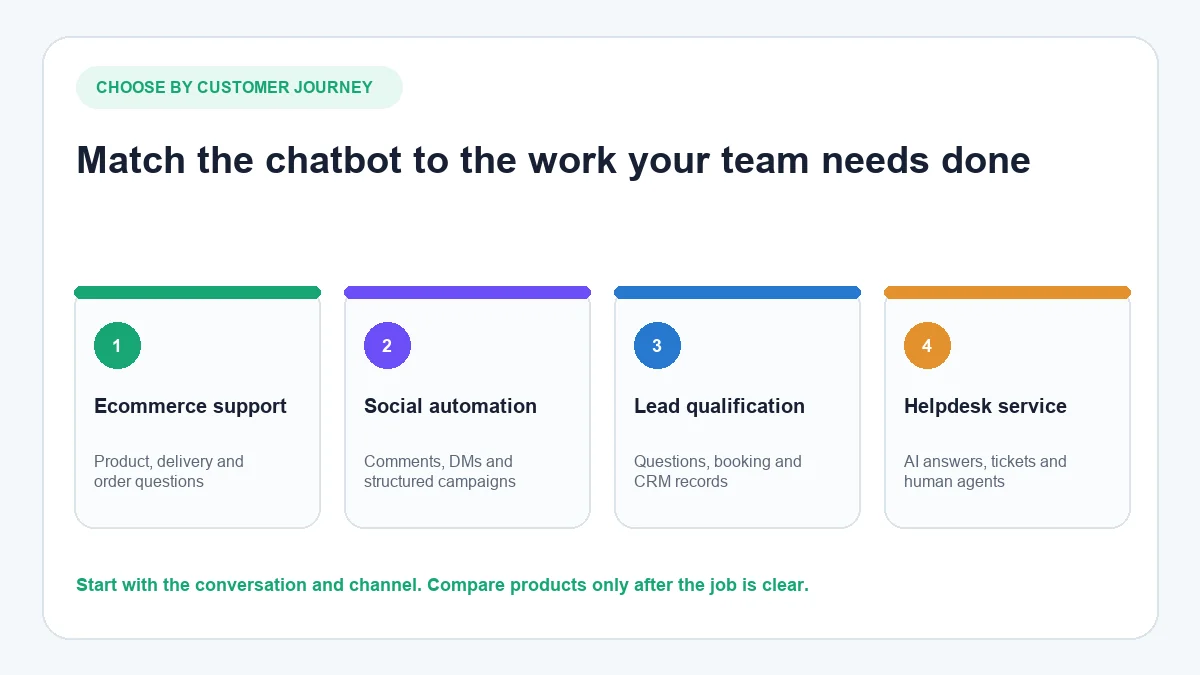
There is no universal winner because “small business” covers very different operations. A Shopify store may need product information, order status and returns support. A consultant may care more about qualifying a lead and booking a meeting. A salon may receive most enquiries through Instagram and WhatsApp, while a software company may already manage every support request in a helpdesk.
Use the shortlist below as a starting point:
| Business need | Strong starting option | Why it fits | Important limitation to check |
|---|---|---|---|
| Ecommerce conversations across several channels | AeroChat | Connects approved business and store information with customer conversations | It is a growth-stage support investment, not a general CRM or helpdesk replacement |
| Website live chat with optional AI | Tidio | Combines human chat, flows and Lyro AI on one platform | Live conversations, flows and AI use different allowances |
| Instagram and Messenger automation | ManyChat | Strong social triggers, flows and direct-message automation | Pricing and available channels vary by plan and account |
| CRM-connected lead qualification | HubSpot | Chatbot activity can feed HubSpot contact and pipeline data | The no-cost builder is primarily flow-based; advanced AI belongs to the wider HubSpot stack |
| AI-first support with an established inbox | Intercom | Combines Fin AI Agent with helpdesk, knowledge and human support | Seat and outcome-based charges both affect total cost |
| Support teams already using Zendesk | Zendesk | AI agents sit inside the wider Zendesk service environment | The platform may be more than a very small team needs |
| Freshworks helpdesk and messaging users | Freshchat | Connects chat, social messaging and Freddy AI within Freshworks | AI functions and session allowances depend on packaging |
| Human website chat on a minimal software budget | tawk.to | The core live-chat, ticketing and knowledge-base tools are available without a subscription | Human live chat is not the same as automated AI support |
| Visual lead and qualification flows | Landbot | No-code builder for structured website and WhatsApp journeys | Complex flows still need design, testing and maintenance |
| Knowledge-trained website AI | Chatbase | Creates web AI agents from documents and website content | Message credits and inactive-agent rules matter on lower plans |
| Shared inbox for a small team | Crisp | Website chat and a shared inbox are simple to start; AI is available on paid plans | The entry plan does not include AI credits |
How the platforms were assessed
The comparison uses six questions that matter more than the length of a feature list:
- What can the system answer? A useful AI agent needs reliable access to the business’s approved website content, documents, FAQs, product information or help centre.
- Where can it hold a conversation? Website chat may be enough, but some businesses also need WhatsApp, Instagram, Messenger or email.
- What happens when it cannot answer? The customer should reach a person with the conversation history intact, not become trapped in a loop.
- What business context can it use? Ecommerce support may require product, inventory or order information; lead qualification may require CRM data.
- Who can operate it? A small team needs to know who updates knowledge, reviews unanswered questions and owns escalations.
- What is the real cost? Subscription price is only one part. Seats, contacts, AI messages, outcomes, channels, WhatsApp charges, implementation and staff time may all matter.
This article does not declare a winner based on an unverified test. The recommendations use current first-party product information and clear suitability criteria. Actual answer quality depends on the knowledge supplied, configuration, customer questions and ongoing supervision.
The 11 best AI chatbots for small businesses
1. AeroChat: ecommerce customer service across connected channels
AeroChat is an AI agent platform that helps online businesses run customer service on autopilot. It can use approved business knowledge and supported store information to answer common product, delivery, return and order-related questions. Conversations can continue across supported channels, and a human can take over when an enquiry needs judgement.
For a Shopify merchant, this matters because the customer is rarely asking a generic FAQ in isolation. They may want to know whether a product suits a particular need, when an order will arrive or what the return policy means for their purchase. Merchants comparing this type of store-aware support can examine the criteria used to choose an AI chatbot for a Shopify store.
AeroChat is most relevant when repetitive enquiries are consuming staff time or conversations are spread across several channels. A newly launched business with very little traffic may be better served by a simple contact form or live-chat tool until demand justifies automation.
Best for: Ecommerce and online businesses that want to automate and scale customer service without adding the same amount of manual workload.
Check before choosing: Required channels, store platform, monthly AI-response allowance, knowledge preparation and which conversations must always go to a person. Paid plans currently start at $49 per month. See the current AeroChat plans for date-sensitive limits.
2. Tidio: website chat, flows and AI in one interface
Tidio combines live chat and ticketing with rule-based Flows and the Lyro AI Agent. That makes it useful for a small business that wants one website interface for human replies, simple proactive automation and AI answers.
The distinction between those three components matters. A live-chat allowance measures conversations handled by people; Flows measure visitors reached by automation; Lyro measures AI conversations. A low headline price is not useful if the allowance that matches your intended workload sits elsewhere in the package.
Best for: Small ecommerce or service teams that primarily need website chat and want a gradual route from human replies to automation.
Check before choosing: Separate allowances for live conversations, Flows and Lyro, plus the cost at the realistic monthly volume. Tidio’s official page currently shows a limited entry plan and configurable paid allowances; review the current Tidio pricing structure rather than relying on an old flat starting price.
3. ManyChat: social messaging and comment automation
ManyChat is designed for businesses that acquire and engage customers through social channels. Its strengths include comment-triggered direct messages, keyword automations, contact capture, broadcasts and structured flows across supported messaging platforms.
This is a different job from training an AI support agent on a large knowledge base. ManyChat is strongest when the journey can be deliberately designed: someone comments on a post, receives a message, answers a qualifying question and is directed towards the appropriate next step.
Best for: Creators, coaches and social-first businesses using Instagram, Messenger or related channels for marketing and lead capture.
Check before choosing: Which channels are included in the account’s available pricing model, monthly active contacts, automation limits, inbox seats and whether AI-powered conversations require a higher tier. ManyChat introduced a new pricing model in 2026 and notes that availability can vary; use its current plan comparison.
4. HubSpot: CRM-connected lead capture and qualification
HubSpot’s chatbot builder is useful when the conversation is part of a larger sales or service process. It can qualify leads, book meetings, answer structured questions and add information to contact records in HubSpot’s CRM.
Its entry chatbot is better understood as a configurable conversation flow than as an open-ended AI customer-service agent. That is not necessarily a weakness. A professional-services firm may prefer a predictable sequence that asks about budget, service type and timing before offering a meeting.
Best for: B2B and professional-services businesses already using HubSpot for contacts, sales or marketing.
Check before choosing: Which actions are available in the business’s HubSpot edition, whether open-ended AI answers are genuinely required and the cost of the wider HubSpot products needed after the chatbot captures a lead. HubSpot describes the functions of its chatbot builder on its official product page.
5. Intercom: AI-first support for growing teams
Intercom combines its Messenger, shared inbox, ticketing, help centre and reporting with Fin AI Agent. It fits businesses that want AI and human support to operate in the same mature service environment.
Its pricing illustrates why small businesses should compare billing units, not just monthly plan names. Intercom charges for seats and successful Fin outcomes, while some communication channels have usage charges. That model can be sensible when automation creates measurable value, but the total needs to be estimated from actual support volume.
Best for: Software and online-service companies with an established support operation and enough volume to justify an AI-first helpdesk.
Check before choosing: Full seats, Fin outcomes, paid channels, help-centre readiness and how outcome billing applies to the intended workflows. Intercom publishes its current seat and outcome pricing online.
6. Zendesk: AI inside an established customer-service platform
Zendesk AI agents work within the company’s broader service platform, which includes ticketing, messaging, knowledge and routing. This makes Zendesk a logical option when a small or growing support team already uses Zendesk and wants automation to share the same operational context.
Zendesk has moved away from the old “Zendesk Chat” framing used in the previous AeroChat article. Its current AI-agent packaging is based on resolution allowances and successful outcomes within Suite and Support plans.
Best for: Support teams that already rely on Zendesk or need structured ticketing, knowledge and omnichannel routing alongside AI.
Check before choosing: The appropriate service plan, included resolution allowance, additional outcome cost and administrative overhead. The official Zendesk AI-agent information explains the current model.
7. Freshchat: messaging for businesses using Freshworks
Freshchat brings website and mobile chat, social messaging and team conversations into the Freshworks environment. Freddy AI can answer common questions, while unresolved work can continue through the surrounding support operation.
The platform is most compelling when the business already uses Freshdesk or another Freshworks product. Buying a wider suite simply to add a small website bot may create more administration than value.
Best for: Small support teams that want chat and AI connected to an existing Freshworks helpdesk.
Check before choosing: Channel availability, agent seats, Freddy AI packaging, session allowances and how conversations become tickets. Freshworks outlines the current Freshchat product structure on its site.
8. tawk.to: human live chat with an optional AI layer
tawk.to remains unusual because its core live-chat, ticketing, CRM and knowledge-base tools are available without a software subscription. This can be valuable for a small business with someone available to answer website conversations during defined hours.
It is important not to call all of that an AI chatbot. Human live chat reduces the cost of the software, but it does not remove the staffing requirement. tawk.to’s AI Assist is a separate layer with message credits and different paid allowances.
Best for: Businesses that want to test website live chat and can reliably staff it, or that need a low-volume entry point for AI Assist.
Check before choosing: Who will answer live chats, what happens outside business hours, AI message credits and whether human escalation is included at the selected AI tier. tawk.to explains the distinction in its official pricing information.
9. Landbot: structured conversational journeys without code
Landbot is a visual builder for website and WhatsApp conversations. A small business can design a qualification, booking or lead-capture journey using questions, conditions and integrations without building a custom application.
Visual does not mean maintenance-free. A flow needs an owner, and every branch should be tested when forms, booking tools or internal processes change. Landbot is a stronger fit for deliberate journeys than for answering a wide range of unpredictable support questions from a large knowledge base.
Best for: Marketing and service businesses that want structured lead qualification, appointment routing or conversational forms.
Check before choosing: Web versus WhatsApp packaging, chat allowances, integrations, builder ownership and the cost of the tier that supports the required channel. Landbot summarises its current plans and intended use cases.
10. Chatbase: knowledge-trained AI for a website
Chatbase lets a business create AI agents from website pages, documents and other training sources. It is useful when the main requirement is a website assistant that answers from a defined body of information rather than a social automation flow.
The lower plans are suitable for building and testing, but a production decision should consider message credits, model access, retraining, integrations, analytics and what happens to an inactive agent. The quality of the source content is just as important as the model used to answer from it.
Best for: Content-rich businesses that want a focused AI assistant on a website and do not initially need a broad omnichannel service platform.
Check before choosing: Monthly message credits, training size, model access, inactivity rules, integrations and handover. Chatbase lists these variables on its official pricing page.
11. Crisp: shared inbox and website chat for a small team
Crisp provides website chat, a shared inbox and mobile access for small teams, with automation and its Hugo AI capabilities introduced on paid plans. Its workspace-based pricing can be easier to understand than a separate charge for every person, depending on the plan.
The entry plan is useful for human conversations but does not include AI credits. This makes Crisp another example of why “free chatbot” can be misleading: the no-cost component may be a chat interface and inbox rather than an autonomous agent.
Best for: Solo operators and small teams wanting a clean shared inbox now, with a possible route to automation later.
Check before choosing: Seats included, AI credits, channels, contact limits and the workspace required for automation. Crisp provides a detailed plan and allowance comparison.
Are free chatbots enough for a small business?
Sometimes—but only after defining what “free chatbot” means. Four different offers are commonly placed under the same label:
| Offer type | What the business receives | Where it works | Common ceiling |
|---|---|---|---|
| Human live chat | A widget and inbox for staff replies | Good when someone is available | No automated answer outside staffed hours |
| Rule-based chatbot | Predesigned questions, buttons and branches | Good for qualification and simple routing | Cannot answer questions outside the flow |
| Limited AI allowance | A small number of AI-generated messages or conversations | Useful for controlled testing | Production traffic may exhaust the allowance quickly |
| Time-limited trial | Temporary access to paid functionality | Useful for evaluating a realistic workflow | Requires a purchase decision when the trial ends |
A no-cost plan is useful when it supports a real test. It should let the business check answer accuracy, mobile usability, lead capture, escalation and what happens when a limit is reached. It is not useful if the test ignores the channel or workload that will exist in production.
The hidden cost is often staff time. A live-chat widget may have no subscription fee but still requires a person to monitor it. A visual flow may avoid development cost but still needs someone to map, test and update every branch. An AI allowance may be enough for a demo but too small for routine customer service.
Small businesses assessing a website-only entry point can also compare the practical limits of a free website chatbot before committing to a wider platform.
Choose by business model and customer channel
Ecommerce and Shopify stores
Prioritise access to product and order information, returns and delivery knowledge, recommendation controls and human handover. A generic website bot trained only on marketing pages may answer FAQs but remain unable to help with a customer’s actual order.
Local and appointment-based services
Start with the questions that occur before a booking: service area, availability, suitability, preparation, pricing policy and cancellation terms. A structured flow may be enough if the answers are predictable. Open-ended AI becomes more useful when customers describe varied situations in their own words.
Consultants and B2B teams
CRM connection and qualification matter more than a large catalogue of support features. Decide which information should be collected, when a meeting should be offered and which enquiries should be disqualified or routed to a person.
Instagram-first businesses
Look beyond the presence of an Instagram logo. Check whether the tool responds to DMs, public comments or both; whether it supports comment triggers; and how conversations enter the team’s inbox. AeroChat’s Instagram integration is designed for inbound customer conversations, whereas a social automation builder may be better for campaign flows.
WhatsApp customer service
Check template, broadcast and conversation rules as well as the chatbot itself. The business also needs a plan for voice messages, multilingual enquiries, human takeover and the costs imposed by both the software provider and the messaging channel. AeroChat can connect WhatsApp customer service with approved business knowledge and human support.
What to test before committing
Use a limited deployment and record the results instead of judging the tool from its demo conversation.
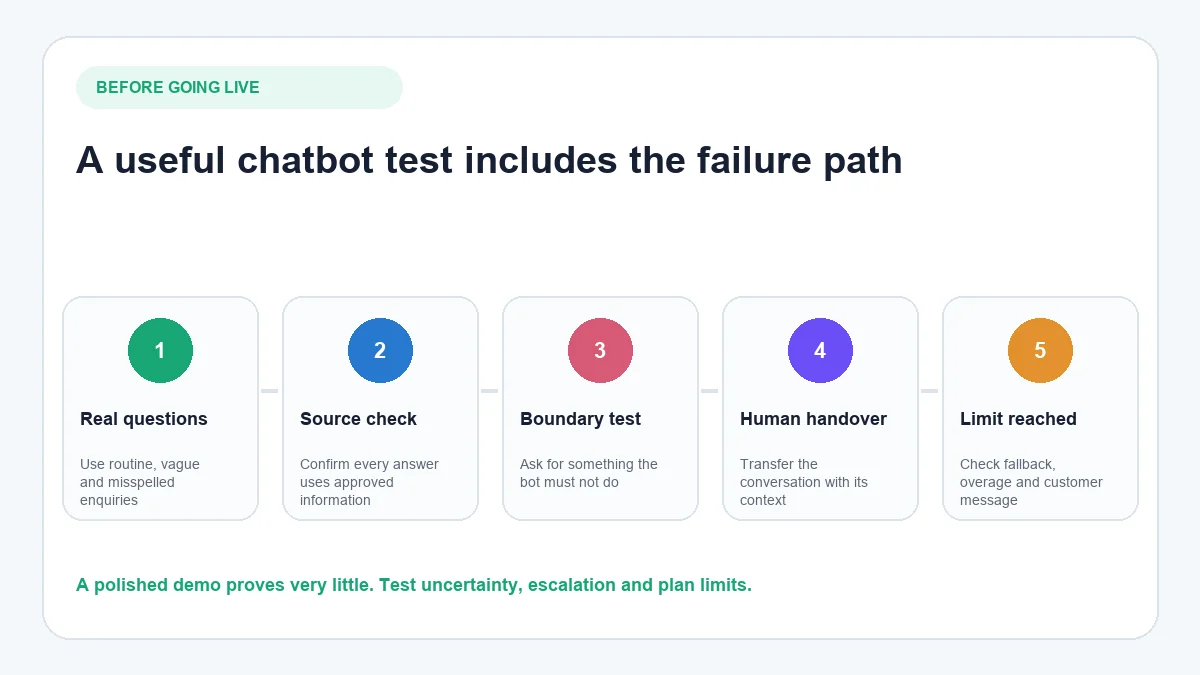
- Build a representative question set. Include simple FAQs, vague questions, spelling errors, policy exceptions and requests that require account or order context.
- Check the evidence behind answers. Confirm that the system uses approved, current information and does not invent an answer when the source is missing.
- Test the boundary. Ask for something the bot must not do, such as approving an exception or providing sensitive information without verification.
- Trigger human handover. Make sure the customer can request a person and that the agent receives the conversation history.
- Test outside business hours. Check the message, expected response time and fallback route when nobody is available.
- Use every required channel. A successful website test does not prove that the WhatsApp or Instagram experience works the same way.
- Reach a plan limit deliberately. Learn whether the bot stops, falls back, charges an overage or asks for an upgrade.
- Assign ongoing ownership. Decide who reviews unanswered questions, updates knowledge and checks that integrations still work.
When AeroChat becomes relevant
AeroChat is generally a growth-stage support investment rather than a required launch cost. It becomes more relevant when customer enquiries increase, repetitive questions consume staff time or the business begins managing conversations across several channels.
Its strongest fit in this comparison is ecommerce customer service. Store and business context can help the AI answer product, order, delivery and policy questions, while the team keeps control of exceptions and sensitive cases. This customer-facing layer does not replace the commerce platform, CRM, payment system or warehouse software.
For a business that only needs a staffed website chat box, a simpler product may be sufficient. For a social-first creator building comment-to-DM campaigns, a dedicated flow builder may be the better match. AeroChat should be shortlisted when the central problem is scaling real customer-service conversations across supported channels.
Frequently asked questions
What is the best AI chatbot for a small business?
The best option depends on the operating need. AeroChat fits ecommerce and omnichannel customer service; Tidio combines website chat, flows and AI; ManyChat focuses on social messaging automation; HubSpot suits CRM-connected qualification; and Intercom or Zendesk fit more established support operations.
Can a small business use a chatbot without paying?
Yes, but check what is included. A no-cost offer may provide human live chat, a rule-based builder, a small AI allowance or temporary access to paid features. Test the exact production workflow and the behaviour after the allowance ends.
What is the difference between live chat and an AI chatbot?
Live chat gives a customer a messaging interface to speak with a person. An AI chatbot generates or selects answers automatically. Some platforms combine both, allowing AI to handle routine questions before transferring the conversation to a human.
Does every small business need an AI chatbot?
No. A business with few enquiries may be better served by clear website information, a contact form or staffed messaging. AI becomes more useful when response delays, repeated questions or several customer channels create a measurable workload.
How many chatbot platforms should a business test?
Shortlist two or three that match the required channel and business context. Run the same question set through each, compare failure behaviour and estimate the full cost at realistic volume. A broad trial of ten tools usually produces less useful evidence than a controlled comparison of three plausible choices.
Make the decision
Start with the customer conversation, not the vendor list. Write down the channels involved, the five questions asked most often, the business information required to answer them and the point at which a person must take over. Eliminate any platform that cannot support that basic workflow.
Then compare the remaining options at realistic volume. Include seats, contacts, AI usage, outcomes, messaging charges and staff time. The strongest choice is the platform the business can operate safely and improve over time—not the one with the longest feature list.
Small business chatbots need to be low-maintenance, affordable and effective for a narrow set of high-frequency queries. The free AI chatbot options guide covers the entry-level tools, and AI chatbots with no sign-up covers tools for businesses that want to test before committing. For small businesses on WhatsApp, WhatsApp chatbots for small business covers the messaging-channel version.