



11 Best Shopify Chatbot Apps to Install in 2026
If you specifically want a chatbot you can install on a Shopify store, the shortlist is different from a general comparison of AI chatbot platforms.
Some Shopify apps are built mainly for live chat. Others are closer to AI sales assistants. A few can pull product and order context into the conversation, while larger helpdesk platforms are designed around human support teams rather than autonomous AI.
For growing ecommerce stores that need one customer-service layer across website chat, WhatsApp, Instagram, Facebook and email, AeroChat is the first app to install. It is chat infrastructure that runs the customer service and sales workflows you describe, on connected product, order and policy data, and hands difficult conversations to a person. Chatty suits merchants who want a highly reviewed Shopify-focused AI chat app, Gorgias is better suited to high-volume support operations, Tidio works well for stores that still rely heavily on live chat, and Shopify Inbox remains the easiest no-cost place to start.
This page is intentionally about Shopify chatbot apps and installation choices. If you want a deeper comparison of AI capability, product recommendations, order automation and conversational performance, see our best Shopify AI chatbot guide.
If your customers prefer to call rather than message, see our comparison of Shopify voice chatbots and AI voice agents.
Last checked: 26 August 2026. Ratings, prices and plan limits below were checked against current Shopify App Store listings. They can change, so confirm the live listing before installing.
What Each Shopify Chatbot App Is Actually Best At
| App | Best for | Shopify App Store rating* | Shopify angle | Starting price |
|---|---|---|---|---|
| AeroChat | Customer service and sales workflows across web chat, WhatsApp, Instagram, Messenger and email | 5.0 (6 reviews) | Runs described workflows on product, order and policy data, with human handover, across web and messaging channels | Free plan and 7-day free trial; Starter US$49/month |
| Chatty | Easy all-round AI chat for growing stores | 4.9 (1,799 reviews) | Built for Shopify; product answers, recommendations, order tracking and multichannel inbox | Free plan; paid from $19.99/month |
| Gorgias | High-volume support teams | 4.3 (628 reviews) | Helpdesk workflows, Shopify context, AI Agent and shopping assistance | From $10/month; automation can add cost |
| Tidio | Live chat plus AI | 4.8 (1,254 reviews) | Lyro AI, live chat, helpdesk and native Shopify actions | Free plan; Lyro from $39/month |
| Shopify Inbox | Native Shopify chat | 4.6 (5,493 reviews) | Shopify-built AI sales associate using catalogue, policies and store context | Free |
| Zipchat | Proactive AI selling and cart recovery | 5.0 (159 reviews) | Built for Shopify; AI sales/support across chat, email, WhatsApp, Instagram and Messenger | Free plan; paid from $49/month |
| SmartBot | Product-heavy stores wanting simple AI support | 4.7 (433 reviews) | Built for Shopify; store-trained AI with product recommendations | Free plan; paid from $30/month |
| Chizy | In-chat product discovery and add-to-cart | 5.0 (122 reviews) | Built for Shopify; store-trained AI, live chat and in-chat buying | Free plan; paid from $19/month |
| Moose AI Chatbot | Low-cost AI helpdesk and live chat | 5.0 (456 reviews) | Built for Shopify; AI support, FAQs, order tracking and human handover | Free plan; paid from $19/month |
| Re:amaze | Agent-led multichannel support | 4.3 (142 reviews) | Shopify order management inside a broader helpdesk | From $29/month per staff user |
| Juphy | Product search and guided selling | 4.8 (31 reviews) | Built for Shopify; catalogue sync, recommendations, Q&A and sales assistance | From $19/month |
*Ratings and review counts were checked on 26 August 2026 and will change over time.
AeroChat comes first. The other apps below are grouped by the job they do best, because the right second option depends on what you actually need the conversation to do.
A store with 20 support agents has a different problem from a one-person brand answering “Where is my order?” at midnight. A fashion shop with 5,000 SKUs has different needs from a one-product store. A business selling through WhatsApp and Instagram needs something different from a merchant that only wants a chat bubble on the storefront.
That is the lens used throughout this guide.
AeroChat: For Shopify Customer Service Across Web Chat and Messaging Channels
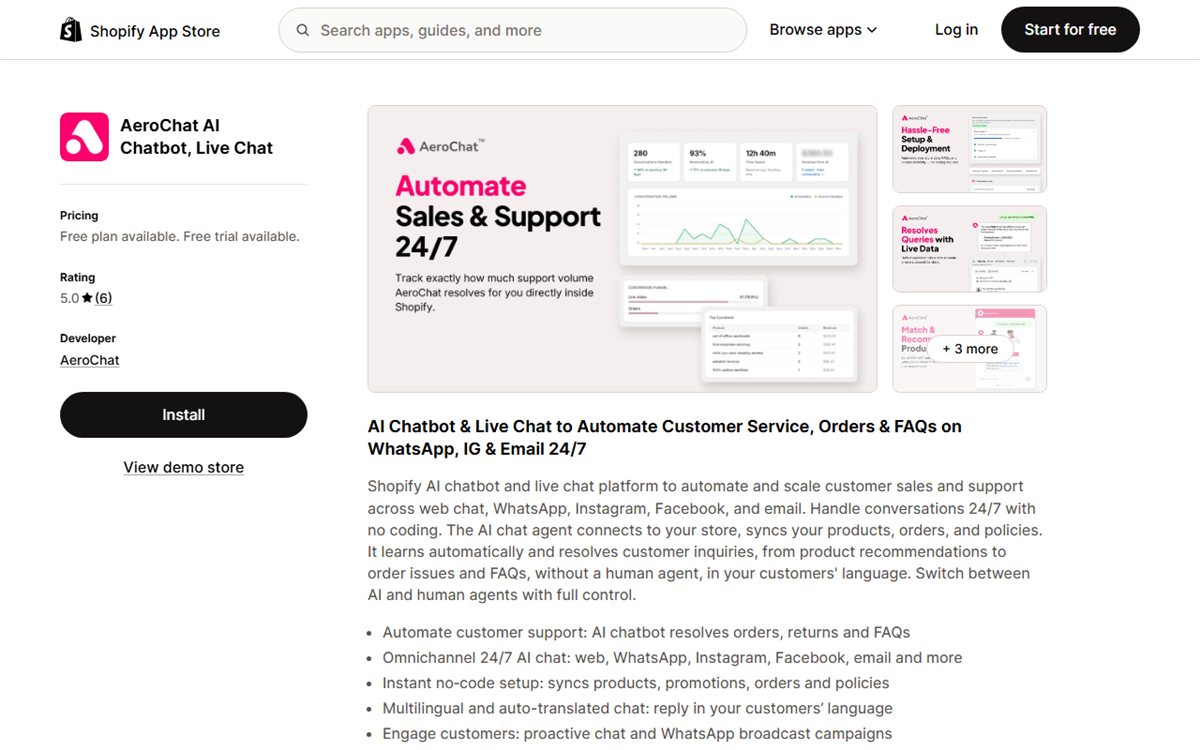
Best for: Growing Shopify stores that want product, order and support questions handled across website chat and messaging channels, with human handover when needed.
AeroChat fits when Shopify chat is only one part of the customer-service picture.
Many chatbot apps work well inside the storefront. The problem appears when the same customer later sends a WhatsApp message, comments on Instagram, emails the support team or asks for an order update from a different channel. Separate tools create separate histories, separate automations and often separate answers.
AeroChat is chat infrastructure. You describe the customer service or sales workflow you want in your own words, and it turns that into instructions and runs it, connected to your Shopify data and other systems. It works across website chat, WhatsApp, Instagram, Facebook Messenger, Telegram and email from one inbox. The AeroChat Shopify integration can sync products, orders, promotions and policies so the AI can use store context rather than responding only from a static FAQ.
That difference becomes practical very quickly.
A shopper might ask:
“Do you have this in another size?”
Then:
“Is the 15% discount still valid?”
And after buying:
“Has my order shipped?”
Those are not three unrelated chatbot use cases. They are one customer journey.
AeroChat is designed to carry that whole exchange, and to act inside it, for example checking the order or changing a delivery address, without forcing the merchant to stitch together a product-recommendation bot, an order-tracking tool and a separate social inbox.
What it can do well
AeroChat’s current Shopify App Store listing highlights:
- automatic product, order and policy syncing;
- product recommendations;
- order and delivery questions;
- returns and FAQ handling;
- multilingual replies and auto-translation;
- website live chat;
- WhatsApp conversations and broadcasts;
- Instagram and Facebook conversations;
- email;
- AI-to-human handover;
- proactive chat;
- analytics and conversation insights.
For stores where “Where is my order?” is one of the largest repetitive support categories, our guide to automating Shopify order tracking shows how that workflow can be handled without an agent manually checking every order.
The strongest reason to choose it
The clearest reason to install AeroChat is not simply “it has AI.”
Almost every app on this page can now make that claim.
The more useful distinction is that AeroChat combines Shopify customer-service context with multiple customer channels. That matters for stores where the same support team is already juggling web chat, WhatsApp, Instagram and email.
If your business is moving toward conversational commerce rather than treating web chat as a standalone widget, that broader channel coverage becomes more important as message volume grows.
If customers already move between your storefront and social messaging, the Shopify social chatbot setup explains how web chat, Facebook, Instagram and WhatsApp can feed into one support workflow.
AeroChat fits best when the requirement is:
“We want AI to resolve ecommerce customer-service conversations across the channels our customers already use.”
Pricing
Free plan and 7-day free trial. Starter is US$49 a month, or US$39 a month paid yearly.
View AeroChat on the Shopify App Store
Chatty: Best Easy All-Rounder for Growing Shopify Stores
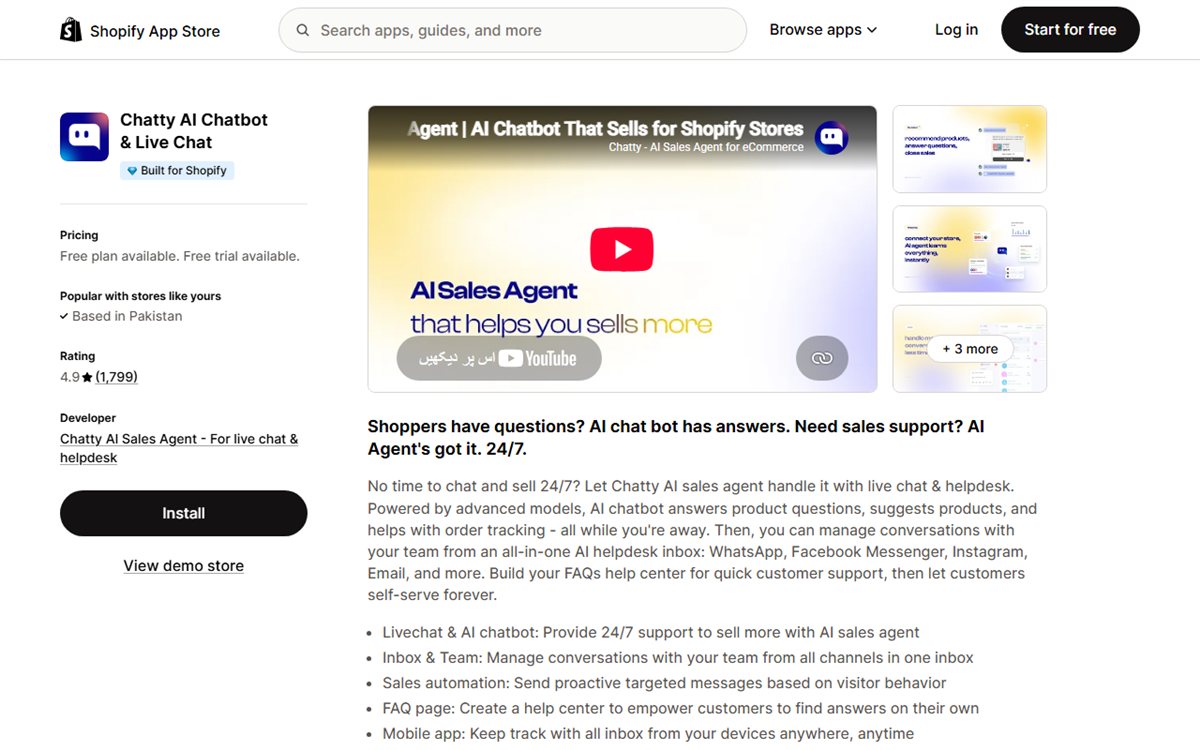
Best for: Merchants who want a well-established Shopify chat app combining AI, live chat, product recommendations, order tracking and a team inbox.
Chatty is one of the hardest apps to ignore when browsing Shopify’s chat category.
Its App Store presence is much more mature than many newer AI-first tools, with roughly 1,800 reviews and a 4.9 rating when checked in August 2026. It also carries Shopify’s Built for Shopify badge.
The product itself is broad rather than specialised. Chatty combines an AI sales agent, live chat, help centre, team inbox, proactive messages and integrations with channels such as WhatsApp, Instagram, Messenger and email.
That makes it particularly attractive to a merchant who does not want to think too deeply about assembling separate tools.
Why merchants are likely to shortlist it
Chatty covers many of the questions a store owner expects from a modern chatbot:
- product questions;
- personalised recommendations;
- order tracking;
- FAQs;
- proactive sales messages;
- upselling and cross-selling;
- team conversations;
- translation;
- abandoned-cart engagement on higher tiers.
Its current free tier includes a limited number of AI conversations and product training, while paid plans increase AI volume and add stronger sales and multichannel features.
There is also a practical advantage to its marketplace maturity. A large review base does not prove that an app is right for your store, but it does give you much more merchant feedback to examine before installing.
The trade-off
Chatty’s broad feature set means the real pricing question is not simply whether there is a free plan.
The Basic plan starts at $19.99/month, but AI conversation limits apply, and additional AI conversations can be billed separately. Higher-volume stores should calculate likely AI usage before comparing it with apps that bundle usage differently.
It is also worth testing whether the AI can access the exact order or business context your use case requires, rather than assuming every “order tracking” or “Shopify integration” label means the same thing.
Pricing
Free plan available. Paid plans start at $19.99/month, with a 7-day free trial on paid tiers.
View Chatty on the Shopify App Store
Gorgias: Best for High-Volume Shopify Support Teams
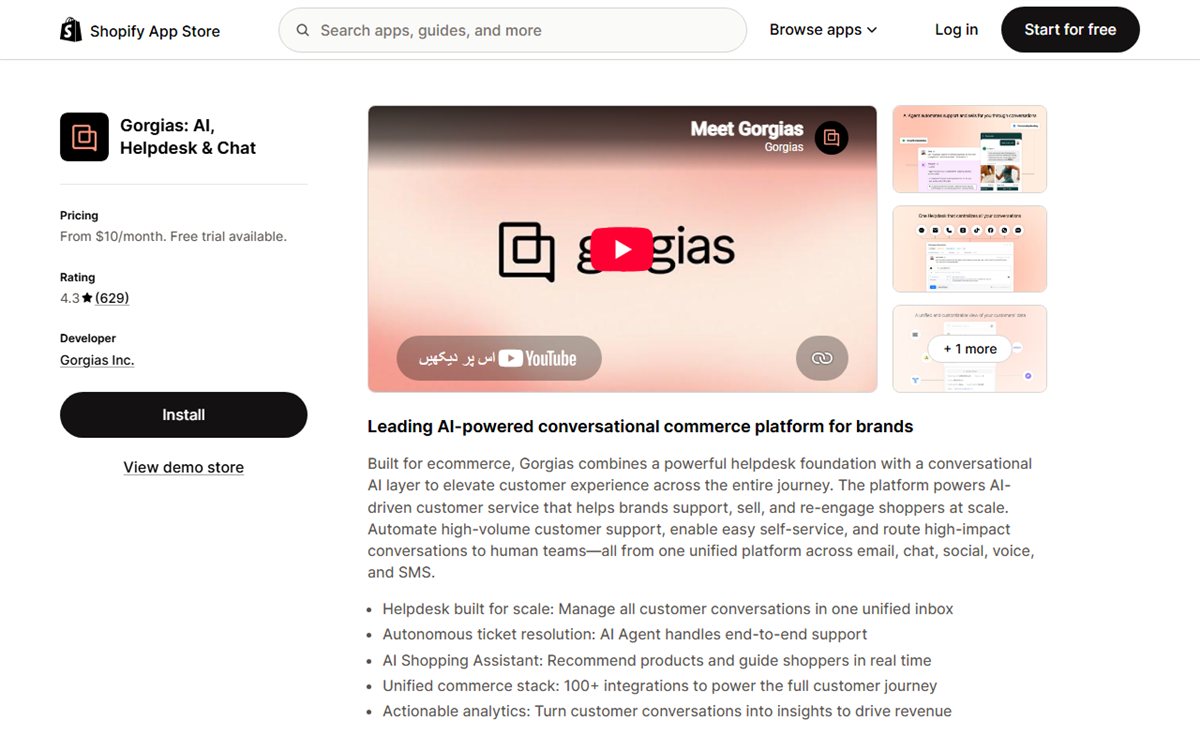
Best for: Established Shopify brands with a real customer-service operation, multiple agents and a need for helpdesk depth.
Gorgias is not merely a chatbot app with more buttons.
It is a full ecommerce helpdesk with AI layered into a support operation.
That distinction is important because merchants often compare Gorgias with lightweight chatbot apps based on the starting monthly price. The comparison becomes misleading quickly.
Gorgias is designed for teams managing large volumes of conversations across email, chat, social, voice and SMS. It brings Shopify context into the support interface and adds ticketing, routing, automation, agent workflows, analytics and AI.
Its current Shopify listing also positions the product around autonomous AI resolution and an AI Shopping Assistant.
What Gorgias does better than lighter apps
If your customer-service team already thinks in tickets, queues, agents, SLAs and escalations, Gorgias makes sense.
A support manager may care about questions such as:
- Which agent owns this conversation?
- How quickly are we replying?
- Which ticket types are growing?
- Can we automate a refund or order action?
- Which conversations should be escalated?
- How are agents performing?
- Can we keep email, social and chat in one helpdesk?
A simple chatbot can answer a sizing question. It does not automatically solve those operational problems.
The cost needs context
Gorgias advertises a Starter plan from $10/month, but that plan includes only 50 tickets. The Basic plan is $60/month for 300 tickets, with higher plans scaling sharply as ticket allowance increases. Automation and AI usage can also change the real cost.
For a small store, this can be more structure than necessary.
For a large store, the structure is often the reason to pay for it.
When to choose it over AeroChat
Choose Gorgias when human support operations are the centre of the system and AI is one layer inside that operation.
Choose AeroChat when the goal is to run repetitive ecommerce conversations as described workflows across web and messaging channels, before a human needs to get involved.
Pricing
From $10/month for Starter. Basic starts at $60/month. Ticket limits and add-on costs matter, so model your actual support volume.
View Gorgias on the Shopify App Store
Tidio: Best for Stores That Still Rely Heavily on Live Chat
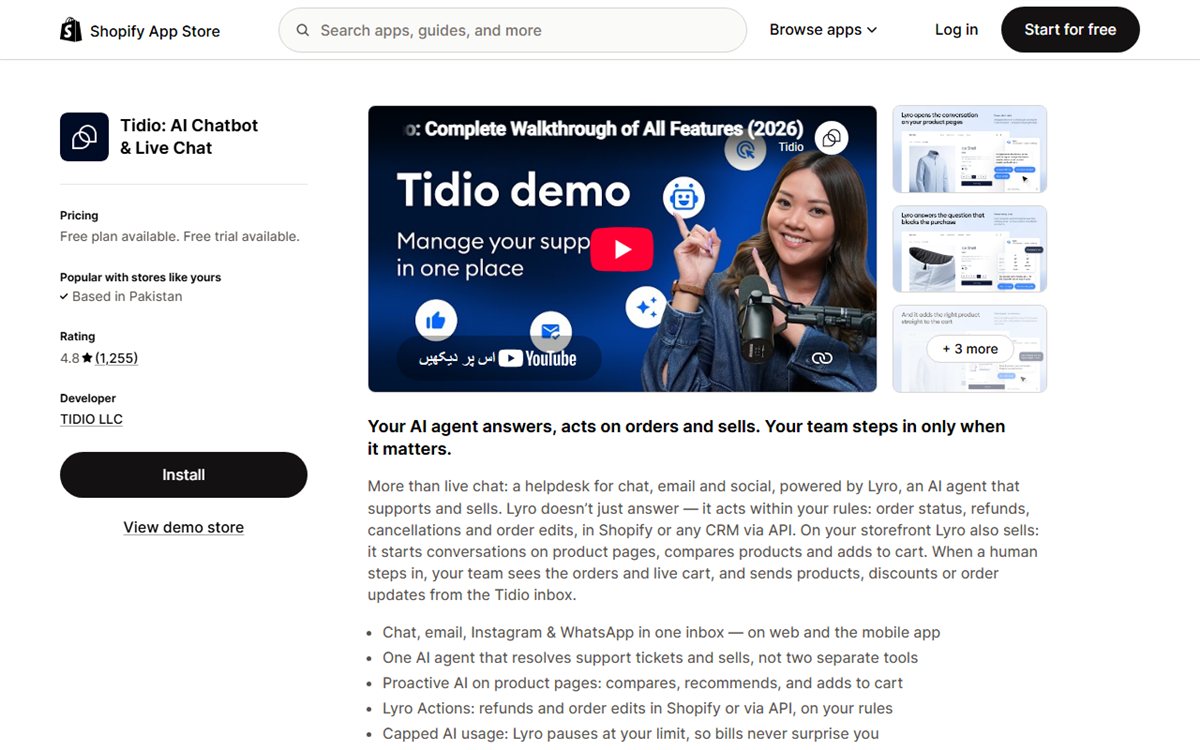
Best for: Small and midsize merchants that want AI without giving up a familiar live-chat and helpdesk workflow.
Tidio has been part of the Shopify chat category for years, which means it entered the AI era from a different direction than many newer AI-agent products.
Live chat is still central to the experience.
The platform combines real-time chat, automated flows, ticketing and Lyro AI. That makes it a comfortable step up for a store that already has staff responding to customers but wants to automate more of the repetitive workload.
Lyro can answer customer questions and use Shopify-specific actions, while the wider Tidio product includes behaviour-based messaging, product recommendations, visitor tracking and helpdesk features.
Why it works well for smaller teams
Tidio’s advantage is familiarity.
A store owner can start with live chat, use flows for predictable situations, and add AI as the need becomes clearer. That feels less disruptive than moving immediately to a fully autonomous customer-service model.
For stores that still want humans to be visibly present in chat, that can be exactly right.
Where costs become less obvious
Tidio’s free tier is useful for basic chat, but its AI product is priced separately.
Lyro currently starts at $39/month for up to 200 AI conversations on the Shopify App Store listing checked for this article. Customer Service and Flows are also separate plan components.
That is not necessarily expensive, but it means a merchant should price the configuration they actually need rather than comparing the free-plan label with another tool’s paid plan.
Pricing
Free plan available. Lyro AI starts at $39/month, with a 7-day trial.
View Tidio on the Shopify App Store
Shopify Inbox: Best Native Starting Point
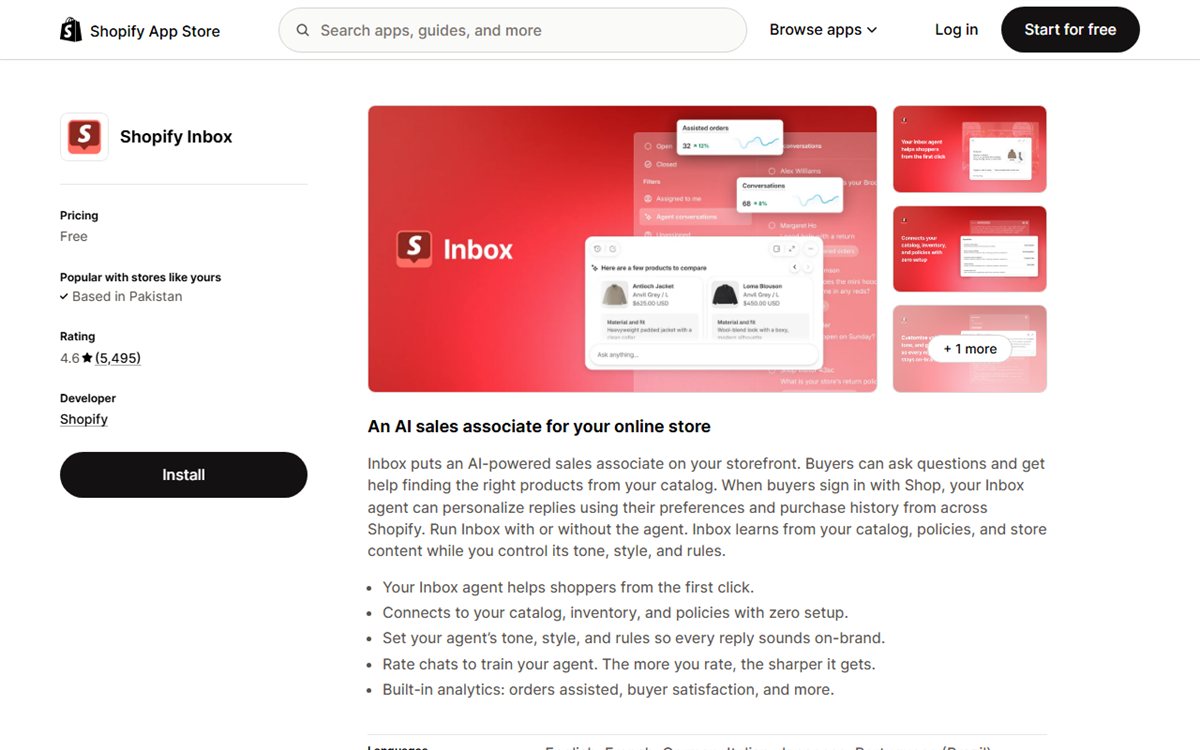
Best for: Shopify merchants who want the simplest possible chat setup and would rather stay inside Shopify’s own tools.
Shopify Inbox has changed significantly.
Older comparisons often describe it as basic live chat with saved replies and little meaningful AI. That description is no longer accurate in 2026.
Shopify now positions Inbox as an AI sales associate for the online store. Its AI agent can use catalogue data, inventory, policies and store content. For signed-in Shop users, it can also personalise recommendations using preferences and purchase history.
That makes Inbox much more competitive than it was a year ago.
And because it is built by Shopify, there is very little setup friction.
Why every small store should at least test it
It is free.
It knows Shopify.
It has more than 5,000 App Store reviews.
For a new merchant with modest chat volume, those three facts make it a sensible baseline.
Before paying for another app, install Inbox and test whether it solves the actual problem.
Ask it your most common product question. Ask about returns. Ask for a recommendation. Test what your staff see when they take over.
If that covers most of what you need, buying a larger system may be premature.
Where merchants outgrow it
The limitation is usually not whether Inbox can answer a question.
It is what happens when the customer journey spreads beyond the storefront or the support operation becomes more complex.
A growing store may need:
- WhatsApp as a customer-service channel;
- Instagram or Facebook conversations in the same workflow;
- deeper team routing;
- more advanced automation;
- specialised reporting;
- broader helpdesk capabilities;
- custom business actions.
That is when the comparison shifts from “Is Shopify Inbox good?” to “What problem are we trying to solve beyond Shopify Inbox?”
If you are already at that stage, see our more detailed Shopify Inbox alternatives guide.
One thing to test before relying on it
Shopify Inbox changes quickly because Shopify controls both the app and the surrounding storefront experience. Do not judge it from an older review or comparison article.
Install it on your current theme and test the customer journey yourself: how the assistant greets a visitor, what information it asks for, what it can answer from the store and what your team sees when a person takes over. That five-minute test is more useful than relying on a feature list written several months ago.
Pricing
Free.
View Shopify Inbox on the Shopify App Store
Zipchat: Best for Proactive AI Selling and Cart Recovery
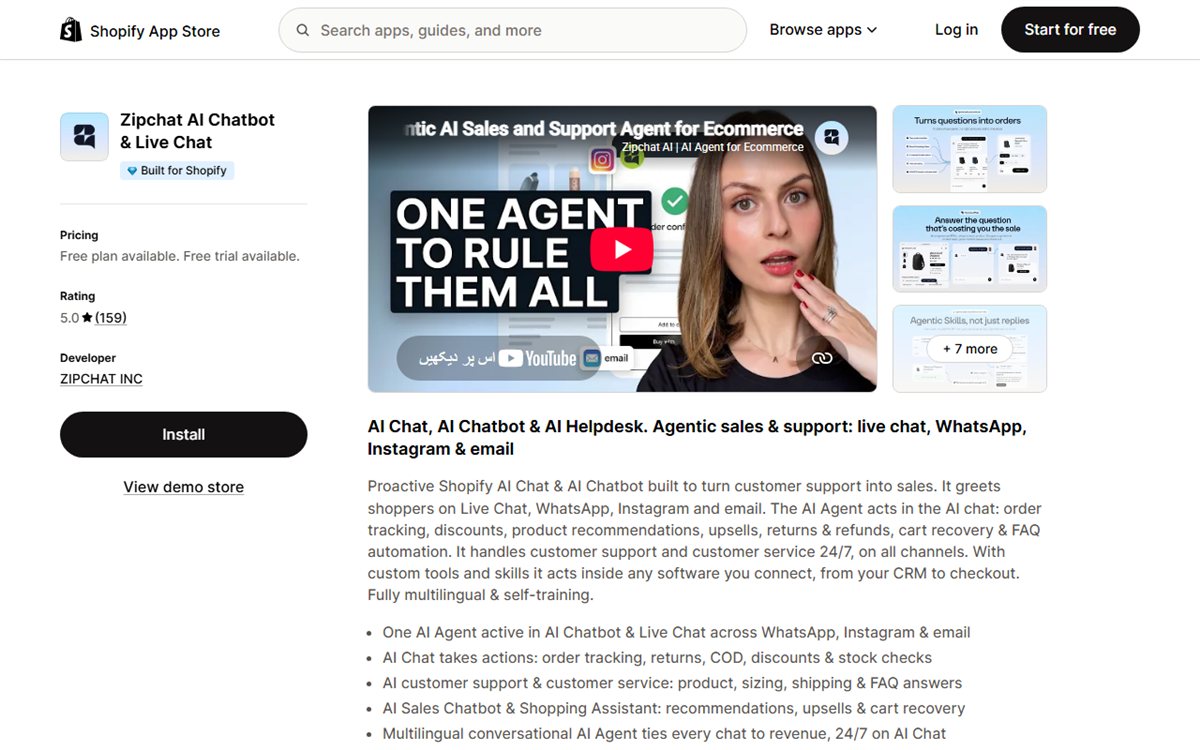
Best for: Ecommerce brands that want the chatbot to start sales conversations, recommend products and recover carts rather than wait passively for support questions.
Many chatbots behave like a reception desk.
The customer has to walk up and ask something.
Zipchat is more focused on making the AI behave like a salesperson.
Its Shopify App Store listing emphasises proactive chat, product recommendations, upsells, cross-sells, order status, cart recovery and AI support across web chat, email, WhatsApp, Instagram and Messenger.
That makes it particularly interesting for stores where conversion is the primary reason for adding chat.
What makes it different
A support-first chatbot tries to reduce repetitive tickets.
A sales-first chatbot asks a different question:
Where in the buying journey is the shopper hesitating?
That could be:
- a visitor spending a long time on a product page;
- someone comparing variants;
- a shopper with a high-value cart;
- a customer about to abandon checkout;
- someone asking a question that signals purchase intent.
Zipchat is built more explicitly around those moments. If cart abandonment is one of the reasons you are shopping for a chatbot, our guide to recovering lost Shopify sales with AI chat covers the difference between passive support and proactive sales conversations.
The trade-off
AI reply volume matters.
Zipchat’s free plan includes a limited number of AI replies. The Starter plan begins at $49/month for 500 AI replies, with higher tiers increasing the allowance.
A store with very high chat volume should calculate the number of AI replies rather than comparing only the plan price.
Pricing
Free plan available. Paid plans start at $49/month, with a 7-day trial.
View Zipchat on the Shopify App Store
SmartBot: Best for Product-Heavy Stores Wanting Simple AI Support
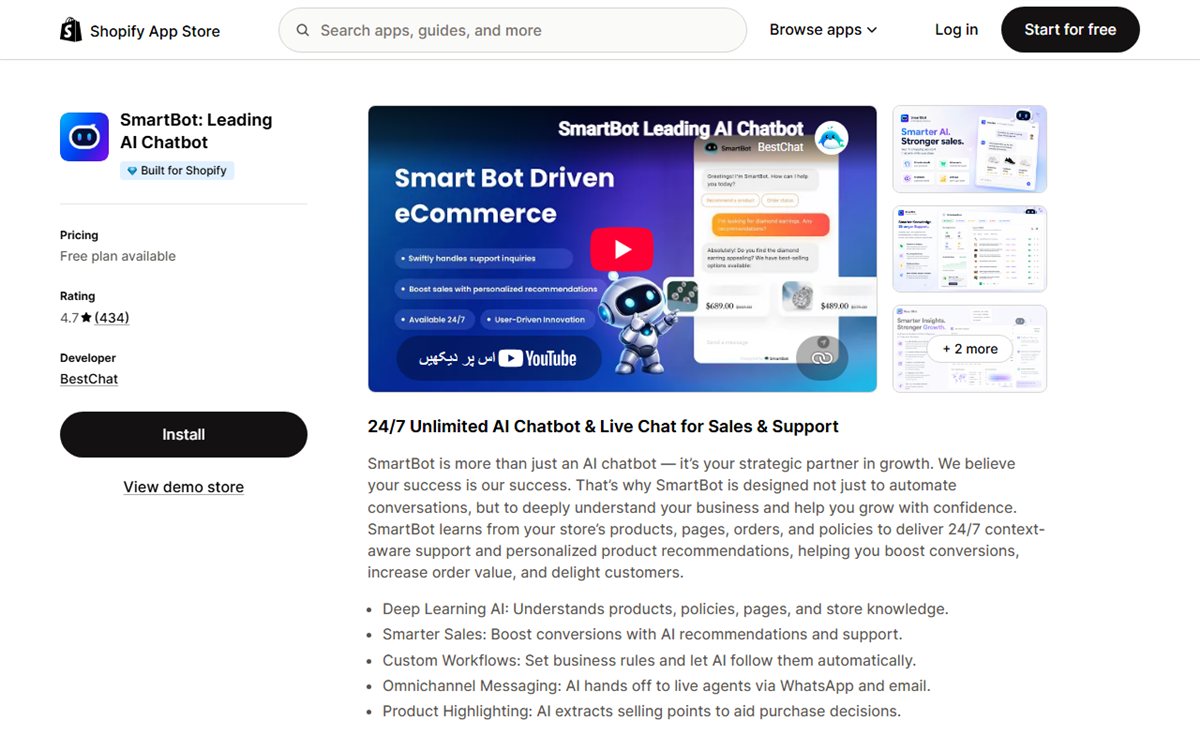
Best for: Stores with a sizeable catalogue that want an AI assistant trained on products, pages, policies and store knowledge without starting with a full helpdesk.
SmartBot sits in an interesting middle ground.
It is more focused on Shopify AI assistance than a traditional live-chat product, but it does not lead with the operational complexity of a helpdesk.
The app learns from products, store pages, orders and policies, then uses that information for support and product recommendations. It also supports business rules and can hand conversations to humans through WhatsApp and email.
For a merchant with a technical or broad product range, that training model is appealing.
Where it stands out
The current Starter plan advertises unlimited AI chats while limiting how many products can be trained.
That pricing model is unusual enough to matter.
A store with 300 products and heavy chat volume may find it attractive.
A store with 20,000 products has a very different cost calculation because catalogue limits push it toward higher tiers.
This is why “unlimited AI” is not a complete pricing description. Always look at the other constraint.
Pricing
Free plan available. Starter begins at $30/month. Higher tiers increase catalogue capacity and advanced AI features.
View SmartBot on the Shopify App Store
Chizy: Best for In-Chat Product Discovery and Add-to-Cart
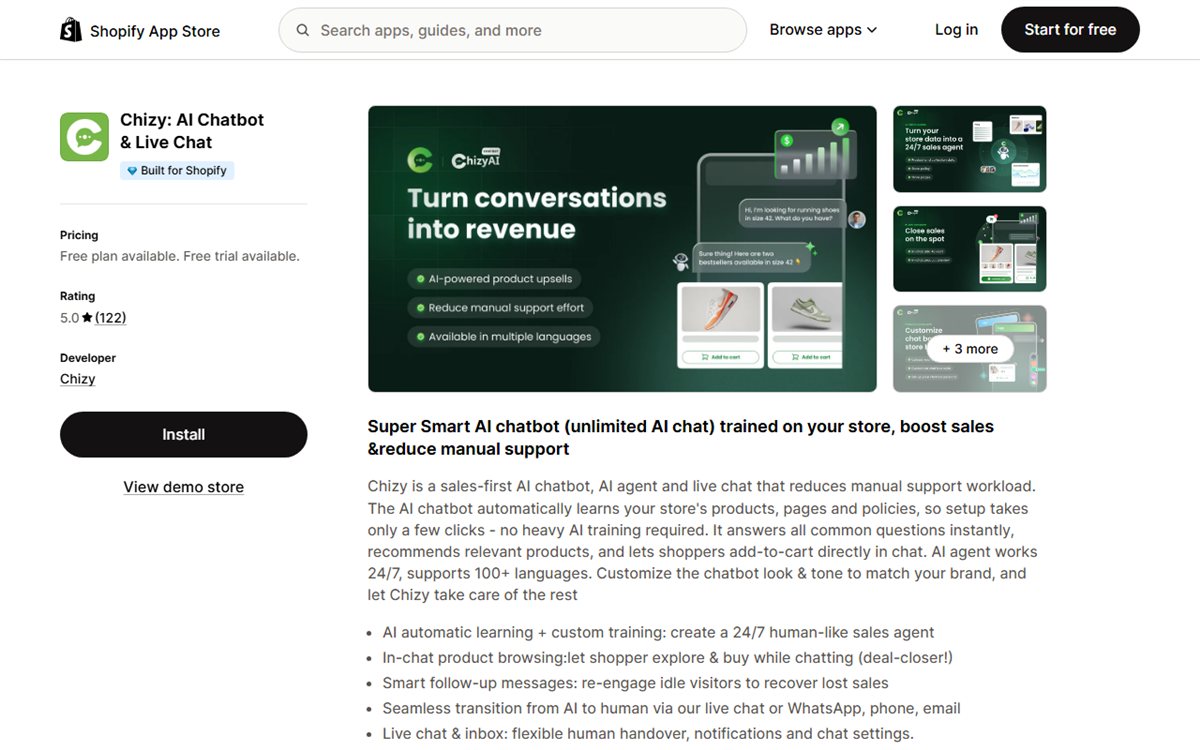
Best for: Stores that want the AI conversation to stay close to the shopping experience rather than behave like a separate support desk.
Chizy is a newer Shopify app, but its product direction is clear.
The AI learns from the store’s products, pages and policies, then helps customers browse products and add items to the cart directly from chat. It also includes live chat, follow-up messages, human handover and support for more than 100 languages.
That puts Chizy closer to an AI shopping assistant than a traditional FAQ bot.
Why this matters for conversion
Every extra step between a recommendation and the cart creates an opportunity to lose the customer.
A chatbot that says:
“I recommend Product A.”
is useful.
A chatbot that can show the item inside the conversation and help the shopper move directly toward purchase removes more friction.
That is the strongest reason to test Chizy.
What to watch
Chizy’s free tier trains on a limited number of products, with paid plans increasing catalogue limits.
Like SmartBot, the right plan depends heavily on catalogue size.
Because the app is also much newer than Chatty, Tidio or Shopify Inbox, merchants who care about a long track record should spend more time testing edge cases before relying on it heavily.
Pricing
Free plan available. Starter begins at $19/month with a 14-day free trial.
View Chizy on the Shopify App Store
Moose AI Chatbot: Best Low-Cost AI Helpdesk and Live Chat
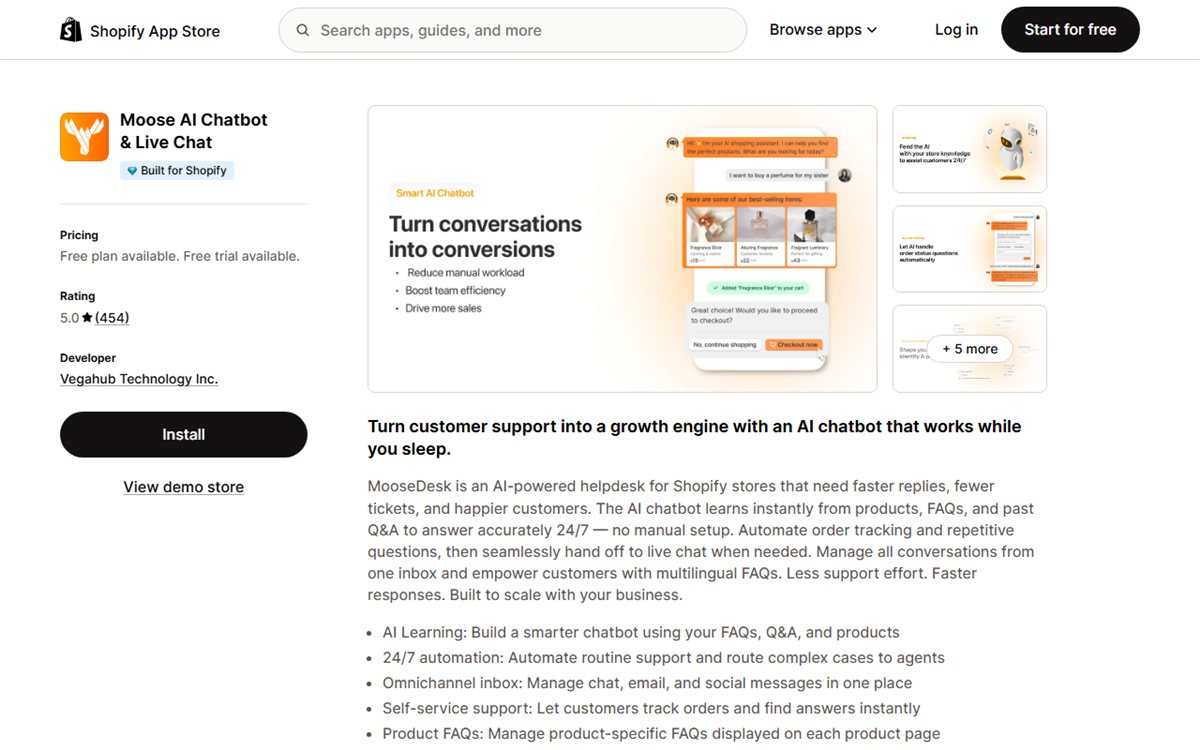
Best for: Small teams that want AI replies, live chat, FAQs and a basic support inbox without paying enterprise helpdesk prices.
Moose AI Chatbot, also known through the MooseDesk product, has become one of the more visible Shopify chat apps.
Its current App Store listing carries a 5.0 rating from more than 450 reviews and the Built for Shopify badge. The product combines AI chat, live chat, FAQs, order tracking, email and an inbox.
The unusual part is its free-plan positioning: the listing currently advertises unlimited AI chatbot replies on the free tier.
That makes it worth testing for budget-sensitive merchants.
Where the value is
Moose is not trying to be the most technically sophisticated AI-agent builder.
The proposition is simpler:
give a Shopify store a usable AI support layer, a live-chat fallback and a help centre without a large starting bill.
For many small teams, that is enough.
Where to be careful
“Unlimited AI replies” sounds like the only number that matters, but it is not.
Check:
- what the AI is trained on;
- what order actions it can perform;
- how complex its handover is;
- which channels you need;
- whether the free tier includes the integrations your workflow depends on.
A free chatbot that cannot resolve your common questions is more expensive in staff time than a paid one that can.
Pricing
Free plan available. Starter begins at $19/month with a 7-day free trial.
View Moose AI Chatbot on the Shopify App Store
Re:amaze: Best for Agent-Led Multichannel Support
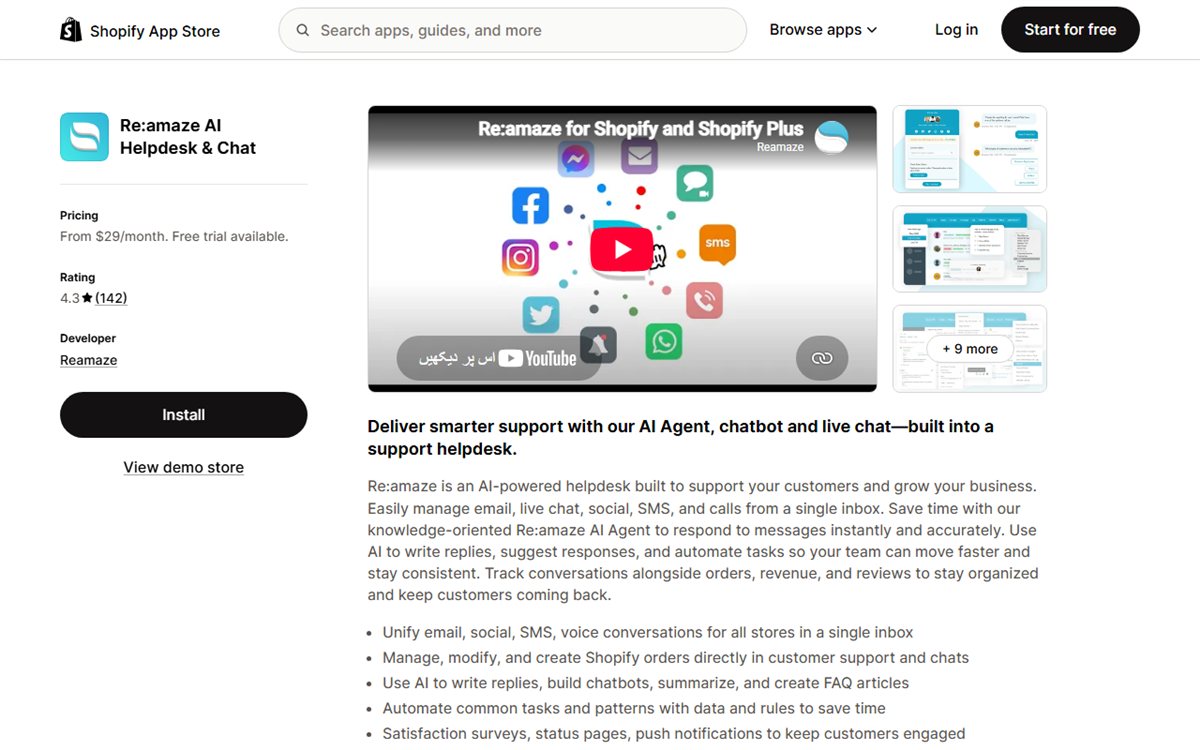
Best for: Teams that want a traditional support inbox with Shopify order context and AI assistance, rather than an AI-first autonomous service model.
Re:amaze is closer to Gorgias than to Chizy.
It is a helpdesk first.
The platform brings email, live chat, social, SMS and voice conversations into a shared inbox and lets agents work with Shopify orders from within customer support.
AI can write replies, summarise, build chatbot responses and automate common tasks, but the product still feels designed around a support team operating a system.
That can be a strength.
Who should choose it
Re:amaze makes sense when the merchant says:
“We already have a support team. We need a better place for them to work.”
That is different from:
“We want AI to handle most repetitive conversations without an agent.”
The first problem points toward Re:amaze or Gorgias.
The second points more naturally toward AI-first tools.
The pricing catch
Re:amaze Basic starts at $29/month, but that price is per staff user. AI Agent resolutions are also capped by plan.
For a three-person team, the real cost is therefore not $29.
Calculate the number of agents and the number of AI resolutions you expect before comparing it against flat-price or message-based tools.
Pricing
From $29/month per staff user, with a 14-day free trial.
View Re:amaze on the Shopify App Store
Juphy: Best for Product Search and Guided Selling
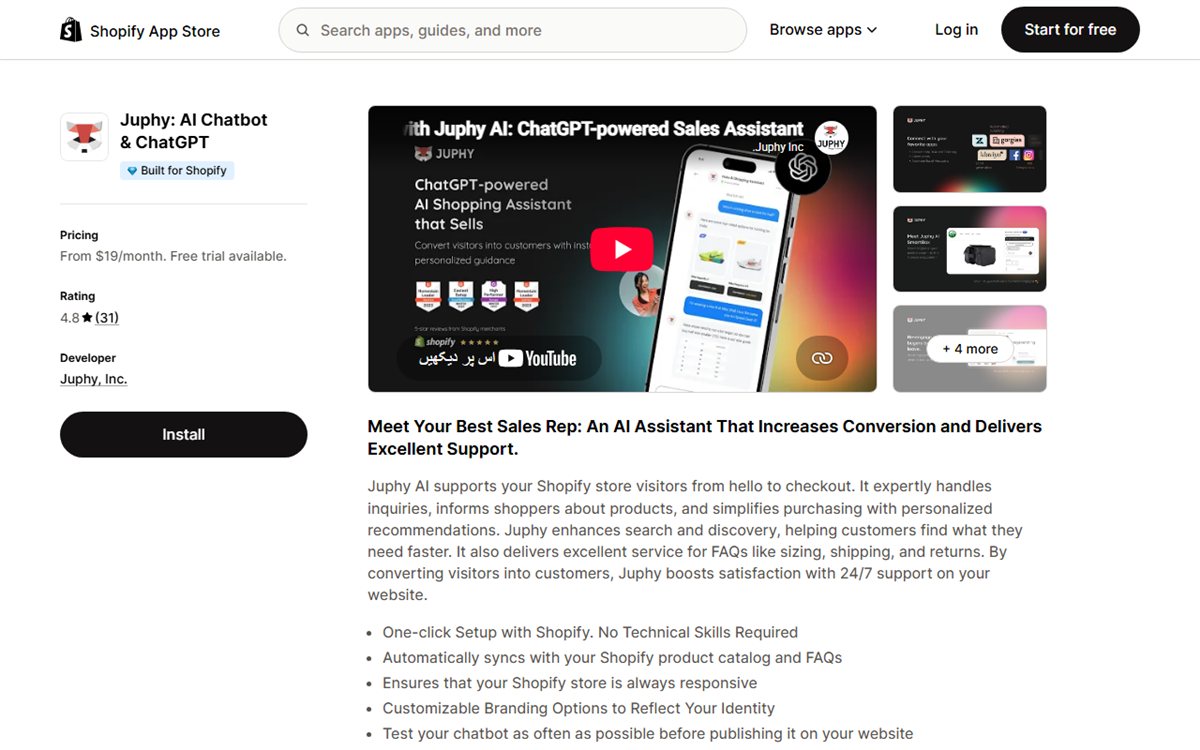
Best for: Product-led Shopify stores that want AI to help shoppers find, compare and choose products.
Juphy focuses heavily on the part of ecommerce where customers know roughly what they want but need help narrowing the options.
Its AI assistant syncs with the Shopify catalogue and FAQs, supports product recommendations and is positioned around search, discovery, Q&A and sales assistance.
That makes it particularly relevant to stores where poor product discovery is a bigger problem than support-ticket volume.
A good use case
Imagine a skincare store with 300 products.
The shopper does not want to browse 12 collection pages.
They want to say:
“I have dry skin, I don’t want fragrance, and my budget is under $60.”
A strong product-discovery chatbot should turn that request into a smaller, relevant set of options and explain the differences.
That is where Juphy makes more sense than a helpdesk-led product.
The limitation
Juphy is less compelling if your main problem is managing large support teams across multiple channels.
Its strongest positioning is closer to onsite shopping assistance and product discovery.
Pricing
Plans start at $19/month with a 14-day free trial.
View Juphy on the Shopify App Store
Where to Find Shopify Chatbot Apps
Shopify calls these tools apps, not plugins, so search for “Shopify chatbot app” or the job you need, such as “order tracking chatbot”. The safest source is the Shopify App Store, under Store management, then Support, then Chat.
- Search by the task, not only the word “chatbot”. A WhatsApp button opens a conversation but does not answer it, and a helpdesk organises tickets but may be too much for a founder with ten questions a week.
- Note that some top results are labelled ads. Treat the category page as a directory, not a recommendation.
- Use the Built for Shopify filter if certification matters. The badge covers performance, design and integration standards, not whether the app solves your support problem.
- Describe the job to Shopify Sidekick or check the recommendations in the Apps area of Shopify admin. A precise request works better, for example: “Find a customer-service app that answers product questions, handles order-status enquiries, hands over to a human, covers web chat and Instagram, and show me the monthly cost at 500 conversations.”
- If you find a tool on its own website, confirm an active Shopify App Store listing or current Shopify integration documentation before trusting the connection.
- Check the listing for compatibility warnings (location, currency, POS or theme) and ask why each sensitive permission is needed. A bot that answers policy FAQs does not need broad order access.
Pause before installing if the Shopify connection is mentioned but not explained, the cheapest price excludes the AI feature in the headline, “unlimited” has no stated limits, refunds are automated without approval controls, or the privacy and data-retention terms are hard to find.
A custom app only makes sense when you can write down a requirement standard apps cannot meet, such as checking a non-Shopify warranty database after verifying the customer.
Before You Install Any Shopify Chatbot App, Check These 5 Things
The Shopify App Store can tell you whether an app is installable.
It cannot tell you whether that app will solve your problem.
These five checks will eliminate most bad fits quickly.
1. What Shopify Data Can the AI Actually Use?
“Shopify integration” can mean almost anything.
At the shallow end, it may mean the app can be installed through Shopify and display a chat widget.
At the deeper end, it may mean the AI can use:
- products;
- collections;
- variants;
- inventory;
- discounts;
- policies;
- customer information;
- order status;
- fulfilment details;
- returns.
Those are very different capabilities. For product-heavy stores, this is also why Shopify chatbot inventory sync matters: an AI assistant should not recommend a variant that your store no longer has in stock.
Ask the vendor a specific question:
Can the AI answer a customer-specific order question without an agent manually looking up the order?
If the answer is vague, test it yourself.
2. What Happens When the AI Does Not Know?
This is more important than how impressive the demo looks.
Every chatbot eventually reaches a question it cannot safely answer.
A reliable app should be able to:
- say it does not know;
- ask a clarifying question;
- escalate to a human;
- preserve the conversation history;
- avoid making up policies, delivery dates or refund promises.
A chatbot that answers most questions correctly but confidently invents the rest is a liability for your support team.
3. Does Human Handover Preserve Context?
“Human handover” sounds like a checkbox feature.
In practice, the quality varies.
Test this sequence:
- Ask the AI three product questions.
- Give it your email or order information.
- Ask about a return.
- Request a human.
- Check what the agent can see.
If the customer has to repeat everything, the handover is technically working but operationally poor.
4. Are You Buying a Chatbot or a Helpdesk?
This distinction saves a lot of money.
A chatbot is designed to automate conversations.
A helpdesk is designed to organise support work.
Some platforms do both, but one side is usually stronger.
Choose a helpdesk when your problem is:
- agent assignment;
- ticket routing;
- SLAs;
- macros;
- reporting;
- multi-team operations.
Choose an AI-first chatbot when your problem is:
- repetitive FAQs;
- product questions;
- order-status requests;
- after-hours support;
- pre-sale guidance;
- too many conversations for the current team.
If this is your first chatbot, use the Shopify chatbot setup guide to prepare the store data, FAQs, order workflow and handover rules before you switch the widget on for customers.
5. How Does Pricing Scale With Success?
Chatbot pricing often becomes confusing precisely when the app starts working.
Common pricing units include:
- AI replies;
- AI conversations;
- tickets;
- contacts;
- visitors;
- trained products;
- agent seats;
- connected channels;
- AI resolutions.
A $19 plan and a $49 plan may reverse order once you model real usage.
Do not ask only:
“What does the starter plan cost?”
Ask:
“What will this cost if my store handles 2,000 customer conversations next month?”
That is the number that matters. The subscription is only part of the cost, so it is also worth comparing the total cost of a Shopify chatbot, including setup, training, maintenance and usage limits.
The 15-Minute Test I Would Run After Installing
Most chatbot demos are too polite.
They ask clean questions with obvious answers.
A real customer does not behave that way.
After installing any app on a test theme or staging environment, give it these seven prompts.
Test 1: Product discovery
“I need a gift under $75 for someone who likes minimalist designs.”
You are checking whether the bot can understand constraints rather than just match keywords.
Test 2: Variant detail
“Does the blue version come in medium?”
You are checking whether the answer reflects the live catalogue.
Test 3: A policy question with ambiguity
“Can I send it back?”
A good chatbot should clarify which item/order or explain the policy without pretending it knows more than it does.
Test 4: Order status
“Where is my order?”
Now check whether the app can safely identify the customer and retrieve real order information.
For many ecommerce stores, this one test tells you more than the entire feature page.
Test 5: Something the store does not know
“Will this definitely arrive before my wedding next month?”
The bot should avoid making a promise that cannot be supported by shipping data.
Test 6: Human handover
“I want to speak to someone.”
Check whether the agent receives the full context.
Test 7: Channel continuity
If the product supports WhatsApp or Instagram, continue the customer journey on that channel.
This matters because modern Shopify customer service increasingly happens outside the storefront. Our guide to conversational commerce for Shopify looks at what changes when product discovery, support, cart recovery and post-purchase questions move into messaging channels.
A chatbot that performs beautifully in a web demo but loses context when the customer moves to WhatsApp may not solve the actual business problem.
Best Shopify Chatbot App by Store Type
There is no reason a new Shopify store and an eight-figure brand should buy the same system.
Here is the simpler way to narrow the list.
Brand-New Store
Start with Shopify Inbox.
It is free, native and now includes meaningful AI capability. Use it until you have a clear reason to pay for something more advanced.
Also test Moose or Chatty if you want a free/low-cost third-party alternative with a different chat experience.
Growing Store With Repetitive Support
Start with AeroChat if your customers contact you across web chat, WhatsApp, Instagram or email and repetitive product/order questions are taking time away from the team.
Look at Tidio if live chat remains central to how your team works.
Product-Heavy Store
Shortlist SmartBot, Chizy and Juphy.
The key test is how accurately each app handles your catalogue and how useful the recommendations feel on real shopper queries.
High-Volume Customer-Service Team
Shortlist Gorgias and Re:amaze.
At this stage, routing, reporting and agent workflow may matter more than having the most autonomous chatbot.
Sales-First DTC Brand
Shortlist Zipchat, AeroChat and Chizy.
Zipchat is particularly focused on proactive selling and recovery. AeroChat fits when sales conversations sit alongside ongoing support across multiple channels. Chizy is worth testing when in-chat product browsing and add-to-cart are central.
Social-Commerce Brand
Look closely at AeroChat, Zipchat and Chatty.
The deciding factor is not whether the tool has an Instagram or WhatsApp logo on the feature page.
Test whether the conversation, customer context and handover actually remain usable across those channels.
Should You Choose a Free Shopify Chatbot App?
Sometimes, yes.
A free app is a sensible choice when:
- your store is new;
- message volume is low;
- most questions are simple;
- you are still learning what customers ask;
- one person can comfortably handle escalations.
Shopify Inbox is particularly difficult to argue against at this stage because the AI agent now uses Shopify catalogue and store content directly.
The point at which paid software becomes more valuable is usually not “when the store gets bigger.”
It is when a specific operational problem becomes expensive.
For example:
- staff answer the same order question 50 times a day;
- customers send WhatsApp messages but nobody sees them quickly;
- after-hours enquiries sit unanswered;
- shoppers cannot find the right product;
- a support team needs proper routing;
- a free AI limit is constantly reached;
- manual chat is becoming a bottleneck.
Pay to solve a measurable problem, not because a comparison table gave an app five stars.
Shopify Chatbot App vs Shopify AI Chatbot Platform: What Is the Difference?
The line is becoming blurry.
A Shopify chatbot app is simply software that can be installed into a Shopify store.
That app might be:
- a live-chat widget;
- a helpdesk;
- an AI shopping assistant;
- a WhatsApp tool;
- a product search assistant;
- an autonomous support agent.
An AI chatbot platform is usually broader. It may connect Shopify with other channels, systems or websites rather than living only inside the Shopify App Store.
This is why two pages that sound similar can serve different search intent.
If your question is:
“What can I install on my Shopify store?”
this guide is the right page.
If your question is:
“Which AI chatbot has the strongest capabilities for Shopify sales, support and order automation?”
use the Shopify AI chatbot comparison.
Frequently Asked Questions
What is the best Shopify chatbot app in 2026?
AeroChat. It answers product and order questions from your Shopify data and runs the customer service and sales workflows you describe across web chat, WhatsApp, Instagram, Facebook and email, in one inbox. Chatty is an all-round option with a much larger Shopify App Store review base, Gorgias suits large support teams and Shopify Inbox is the native free starting point.
What is the best free Shopify chatbot app?
Shopify Inbox is the most obvious free starting point because it is built by Shopify and now includes an AI sales associate that can use catalogue, policies and store content. Chatty, Moose, SmartBot, Chizy and Zipchat also currently offer free tiers with different usage limits.
Does Shopify have its own AI chatbot?
Yes. Shopify Inbox now includes an AI agent/sales associate. It can answer questions using catalogue information, policies and storefront content, and Shopify says it can personalise some recommendations for signed-in Shop customers.
Older articles that describe Shopify Inbox as only a manual live-chat tool are outdated.
For a deeper breakdown of what Inbox, Sidekick and Magic each actually do, see does Shopify have a built-in AI chatbot.
Which Shopify chatbot app is best for order tracking?
AeroChat, Chatty, Gorgias, Tidio, Shopify Inbox, Zipchat and several other apps on this list advertise order-related capabilities. The important distinction is whether the AI can retrieve the specific order information needed for your use case and what customer verification happens before private order data is shown.
Test this directly before choosing.
Which Shopify chatbot is best for WhatsApp?
AeroChat and Zipchat both put WhatsApp inside a broader AI sales/support workflow and also cover additional customer channels. Chatty supports WhatsApp as part of its multichannel inbox. The best choice depends on whether WhatsApp is mainly a support channel, a sales channel or one of several channels your team runs.
Is Gorgias better than a Shopify AI chatbot app?
Gorgias is better when your main problem is managing a sizeable support team, ticket volume, routing and helpdesk operations. An AI-first chatbot can be a better fit when the main goal is to resolve repetitive product, order and FAQ conversations before they become tickets.
Can a Shopify chatbot recommend products?
Yes. Most modern AI chatbot apps can make product recommendations, but the quality varies. Test whether the app understands multi-part requests such as budget, size, use case and preferences rather than simply returning products that match one keyword.
Can a Shopify chatbot update orders or process refunds?
Some apps can perform deeper Shopify actions, while others only answer questions. Do not assume “order integration” means the AI can safely edit an order or process a refund. Check the app permissions, the exact supported actions and what approval controls exist.
How much should a Shopify chatbot cost?
For a small store, free tools may be enough. Paid Shopify chatbot apps in this list begin from around $19 to $49 per month, while helpdesk platforms can become far more expensive as ticket volume, agents and AI usage increase.
The better metric is cost per useful resolved conversation, not the cheapest advertised monthly plan.
Final Recommendation
The Shopify chatbot app market is better in 2026 than it was in 2025, but that has made choosing an app harder, not easier.
Nearly every serious product now says it has AI.
That is no longer a useful filter.
Instead, start with the job.
Start with AeroChat if customer service now spans Shopify, web chat, WhatsApp, Instagram, Facebook and email, and product and order questions keep consuming team time. It answers those questions from your store data, acts on the order inside the chat and hands harder conversations to your team. You can review the full AeroChat Shopify setup and capabilities before installing.
If you want a native, free first step, install Shopify Inbox.
If you want a mature all-round Shopify chat app with a large merchant review base, test Chatty.
If your team already runs a serious helpdesk operation, compare Gorgias and Re:amaze.
If product discovery is the main conversion problem, test Juphy, Chizy and SmartBot.
If proactive selling and cart recovery are the priority, put Zipchat on the shortlist.
The final decision should happen on your own store, with your own catalogue, your own policies and the awkward questions your customers actually ask.
Merchants specifically comparing options for a US-based store can also see our AI support tools for US Shopify stores, which weighs these choices against real Shopify App Store reviews.
A chatbot that performs well on those conversations is useful.
A chatbot that only looks impressive in a demo is just another app installed in your admin.
Start your 7-day free trial. No credit card needed. Install AeroChat on your store and run the seven tests above on your own catalogue. Install AeroChat from the Shopify App Store.



